

Using AI Tools to Improve Your Mix Without Letting AI Take Over




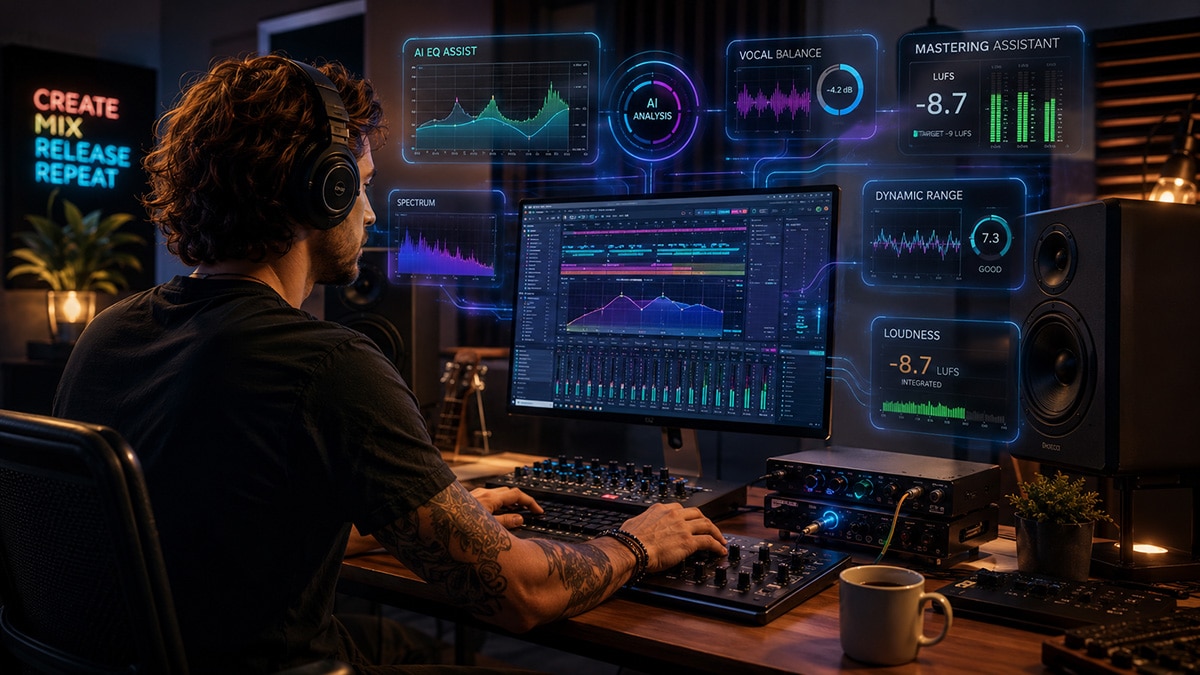
Making a Scene Presents – Using AI Tools to Improve Your Mix Without Letting AI Take Over
Listen to the Podcast Discussion
The New Home Studio Problem
The home studio has changed everything for the independent artist. That little room in the house, the spare bedroom, the basement corner, the treated garage, or the desk with a laptop and a pair of headphones is no longer just a demo space. It is where songs are written, arranged, recorded, mixed, mastered, pitched, released, and sometimes turned into real income.
That is powerful. It is also a lot of pressure.
A working indie artist today is expected to be the songwriter, performer, producer, engineer, content creator, marketer, booking department, merch department, and sometimes the van driver. Somewhere in the middle of all that, they are also supposed to make a mix that sounds good on studio monitors, earbuds, car speakers, phones, laptops, club PAs, streaming platforms, radio shows, sync pitches, and the merch table after the gig.
That is where AI mixing tools become useful. Not because they are smarter than the artist. Not because they can “finish” a song with one magic button. That is the same old tech fantasy dressed up in new clothes. AI is useful because it can listen differently than you do. It can measure things you might miss. It can suggest a starting point. It can show you where the vocal is buried, where the low end is out of control, where the mix is too dull, where harshness is building up, or where your master is getting smashed for the sake of fake loudness.
The trick is knowing how to use these tools without letting them drive the bus.
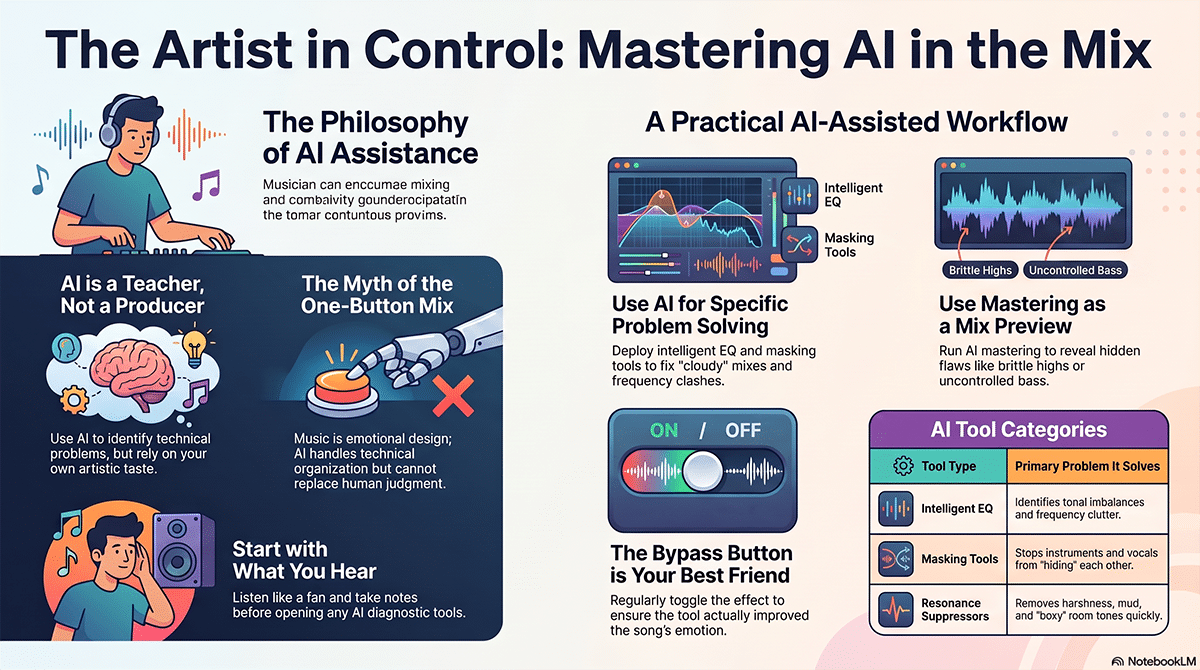
AI Should Be a Second Set of Ears, Not the Producer
The best way to think about AI in mixing is simple. AI is a learning tool and a starting place. It is not the taste-maker. It is not the producer. It is not the band leader. It does not know what made you write the song. It does not know why that vocal crack matters. It does not know why the snare feels better a little ugly, or why the bass should feel wide and woolly instead of polished and polite.
AI can tell you what is happening. It cannot always tell you what should happen.
That difference matters. A home studio owner can use a tool like iZotope Neutron 5 to get an intelligent first pass on EQ, compression, masking, and overall mix balance. That can be very helpful when you are staring at 40 tracks and everything feels cloudy. But the goal is not to accept the first suggestion and move on. The goal is to ask, “What did the tool hear that I missed?” Then you listen. Then you decide.
This is where AI becomes a teacher. If a smart EQ cuts a big chunk out of the low mids on an acoustic guitar, do not just leave it there because the computer said so. Bypass it. Listen. Bring it back in. Ask yourself what changed. Did the vocal become clearer? Did the guitar lose body? Did the mix open up, or did it get thin? That little moment is where the artist learns. That is the real value.
The Myth of the One-Button Mix
There is a lot of lazy marketing around AI audio. Push one button. Get a pro mix. Finish your song in seconds. Sound like a hit record. That kind of language is tempting because every artist wants to save time. Every home studio owner has had that moment at 2 a.m. when the vocal still will not sit right and the kick drum feels like it lives in another zip code.
But music is not a spreadsheet. Mixing is not only problem-solving. It is emotional design.
A great mix tells the listener where to look. It decides what is close, what is far away, what is intimate, what is huge, what is raw, what is polished, what is dangerous, and what is comforting. AI can help organize the technical side, but it cannot replace that emotional judgment.
The danger of one-button mixing is that it can make everything average. It may reduce the rough edges that made the track special. It may push your vocal into a generic bright pop shape. It may tighten the low end until the track loses its live feel. It may smooth the transients until the drums stop speaking. This is why the indie artist has to stay in charge. The point is not to make your song sound like everyone else’s reference track. The point is to make your song translate without losing its fingerprint.
Start With What You Hear
Before you open any AI tool, listen to the mix like a fan. Do not look at meters. Do not stare at waveforms. Do not start moving knobs yet. Play the song from the top and ask a few plain questions in your head.
Can you understand the vocal or lead instrument? Does the groove feel strong? Is the low end clear or blurry? Is anything painful when the chorus hits? Does the song feel exciting, or does it feel small? Does the mix get tiring after one listen? Does the emotional point of the song come through?
This first pass matters because AI tools can make you chase the screen. Once you see a curve, you may start treating it like a grade. That is backward. The mix is not good because the analyzer looks good. The analyzer is only useful if it helps the mix sound better.
After that first listen, write down what bothers you in normal language. “Vocal disappears in chorus.” “Kick and bass feel messy.” “Acoustic guitar hurts when strummed hard.” “Mix sounds dull next to references.” “Master feels loud but flat.” These plain notes are better than guessing. Now AI has a job. You are not asking it to make the song good. You are asking it to help solve specific problems.
Intelligent EQ Is a Great Teacher
EQ is one of the hardest things for new home studio owners to learn because every sound affects every other sound. A guitar that sounds full by itself may block the vocal. A piano that sounds beautiful solo may fill the same space as the snare, vocal, and reverb. A bass that sounds huge alone may turn the whole mix into mud.
This is where intelligent EQ tools can be very useful. sonible smart:EQ 4 uses AI-assisted processing to identify tonal problems and help create balance. Waves Curves AQ can learn audio and create EQ profiles that the user can choose from and adjust. Mastering The Mix MIXROOM analyzes the mids and highs and gives target-based EQ guidance. These are not replacements for learning EQ. They are ways to learn faster.
The best way to use these tools is to let them make a suggestion, then turn the strength down. AI EQ often gives you a clearer picture than a blank EQ, but it may also do too much. If the tool creates a curve that makes the vocal clearer but removes the warmth from the track, back it off. If the guitar suddenly sits better but loses its personality, keep only part of the move. If the mix opens up but feels less human, you have gone too far.
The lesson is not “AI knows EQ.” The lesson is “AI can show you where to listen.”
Masking Is Where AI Can Save You Hours
Masking is when one sound hides another sound. It is one of the biggest problems in home studio mixes. The vocal fights the guitar. The kick fights the bass. The piano fights the vocal. The synth pad fills every open space. The reverb makes everything sound expensive for ten seconds and then turns the whole song into soup.
A tool like iZotope Neutron 5 can help identify masking between tracks. That is a big deal for beginners because masking can be hard to hear when you are emotionally attached to every part. If you wrote the guitar line, you may want it loud. If the keyboard took three hours to program, you may want it wide and rich. If the backing vocals were hard to sing, you may want every layer heard. But a mix is not a museum. Not every part can stand in the front row.
AI masking tools can help you see where tracks are stepping on each other. Once you see it, you still have to make the artistic choice. Maybe the vocal wins. Maybe the guitar wins for one section. Maybe the bass owns the sub lows and the kick owns the punch. Maybe the synth pad gets filtered during the verse and opens up in the chorus. AI can point to the traffic jam. You still decide which lane gets priority.
This is one of the most practical places where AI helps artists keep control. It does not have to change the identity of the song. It can simply help each part speak.
The Vocal Is Still the Emotional Center
In most songs, the vocal is where the listener enters the story. Even in music that is not lyric-heavy, the lead part usually carries the emotional center. That could be a voice, a horn, a guitar melody, a synth line, or a sample. If that lead element is not clear, the listener may not stay.
AI vocal tools can be very helpful here. iZotope Nectar 4 includes Vocal Assistant, vocal unmasking, pitch correction, de-essing, leveling, and vocal production tools. In a home studio, where vocals are often recorded in less-than-perfect rooms, that can save a lot of time. It can help control uneven levels, tame harsh “s” sounds, shape tone, and suggest a chain that gets the vocal closer to finished.
But this is also where artists need to be careful. A vocal is not supposed to be perfect all the time. Breath, strain, rasp, room tone, and small pitch movement can all carry emotion. If the AI tool turns the singer into a shiny plastic version of themselves, that is not improvement. That is erasure.
Use vocal AI for control, not sterilization. Let it help the vocal sit. Let it handle boring problems. Let it show you where mud, harshness, or masking is hurting the performance. Then decide how human the vocal should remain. Sometimes the “flaw” is the hook.
Compression Is About Feel, Not Just Level
Compression scares a lot of beginners because it is not always obvious what it is doing. EQ changes tone. Reverb changes space. Delay repeats things. Compression changes movement. It can make a vocal steady, a bass firm, a snare punchy, a drum bus exciting, or a mix feel glued together. It can also crush the life out of a song.
AI-assisted compression can help home studio owners understand what is possible. sonible smart:comp 3 analyzes audio and gives compression behavior choices through its smart workflow, including group control, spectral processing, and zero-latency mode. The important part is not that it finds a setting. The important part is that it helps you hear different kinds of control.
Compression is not one sound. A vocal can be smooth, forward, aggressive, open, intimate, or dense. A drum bus can punch harder or breathe more. A bass can become solid without becoming flat. When AI offers a range of useful compression choices, the artist can learn how attack, release, ratio, threshold, saturation, and gain control affect the feel.
The danger is over-compression. If everything is controlled, nothing moves. If nothing moves, the listener stops feeling the performance. A good habit is to bypass the compressor often and ask whether the part feels more alive or just more even. Even is not always better.
Resonance Tools Are Powerful, But Handle With Care
Some of the most useful modern tools are not traditional EQs. They listen for harsh, ringing, muddy, or resonant frequencies and reduce them only when they become a problem. Waves Curves Equator focuses on resonance suppression and unmasking. oeksound soothe2 is a dynamic resonance suppressor that can reduce harshness, sibilance, boominess, and other problem areas.
These tools can be a lifesaver in a home studio. A cheap room can make vocals boxy. A bright microphone can make a singer harsh. An acoustic guitar recorded too close can boom in the low mids. Cymbals can tear your head off. Resonance tools can clean that up faster than hunting with narrow EQ bands for an hour.
But they can also make a recording feel dull if you lean on them too hard. Harshness is bad. Presence is good. Mud is bad. Warmth is good. Sibilance is bad. Air is good. These tools live right on that line.
The best method is to listen to what the tool is removing. Many resonance tools let you hear the removed signal. That is one of the best lessons in mixing. If the tool is mostly removing ugly whistle, ring, and pain, good. If it is removing the soul of the vocal, the pick attack of the guitar, or the crack of the snare, back off.
Reference Tracks Keep You Honest
A reference track is a professionally released song that gives you a reality check. It does not mean you copy it. It means you compare your mix to something that already works in the real world.
This is especially important in a home studio because your room lies to you. Your headphones lie to you. Your favorite speakers lie to you. Your ears also lie after two hours of looping the same chorus. Reference tools help you reset.
ADPTR Metric AB lets you compare your mix against released songs with loudness matching and analysis for loudness, dynamics, spectrum, stereo image, and more. Mastering The Mix REFERENCE 3 is built for reference track comparison. iZotope Tonal Balance Control 3 lets you compare tonal balance, vocal balance, dynamics, and stereo width against genre targets or captured references.
This is not about chasing a curve. It is about learning what finished music feels like in your room. If every reference has more low end than your mix, maybe your bass is too light. If your mix feels loud but smaller than the reference, maybe you are over-limiting. If your vocal is way louder than every reference, maybe you are mixing scared because you cannot hear clearly. If your mix is darker than every reference, maybe your monitors are too bright and you have been compensating.
The goal is not to make your song look like the reference. The goal is to stop mixing in the dark.
Your Room May Be the Real Problem
A lot of artists blame their mix when the real problem is the listening setup. Small rooms build up bass in strange ways. Untreated walls create reflections. Desks cause comb filtering. Headphones exaggerate or hide parts of the spectrum. If you cannot hear accurately, you will make bad decisions with confidence. That is a dangerous combination.
Room and headphone correction tools can help. SoundID Reference from Sonarworks calibrates speakers and headphones so the playback is more reliable. It supports speaker and headphone calibration, works as a DAW plugin and systemwide app, and includes translation checks for different playback environments.
This is not the same thing as acoustic treatment. If your room is a disaster, software will not turn it into a world-class control room. Bass traps, speaker placement, monitor height, listening position, and some basic treatment still matter. But calibration can help you hear a more balanced picture, especially when working in headphones or a modest room.
For home studio owners, this may be one of the smartest investments before buying more flashy plugins. If your listening environment is lying, every plugin decision is built on a bad map.
AI Mastering Is Useful, But It Is Not a Mix Fix
AI mastering has become one of the most common ways artists use machine learning in audio. Tools like iZotope Ozone 12 Standard, LANDR Mastering Plugin, and sonible smart:limit can analyze a mix and help create a finished master with loudness, tone, dynamics, stereo width, limiting, and final polish.
This can be valuable, especially for indie artists working on singles, demos, live session releases, Patreon-style bonus tracks, sync pitches, or quick turnaround content. It can help you hear how a mix might respond to mastering. It can create a presentable version faster. It can also teach you what mastering is doing to your mix.
But mastering is not a rescue mission. If the vocal is buried, mastering will not truly fix it. If the kick and bass are fighting, mastering may make the fight louder. If the mix is harsh, mastering may smooth it a little, but the problem is still in the mix. If your chorus does not lift, a limiter cannot create emotion.
The smartest way to use AI mastering is as a test while mixing. Put it on the mix bus or export a rough mix into the mastering tool and listen. If the master becomes brittle, your mix may already be too bright. If the limiter pumps badly, your low end may be uncontrolled. If the vocal drops when the master gets loud, your balance may need work. Then go back to the mix and fix the source.
Loudness Is Not the Same as Power
One of the worst traps in home studio mixing is chasing loudness too early. Loud feels exciting for about ten seconds. Then it can fool you into thinking the mix is better. Louder almost always sounds better at first. That is why level matching matters.
Tools like Mastering The Mix LEVELS, Mastering The Mix EXPOSE 2, ADPTR Metric AB, and sonible smart:limit can help you understand loudness, peaks, dynamics, stereo issues, and whether your track may translate well. These tools are not glamorous, but they are practical. They tell you whether the master is clipping, whether the true peak is risky, whether the low end is eating headroom, and whether the song is being squeezed too hard.
Power comes from arrangement, performance, tone, groove, contrast, and impact. Loudness is only the final delivery level. A quiet mix with punch can become a strong master. A crushed mix with no movement has nowhere left to go.
For indie artists, this matters because release quality affects trust. If a song sounds distorted, thin, harsh, or weak next to other releases, listeners may not know why they skipped it, but they will feel it. Music supervisors, playlist curators, radio hosts, podcast producers, venue buyers, and fans all respond to presentation, even if they never use the word “mastering.”
Stem Separation Is a Tool, Not a Time Machine
AI stem separation has become a huge part of modern music production. Moises can separate vocals, instruments, drums, and other parts for practice, performance, creation, and collaboration. Fender Studio Pro now includes Moises Studio integration in version 8.1, along with native stem separation, Vocal Tune, and Studio Assistant features. LALAL.AI Stem Separator offers AI stem separation inside a DAW using local processing for multiple stem types.
These tools are powerful. They can help artists learn parts, create rehearsal tracks, build live performance versions, study arrangements, rescue ideas from old demos, or make rough stems when original multitracks are missing. In a mixing context, they can also help you study reference songs. You can separate a released track and listen to how the bass supports the kick, how the vocal sits against the band, or how much reverb is really on the lead.
But stem separation is not the same as having the original multitracks. Extracted stems often have artifacts, bleed, phase weirdness, and missing detail. They can be useful, but they are not magic. If you are preparing a serious release, real recorded tracks are still better than separated stems from a finished mix.
Use stem AI as a study tool, writing tool, rehearsal tool, and repair tool. Do not build your whole professional standard around pretending separated stems are perfect. They are often good enough for learning and creative work. They are not always good enough for final release work without careful listening.
The New Fender Example Shows Where This Is Going
The release of Fender Studio Pro 8.1 is a good sign of where music software is heading. It is not just one AI button slapped onto a recording program. It brings together Moises Studio integration, vocal transformation, stem generation, native Vocal Tune, improved stem separation, Audio-to-Note conversion, Chord Assistant, and an in-DAW Studio Assistant.
Even if you do not use that DAW, the idea matters. AI is moving inside the normal creative workflow. It is becoming part of writing, arranging, fixing, learning, producing, mixing, and preparing songs. That means artists need better habits now. The artists who win with these tools will not be the ones who surrender to them. They will be the ones who learn how to question them.
A Studio Assistant can answer technical questions. A stem tool can split a mix. A vocal tool can tune and shape a performance. An intelligent EQ can suggest tonal moves. But none of those tools know the meaning of the song. The artist still has to decide what matters.
That is the future worth fighting for. Not AI replacing artists. AI removing friction so artists can make stronger choices.
A Practical AI Mixing Workflow
A smart AI-assisted mix starts with organization, not plugins. Name the tracks. Group the drums, bass, instruments, vocals, effects, and any special production elements. Pull down the master bus if it is clipping. Get a rough static balance with just volume and pan before adding fancy processing. If the song does not work with faders alone, AI will not save it.
Once the rough balance feels musical, use AI tools to find problems. A tool like iZotope Neutron 5 can help with track-level processing and masking. An intelligent EQ like sonible smart:EQ 4 or Waves Curves AQ can suggest tonal moves. A resonance tool like Waves Curves Equator or oeksound soothe2 can help tame harshness or mud. A vocal tool like iZotope Nectar 4 can help shape the lead vocal. A reference tool like iZotope Tonal Balance Control 3, Mastering The Mix REFERENCE 3, or ADPTR Metric AB can keep the mix grounded.
Then use mastering tools only after the mix feels right. Try iZotope Ozone 12 Standard, LANDR Mastering Plugin, or sonible smart:limit as a preview of how the mix may finish. If the master reveals problems, go back to the mix. Do not keep stacking fixes at the end.
This workflow keeps the artist in charge. AI gets to assist. The song still gets the final vote.
The Bypass Button Is Your Best Friend
Every AI tool should be judged with the bypass button. Turn the processing off. Turn it back on. Match the level if needed. Listen at low volume. Listen loud for a short time. Listen on headphones. Listen in the car. Listen from the hallway. Listen the next morning.
The question is not, “Did the tool do something?” Of course it did something. The question is, “Did it make the song better?”
Better does not always mean brighter. Better does not always mean louder. Better does not always mean cleaner. Better means the emotional point of the song reaches the listener more clearly.
This is especially important because many tools make changes that feel impressive at first. A wider mix may collapse on a phone. A brighter vocal may become painful. A louder master may lose punch. A cleaned-up guitar may lose attitude. A perfectly tuned vocal may lose belief.
The bypass button teaches honesty. It also teaches confidence. Over time, you start to hear what the AI is doing before you even look. That is when the tool stops being a crutch and becomes part of your education.
Do Not Buy Everything
There are more AI audio tools than any normal artist needs. The plugin market loves fear. It tells you that you are always one purchase away from sounding professional. That is how artists end up with a hard drive full of plugins and no finished songs.
A home studio owner does not need every tool mentioned here. A good basic setup is enough. You need a way to hear accurately, a way to compare references, a few solid mixing tools, and maybe one intelligent assistant tool that helps you learn. That may mean SoundID Reference for monitoring, ADPTR Metric AB or Mastering The Mix REFERENCE 3 for reference listening, iZotope Neutron 5 or sonible smart:EQ 4 for mix guidance, and one mastering tool like iZotope Ozone 12 Standard, LANDR Mastering Plugin, or sonible smart:limit for final checking.
The best tool is the one you actually learn. One intelligent EQ used deeply is better than ten smart plugins used blindly. One reference workflow used every mix is better than chasing random presets. One good room correction setup is better than buying another compressor because the internet said it was warm.
Finish songs. That is the point.
Better Mixes Connect to Real Money
This is not just a technical conversation. Better mixes can affect real income for independent artists.
A stronger mix can make a release feel more professional, which helps when pitching to blogs, radio shows, playlists, podcasts, and local media. It can help a song hold up next to other releases, which matters when listeners are deciding whether to follow, buy, share, or come to a show. It can make live videos, session tracks, bonus releases, and acoustic versions feel worth paying attention to. It can make your merch table offer stronger when someone hears the record after seeing you live. It can help with sync and licensing pitches, where supervisors often need music that is emotionally right and technically usable.
A bad mix can close doors quietly. Nobody may email you and say, “The vocal was too harsh at 3 kHz,” or “The low end was eating all your headroom.” They just pass. They move on to the next song. That is brutal, but it is real.
AI tools can help indie artists raise the floor. They can help a home studio release sound more controlled, more balanced, and more competitive. That does not mean every artist needs to become a mastering engineer. It means artists can use modern tools to avoid obvious mistakes and learn faster.
That is artist empowerment. Not waiting for a label budget. Not hoping someone saves the mix later. Not pretending gear does not matter. It means using the tools available to make better work and keep more control over the result.
The Human Part Is the Advantage
The funny thing about AI is that it makes the human part more important, not less.
If everyone has access to smart EQ, AI mastering, stem separation, vocal assistants, and reference tools, then the technical starting line gets crowded. More people can make clean tracks. More people can make loud tracks. More people can make polished tracks. But clean, loud, and polished are not the same as memorable.
The artist still needs taste. The artist still needs a point of view. The artist still needs to know when the vocal should be dry and close, when the drums should be ugly, when the bass should bloom, when the chorus should explode, when the mix should stay small, and when the first take has more truth than the perfect take.
AI can help remove the fog. It can help you hear problems. It can teach you patterns. It can speed up boring work. It can give you a first draft. But the soul of the record still comes from people.
That is why the best approach is not anti-AI or pro-AI. It is pro-artist.
Final Thought
Using AI tools to improve your mix is not cheating. It is not selling out. It is not letting the machine make your art, as long as you stay awake and stay in charge.
The home studio owner should use AI like a sharp assistant. Let it analyze. Let it suggest. Let it compare. Let it find masking. Let it point out harshness. Let it build a starting chain. Let it help you test loudness and translation. Then make the decision yourself.
The old gatekeepers loved making artists feel like professional sound was locked behind expensive rooms, secret knowledge, and permission from people with bigger budgets. That world is fading. The tools are in the hands of the artists now. But tools are only powerful when the artist knows what they are for.
AI should not take over your mix. It should help you hear your mix more clearly.
And once you can hear clearly, the real work begins.
 |  Spotify |  Deezer |  Breaker |
 Pocket Cast |  Radio Public |  Stitcher |  TuneIn |
 IHeart Radio |  Mixcloud |  PlayerFM |  Amazon |
 Jiosaavn |  Gaana |  Vurbl |  Audius |
 Reason.Fm | |||
Find our Podcasts on these outlets

Subscribe to Our Newsletter
Discover more from Making A Scene!
Subscribe to get the latest posts sent to your email.


