

Cubase 16: Steinberg Brings New Creative Power to the Home Studio




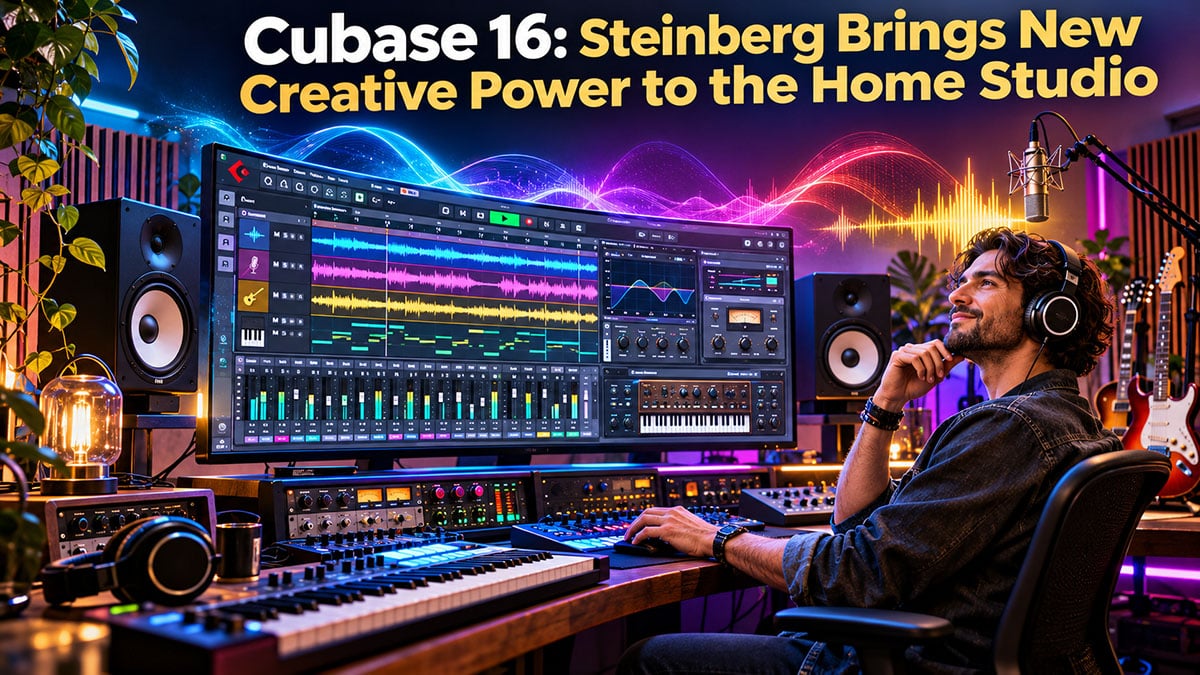
Making a Scene Presents – Cubase 16: Steinberg Brings New Creative Power to the Home Studio
From AI-assisted vocal production and improved stem separation to smarter MIDI editing and easier mixing, Cubase 16 offers independent musicians some serious new tools. The bigger question is whether those tools can help artists make better records, save money, and turn their home studios into profitable creative businesses.
The Recording Studio Has Changed, and Cubase Is Changing With It
There was a time when recording a professional album meant booking a commercial studio, hiring an engineer, paying for every hour on the clock, and hoping the drummer could get through the song before the studio bill started looking like a mortgage payment. Recording technology was expensive, complicated, and largely controlled by people who owned the equipment. If you were an independent musician without a record deal or a wealthy relative, making a professional recording could be a serious financial challenge.
Today, that entire business model has been turned upside down. A musician with a reasonably powerful computer, a decent audio interface, a couple of microphones, and the right software can produce recordings that would have required a commercial facility costing hundreds of thousands of dollars just a few decades ago. The independent artist can record, edit, mix, and prepare music for release without asking permission from a record label or taking out a second mortgage to pay for studio time.
That transformation did not happen overnight, and Steinberg has been part of the story almost from the beginning. Its flagship digital audio workstation, Cubase, helped establish many of the ideas that modern music producers now take for granted. With the release of Cubase 16 on November 4, 2026, Steinberg is continuing that tradition by introducing new tools designed to make music production faster, more flexible, and increasingly accessible to musicians who perform nearly every role in their own recording process.
The latest version brings Instrument Stacks, improved six-part stem separation, new MIDI editing tools, enhanced tempo detection, synthetic vocal production, specialized drum and vocal processors, and a redesigned system for managing the software itself. It also expands routing options, improves performance in demanding sessions, and introduces additional connections to the growing world of AI-assisted music production.
For the home studio owner, these developments deserve more than the usual marketing excitement about shiny new buttons and colorful plug-ins. The important questions are whether Cubase 16 can reduce the time required to produce a professional recording, eliminate the need for additional software purchases, and help independent musicians create products and services that generate income. Those are the questions that matter when the person buying the software is also the songwriter, recording engineer, producer, marketing department, and unfortunate individual responsible for keeping the coffee machine working.
From the Atari Computer to the Modern Recording Studio: A Brief History of Steinberg
To understand why Cubase 16 matters, it helps to understand the company responsible for creating it. Steinberg was founded in Hamburg, Germany, in 1984 by Karl Steinberg and Manfred Rürup, at a time when computers were just beginning to find their way into professional music production. Early music software focused primarily on MIDI sequencing, which allowed musicians to record and edit performance instructions for electronic instruments rather than record actual sound.
One of Steinberg’s early products, Pro-24, took advantage of the Atari ST computer, a machine that became surprisingly popular among musicians because it included built-in MIDI connections. In an era when MIDI hardware could require additional equipment and considerable technical patience, the Atari offered a relatively affordable way to connect synthesizers, drum machines, and computers. Steinberg’s software helped turn that collection of electronic instruments into a working production environment.
Cubase arrived in 1989 and introduced a more advanced graphical approach to arranging and editing MIDI performances. Instead of treating computer music production like programming a machine, Cubase presented music in a way that was easier for musicians to understand. Its arrangement window helped establish the track-based recording workflow that remains familiar in digital audio workstations today.
The next major step came when computer technology became powerful enough to handle recorded audio alongside MIDI information. Cubase Audio appeared in 1991, allowing musicians to begin moving beyond MIDI sequencing toward computer-based multitrack recording. The implications were enormous because audio recording could now take place inside software rather than depending entirely on dedicated tape machines and external recording hardware.
Steinberg delivered another landmark development in 1996 with Cubase VST and the introduction of Virtual Studio Technology. VST helped make software-based effects and instruments a practical part of computer recording, eventually supporting an enormous third-party plug-in industry. Instead of buying a physical rack of compressors, reverbs, equalizers, and synthesizers, musicians could increasingly install software versions of those tools and use them inside their recording sessions.
Steinberg also played a major role in developing ASIO, the audio driver technology that helped reduce recording latency and improve communication between professional audio hardware and computers. Along with VST, ASIO became an important foundation for the modern Windows recording studio. These developments helped move music production away from expensive, specialized equipment and toward systems that ordinary musicians could realistically afford.
The company’s ownership changed over the years, with Yamaha acquiring Steinberg in 2005. That relationship helped bring together Steinberg’s recording software expertise with Yamaha’s long history of musical instruments, synthesis, and professional audio equipment. Today, the connection remains particularly relevant as Yamaha’s vocal synthesis technology becomes part of the Cubase production environment.
The history matters because Steinberg is not a newcomer trying to reinvent recording software with an impressive advertisement and a monthly subscription. Cubase has been involved in shaping computer music production for more than three decades, and the company has repeatedly introduced technologies that later became standard parts of the recording industry. That does not automatically make every new Cubase version a necessary purchase, but it does give the software a substantial foundation on which to build.
Instrument Stacks: Building Bigger Sounds Without Building a Bigger Studio
One of the most useful additions to Cubase 16 is Instrument Stacks, a feature that allows multiple virtual instruments to be combined into a single playable instrument. Instead of setting up several separate instrument tracks, configuring MIDI routing, and managing a collection of controls, users can combine VST instruments, sampler tracks, and drum tracks into a unified performance setup.
Imagine an independent songwriter sitting at a MIDI keyboard and trying to create a dramatic introduction for a new recording. The arrangement might call for a grand piano, a warm string pad, and a subtle synthesizer texture underneath the melody. Traditionally, the producer would create separate instrument tracks and arrange for each one to respond to the same MIDI performance. Cubase 16 allows these sounds to be organized into an Instrument Stack, with each layer responding to the keyboard according to the settings chosen by the musician.
Individual layers can have their own keyboard ranges, velocity responses, and transposition settings. This means a producer could place a bass sound across the lower half of a keyboard while assigning piano and strings to the upper range. Another stack might combine several synthesizers that respond differently depending on how hard the keys are played, allowing an ordinary MIDI controller to become a surprisingly expressive performance instrument.
For independent artists who perform live, the concept has possibilities beyond the recording studio. A keyboard player working with several virtual instruments could create performance sounds that combine multiple textures while keeping the arrangement manageable. The feature does not turn Cubase into a dedicated live-performance system, and reliability would still require careful preparation, but it can simplify the construction of sounds that might otherwise require several pieces of hardware.
The financial advantage is straightforward. A musician who can create sophisticated arrangements with existing virtual instruments may have less reason to purchase additional keyboards or specialized sound modules. A home studio producer can also save time by building reusable stacks for common production jobs, including soundtrack arrangements, electronic music, and layered keyboard performances. Instrument Stacks are available in Cubase Pro and Artist, making them accessible without purchasing the most expensive edition.
There is a practical limitation worth remembering. Combining several instruments does not make their processor demands disappear, and a complicated stack can consume considerable computer resources. Users with older computers should watch CPU usage and consider rendering completed performances to audio when necessary. The new workflow makes instrument layering easier, but it cannot negotiate with the laws of computer processing simply because the resulting sound is impressive.
Better Stem Separation: A New Opportunity for the Independent Recording Engineer
Stem separation is one of the more commercially interesting developments in modern recording software, and Cubase 16 substantially expands the feature introduced in its predecessor. Powered by technology developed with zplane, the updated system can separate an existing recording into six categories: vocals, drums, bass, piano, guitar, and other instruments.
For musicians who are unfamiliar with the terminology, stems are separate audio components that can be combined to reconstruct a musical arrangement. Traditionally, a studio creates stems from the original multitrack recording session. A producer might deliver a vocal stem, a drum stem, an instrumental mix, and other versions depending on the needs of a client. Modern source-separation technology attempts to extract similar components from an already mixed recording, even when the original multitrack files are unavailable.
That distinction is important because separating a finished mix is considerably more difficult than exporting individual tracks from an original session. Instruments frequently overlap in frequency, harmonics, and timing, which means software must make educated decisions about what belongs to each source. Cubase 16 introduces improved separation processing and adds dedicated guitar and piano categories, giving producers more control over recordings that contain those instruments.
Consider a songwriter who recorded an album fifteen years ago but no longer has access to the original recording sessions. A music supervisor now wants an instrumental version of one song for possible use in a television program. If the artist owns the recording and has a suitable-quality stereo master, Cubase Pro 16’s separation tools could provide a starting point for removing the vocals and preparing a usable instrumental version.
The same technology could help create practice tracks, alternate arrangements, rehearsal mixes, and certain remix projects. A small recording studio might offer a recording-recovery service for artists who have lost their multitrack files, helping them develop new versions of older material. These services have legitimate commercial value because independent musicians often possess recordings that are no longer supported by accessible production sessions.
However, this is an area where marketing claims deserve a little healthy suspicion. Source separation is not the same as recovering the original recording tracks, and unwanted artifacts can appear in the extracted material. Cymbals may bleed into vocal tracks, guitar harmonics may remain in piano stems, and reverberation may become distorted when individual sounds are removed. The results will vary depending on the arrangement, recording quality, and amount of processing already applied to the original mix.
The sensible approach is to evaluate separated audio carefully before promising clients that a recovered recording will sound identical to the original multitrack session. For professional licensing, the best option remains a properly prepared instrumental or stem package exported directly from the original recording. Source separation is valuable when those files are unavailable, but it should be presented as a restoration or reconstruction process rather than a miracle.
It is also essential to understand that Cubase’s ability to separate audio does not grant permission to commercially exploit recordings owned by somebody else. An engineer working on client material should establish who owns the master and obtain the necessary authorization before preparing derivative versions. For the independent artist who controls the original recordings, however, the feature can open the door to fresh uses for music that might otherwise remain buried on an old hard drive.
The improved stem separation feature is reserved for Cubase Pro 16, which makes it an important consideration when comparing editions. For a studio offering restoration, remix preparation, or licensing-related services, the additional capabilities may justify the more expensive software. For a songwriter who only needs to record new material, they may not be necessary.
Smarter Tempo Detection: Giving Human Performances Room to Breathe
One of the recurring frustrations in digital music production is getting recordings made without a metronome to cooperate with a computer’s musical grid. Many independent artists, particularly blues, roots, jazz, and acoustic musicians, prefer performances that naturally speed up or slow down according to the energy of the song. That movement is part of the music, but it can create difficulties when the producer wants to add MIDI instruments, program drums, or edit the arrangement.
Cubase 16 introduces a redesigned Tempo Detection system with an improved analysis algorithm and a simpler workflow. The software can analyze recordings and create tempo information that follows the original performance, making it easier to synchronize other musical elements without forcing the musicians into an artificially rigid timing structure.
Imagine recording a blues trio live in a home studio, with the drummer pushing the tempo slightly during the guitar solo and the band relaxing into the final verse. The performance feels natural, and the musical interaction is part of what makes the recording worthwhile. Rather than attempting to force every beat into a fixed tempo, the engineer can use Tempo Detection to help build a tempo map that reflects the band’s performance.
That tempo map makes additional production work easier. A keyboard player can record parts against the original performance, a producer can introduce MIDI-based effects, and the engineer can edit sections with a more accurate understanding of the music’s timing. For musicians working with older live recordings or rehearsal tapes, the feature can make previously awkward material much easier to develop.
The benefit is not simply that Cubase can identify beats more quickly. It is that the software can help accommodate the way musicians actually perform instead of demanding that the musicians behave like software. That is especially important for genres where subtle timing changes contribute to the emotional impact of the recording.
Automatic tempo detection still requires judgment, particularly with recordings that feature unusual rhythms, weak transients, or considerable tempo variation. The producer should inspect the resulting tempo map and correct mistakes before using it as the foundation for extensive editing. Nevertheless, the improvements offer a practical workflow advantage for home studios that regularly record acoustic musicians or bands performing together.
MIDI Editing Gets More Musical With Strum and Stretch
Cubase has long been respected for its MIDI editing capabilities, and version 16 continues that tradition with tools designed to make programmed performances feel more natural. The new Strum function allows musicians to adjust the timing of notes within a chord, while the Stretch Selection tool provides a direct way to expand or compress MIDI phrases.
For anyone who has programmed guitar parts on a keyboard, the Strum feature addresses an obvious problem. A guitar player rarely strikes every string at precisely the same instant, but MIDI keyboards encourage exactly that kind of performance. When a producer plays a chord, the resulting notes may arrive together with mechanical precision, creating a sound that resembles a keyboard pretending to be a guitar rather than an actual strummed instrument.
Strum allows the producer to spread the notes across time, creating the effect of a musician moving a pick across the strings. The amount of spread can be adjusted to produce subtle movement or a more exaggerated rhythmic pattern. Although the feature is especially useful for guitar-like instruments, it can also add expression to pianos, synthesizers, and other layered sounds.
For the home studio musician, this makes it easier to create believable arrangements without spending hours manually shifting individual MIDI notes. A songwriter preparing a demo for another artist could use the feature to communicate the intended rhythmic character of an acoustic guitar part before hiring a guitarist to record the finished performance.
The Stretch Selection tool addresses a different creative problem. It allows the producer to lengthen or shorten groups of MIDI notes directly inside the Key Editor, making it easier to reshape melodic phrases, adjust musical timing, and create gradual changes in the speed of a passage. A programmed piano introduction, for example, could gradually accelerate into the first verse without requiring the entire project tempo to change.
These are not revolutionary technologies in isolation, and experienced MIDI editors have used various methods to produce similar results for years. What makes the additions worthwhile is their integration into the normal editing workflow. When a musician can make an expressive change without opening several windows or performing a series of repetitive edits, the production process becomes less technical and more musical.
For independent artists who compose with virtual instruments, these improvements are particularly welcome. The computer should help capture the emotional character of a performance, not turn every musician into an unpaid data-entry clerk.
Omnivocal Basic: AI Vocal Technology Enters the Songwriting Process
Among the more controversial and potentially useful additions to Cubase 16 is Omnivocal Basic, a vocal synthesis tool powered by Yamaha’s Omnivocal NX technology. The software allows musicians to create sung vocal performances using MIDI notes and lyrics, making it possible to experiment with melodies and vocal arrangements without recording a human singer.
Omnivocal Basic includes two voicebanks, while a separately available Omnivocal Pro version expands the selection to ten. Cubase 16 also introduces lyrics editing directly inside the MIDI Key Editor, allowing words to be associated with individual notes. The result is a songwriting environment where the musician can develop a melody, enter lyrics, and hear an artificial voice perform the arrangement.
For independent songwriters, this could become a valuable production tool. Imagine a songwriter who writes material for other artists but does not have the vocal range or style required to demonstrate a composition effectively. Instead of arranging a recording session with a demo singer every time a new song is completed, the writer could use Omnivocal to develop a preliminary vocal performance and evaluate whether the melody works.
This does not eliminate the value of a professional vocalist. A great singer brings interpretation, emotion, phrasing, and personality to a performance in ways that cannot automatically be reproduced by entering words into software. However, generating a working vocal demo can help songwriters make decisions before spending money on studio musicians, which is particularly useful when developing a large catalog of original material.
The technology also introduces interesting possibilities for international collaborations. A songwriter working with a producer in another city could exchange arrangements containing vocal sketches rather than trying to explain melodic ideas through emails or poorly recorded phone messages. The producer would receive a clearer representation of the intended melody and could begin arranging the music before the final singer becomes involved.
There are also legitimate questions surrounding artificial voices and the future of session singers. Technology that helps a songwriter prepare a demo should not automatically become an excuse to replace every human performer with a synthetic substitute. Independent musicians already face considerable competition for paid recording work, and the industry does not need another excuse to treat creative labor as an unnecessary expense.
The business opportunity is strongest when synthetic vocals are treated as production tools rather than unauthorized replacements for identifiable singers. Artists should review the licensing terms for commercial use, avoid presenting a generated performance as a particular human vocalist, and document the use of synthetic voices when delivering recordings to clients or licensing partners.
DrumChain and VocalTouch: Less Plug-In Shopping, More Recording
The modern home studio has developed a peculiar addiction to audio plug-ins. Musicians who once complained about the cost of recording equipment can now spend an astonishing amount of money collecting virtual compressors, equalizers, reverbs, and other processors. Some producers have more plug-ins than completed songs, which is an impressive achievement considering that the software was supposedly purchased to help finish the music.
Cubase 16 introduces two new effects designed to simplify common mixing tasks. DrumChain combines essential drum-processing functions into a dedicated processor with 42 presets, while VocalTouch provides a streamlined approach to vocal processing with 30 presets covering 15 vocal styles. Both are available in the Pro and Artist editions for DrumChain, while VocalTouch is included across the main Cubase editions.
DrumChain is particularly interesting for independent producers working with programmed drums, sampled percussion, and home-recorded drum kits. Drum mixing often requires several types of processing to control dynamics, shape tone, and increase the perceived impact of the rhythm section. Collecting those tools into one organized processor can make the process easier for musicians who understand how they want their drums to sound but have limited experience constructing complicated effects chains.
VocalTouch takes a similar approach to vocal production, giving users a convenient starting point for improving vocal sounds without requiring them to become experts in every aspect of compression and equalization. For a solo artist recording vocals at home, this could be a welcome addition, especially when trying to develop a consistent sound across several songs.
Neither processor eliminates the need to understand basic recording techniques. A badly recorded vocal will still suffer from excessive room reflections, poor microphone placement, and unwanted background noise. Likewise, a weak drum recording cannot always be rescued by adding more compression or low-frequency energy. Good production begins with good source material, and software processing works best when it enhances a recording rather than attempts to disguise every problem.
For home studio owners, the financial benefit comes from having useful processing tools already included in the DAW. A musician who can finish a convincing mix using Cubase’s built-in processors may avoid purchasing additional third-party plug-ins. That money could be invested in acoustic treatment, better monitoring, promotion, or another part of the artist’s business that produces more meaningful returns than another collection of digital knobs.
Spectral AudioWarp: Creative Sound Design Without an Expensive Hardware Collection
Cubase Pro 16 introduces new Spectral AudioWarp algorithms developed by Steinberg’s HALion team. These processing modes make it possible to stretch and transform recorded sounds in ways that go beyond ordinary time adjustment, creating unusual textures from vocals, instruments, percussion, and complete recordings.
Traditional time stretching attempts to change the length of a recording while preserving its recognizable character. Spectral processing can approach the audio differently, analyzing components of the signal and producing transformations that would be difficult to achieve through conventional editing. A short piano note might become an atmospheric texture, while a vocal phrase could be stretched into a long, evolving soundscape.
For independent musicians working in electronic music, ambient production, experimental rock, or film scoring, these capabilities expand the creative value of existing recordings. A guitarist could record a few sustained notes and transform them into atmospheric material for an instrumental soundtrack. A producer could manipulate percussion recordings to create unique transitions or cinematic effects that would ordinarily require an additional sound library.
The opportunity becomes more interesting when musicians begin treating their original recordings as reusable creative assets. A home studio owner who records a collection of guitar textures, percussion effects, and atmospheric sounds could potentially develop those recordings into sample libraries or custom sound-design packages for other producers. The same material might be useful in podcast production, independent films, video games, or advertising work.
That does not mean every heavily processed guitar chord will become a profitable sound-design product. Commercial licensing requires an understanding of ownership, exclusivity, deliverable formats, and the needs of the customer. However, having powerful sound manipulation tools inside the recording environment reduces the cost of experimenting with these possibilities.
New Sounds, FM Synthesis, and the Expanding Virtual Instrument Studio
Cubase 16 also expands its included sound collection with Module, a new HALion Sonic library built around FM synthesis. FM, or frequency modulation, synthesis produces sounds by using one signal to influence another, creating complex tones that can range from bright metallic textures to deep basses and expressive electronic instruments.
The new Module library provides more than 200 presets, including leads, keyboards, basses, and atmospheric sounds. Steinberg has also added five sample collections developed with Wavetick, covering Afro House, Beats & Breaks, K-Pop, Latin Vibes, and Organic Sessions. These additions provide more material for songwriting and arrangement without requiring users to begin every production with an empty instrument patch.
For the home studio musician, included sound content is valuable because it lowers the cost of exploring new musical directions. A traditional guitarist who wants to experiment with electronic arrangements can begin using the tools already provided rather than immediately purchasing a collection of expensive synthesizers. A songwriter preparing demos for different styles can work with a broader sound palette without maintaining separate production systems.
There is an important business distinction between using presets creatively and building a recording entirely around recognizable stock loops. Independent artists benefit from developing a distinctive musical identity, and commercially available samples are generally accessible to many other producers. Combining sounds, recording original performances, and developing arrangements that reflect the artist’s personality will usually be more useful than simply assembling a collection of fashionable loops.
Artists also need to understand the licensing conditions attached to included sound libraries. The right to use samples within a finished composition does not necessarily include permission to redistribute those samples as a competing sample library. For musicians planning to sell sound-design products, that distinction becomes especially important.
Waves Illugen: Artificial Intelligence as a Creative Assistant
Cubase 16 integrates with Waves Illugen, a sample-generation system that allows producers to create audio material and bring it into their Cubase projects. The integration is designed to reduce interruptions in the production workflow by making generated samples easier to access from within the DAW.
Steinberg is providing a two-month Waves Illugen subscription voucher to Cubase 16 users. That makes the service available for experimentation, but it is important to understand that the voucher does not represent a permanent, unlimited subscription. Musicians should investigate ongoing subscription costs, generation limits, usage rights, and cancellation conditions before making the service a regular part of their business.
For an independent producer, AI-assisted sample generation could be useful when searching for unusual percussion, atmospheric textures, or production elements that would otherwise require considerable sound-design work. Rather than spending an entire afternoon searching through sample libraries, a musician might experiment with generating original material that fits the direction of a recording.
However, an AI-generated sample is not automatically exclusive to the musician who requested it, nor does its use guarantee copyright protection in every jurisdiction. Artists intending to use generated material in commercial recordings should examine the provider’s terms and preserve information about how the sounds were created.
The broader lesson is that artificial intelligence should support the independent musician’s creative process rather than become another platform controlling the artist’s work. When AI tools save time, reduce costs, and help artists complete recordings they fully control, they can provide meaningful value. When they introduce expensive recurring subscriptions, unclear licensing conditions, or dependence on proprietary services, the financial advantages become less obvious.
For the independent musician, the best AI tool is not necessarily the one producing the most spectacular demonstration. It is the one that solves a real production problem without creating a more expensive business problem somewhere else.
More Sends, Better Monitoring, and a Faster Mixing Workflow
Some of the most valuable Cubase 16 improvements are not particularly glamorous, but they address problems that recording engineers encounter during ordinary sessions. Cubase Pro now supports up to 16 audio sends per channel, doubling the previous limit, while the number of Control Room cue sends increases from four to eight.
An audio send allows a signal to be routed to another destination, such as a shared reverb, delay, parallel compressor, or headphone mix. In a complicated production, engineers may need numerous sends to create different processing combinations without duplicating effects across every track.
For a home studio recording a full band, the expanded routing possibilities can simplify monitoring and mixing arrangements. A drummer may want a different headphone balance from the vocalist, while the guitarist prefers more of the rhythm section and less of the guide vocal. Having additional cue sends allows the studio to construct more flexible monitoring systems, provided the audio interface has enough physical outputs to support them.
The expanded audio sends also make it easier to use shared processing chains. Rather than placing separate reverbs on every vocal track, an engineer can route several channels into a common effects bus. This can reduce unnecessary processing and create a more consistent sense of space across the recording.
Cubase 16 also improves the way plug-ins and processing modules can be moved or copied between channels. Insert effects, Channel Strip modules, and Modulators now support more flexible drag-and-drop operations, while additional commands make it easier to insert plug-ins and remove unused processing.
These changes may appear insignificant compared with vocal synthesis and stem separation, but they can have a considerable effect on everyday studio work. Every unnecessary menu, repeated routing operation, and awkward editing step consumes time that could otherwise be spent listening to the music.
A commercial recording engineer might perform the same operation dozens of times during a mixing session. Even modest reductions in repetitive work can improve productivity, especially when clients are paying for the engineer’s attention rather than for a demonstration of the software’s menu structure.
Extended ASIO-Guard: Helping the Home Studio Computer Keep Up
One of the frustrations of modern recording software is that every new generation of virtual instruments and effects seems determined to consume whatever computer power musicians have available. A system that handled an impressive number of tracks several years ago may struggle when loaded with modern synthesizers, sample libraries, and complicated mixing chains.
Cubase 16 addresses this problem by expanding the ASIO-Guard pre-processing buffer from a previous maximum of approximately 100 milliseconds to as much as 280 milliseconds. The additional buffering gives Cubase more opportunity to prepare audio processing in advance, potentially improving playback stability in large projects.
For home studio owners working on complicated arrangements, the practical advantage could be fewer interruptions caused by processor overloads. A production containing dozens of virtual instruments, multiple vocal tracks, and extensive effects processing may benefit from the additional processing headroom.
However, increasing playback buffering does not automatically improve the experience of recording a live performer who needs immediate monitoring. Low-latency recording remains dependent on appropriate audio interface settings, processor performance, plug-in behavior, and the specific monitoring path being used.
A sensible home studio workflow may involve recording with a relatively small audio buffer and limited monitoring effects, then increasing processing headroom when moving into editing and mixing. Cubase’s extended ASIO-Guard capabilities are designed to assist with that second stage, where playback stability becomes more important than immediate response to live input.
This matters financially because stable software can extend the useful life of existing computer equipment. If a recording system can handle more demanding sessions without requiring an immediate hardware replacement, the studio owner keeps more money available for other business needs.
That said, the performance improvement should not be interpreted as a guarantee that an aging computer will suddenly handle every modern instrument library without difficulty. The benefit will depend on the particular project, hardware configuration, and processing demands.
A Redesigned Settings System and Other Improvements That Make Daily Work Easier
Cubase has accumulated a remarkable collection of features over its long history, but that depth has occasionally come with a considerable learning curve. Finding the correct setting could require remembering which menu contained a particular preference, audio connection, or project configuration option.
Cubase 16 introduces a redesigned Settings workspace that brings preferences, key commands, project setup, audio connections, and other configuration controls into a searchable interface. The new workspace is non-modal, allowing musicians to adjust settings while continuing to work with their projects.
For beginners, the change could make Cubase less intimidating. For experienced engineers, it reduces the inconvenience of searching through separate configuration windows to make routine adjustments. Steinberg has also introduced Quick Help, which provides contextual explanations inside the software, along with a guided tour intended to introduce new users to the main production environment.
Quick Help is still being expanded, so not every area of Cubase is covered. Nevertheless, the direction is encouraging because complex software becomes more useful when musicians can learn its features without constantly leaving the recording session to search for tutorials.
The Audio Pool has received a visual redesign, making it easier to manage the audio files associated with a project. Cubase also supports importing additional MPEG-4 audio formats, including compatible M4A files, which can simplify the process of bringing phone recordings, voice memos, and other material into a production.
Additional improvements include new pitch-detection tools for samples, phase inversion when layering drum sounds, customizable MIDI controller names, and expanded video output support in Cubase Pro. Steinberg has also improved MIDI 2.0 support and introduced compatibility with Windows MIDI Services on supported Windows 11 systems.
Ableton Link support is another welcome addition for musicians working across multiple applications and devices. Link allows compatible software to synchronize musical timing over a local network, making it easier to combine electronic instruments, performance applications, and computer-based production environments.
Each of these improvements addresses a different part of the creative process, and their combined value will depend on how an artist works. A traditional singer-songwriter may find the new audio import and tempo tools more useful than expanded MIDI expression, while an electronic producer may appreciate Instrument Stacks and Ableton Link. The strength of Cubase 16 is that the program continues to support several different approaches to recording rather than forcing every musician into a single production style.
Mastering Presets: Useful Starting Points, but Not a Replacement for Listening
Cubase 16 includes new technical and genre-based mastering presets designed to help musicians prepare finished mixes. These presets combine processing settings into convenient starting points for final audio adjustments, making basic mastering workflows more accessible to people who are still developing their engineering skills.
For an independent artist preparing a demonstration recording, podcast theme, or promotional track, these presets can help establish a reasonably consistent starting point. They also provide an educational opportunity because musicians can examine how the processing changes the sound and begin understanding the relationship between equalization, compression, limiting, and overall loudness.
However, mastering is not simply a matter of selecting the preset with the most exciting name. Different recordings require different treatment, and aggressive processing can damage an otherwise excellent mix. A master intended for digital streaming may also require different considerations from material prepared for vinyl, broadcast, or specialized licensing work.
Independent artists should treat mastering presets as tools rather than final authorities. The recording should be evaluated on reliable monitoring equipment, compared with suitable reference material, and checked for distortion, excessive limiting, and unwanted changes in tonal balance.
For artists who regularly release music, learning these skills can reduce production expenses and improve consistency. For important commercial releases, an experienced mastering engineer may still provide valuable independent judgment, particularly when the recording will be distributed across several formats.
Cubase 16 Pricing: Which Edition Makes Sense for the Independent Musician?
Steinberg offers Cubase 16 in three principal commercial editions: Elements, Artist, and Pro. Each uses the same underlying recording environment, but the available instruments, effects, routing capabilities, and specialized production tools differ considerably.
The announced United States suggested retail prices are $99.99 for Cubase Elements 16, $299.99 for Cubase Artist 16, and $599.99 for Cubase Pro 16. Update, upgrade, educational, and crossgrade pricing may differ, and promotional discounts can change the amount musicians actually pay.
For musicians just beginning to build a home studio, Cubase Elements represents an accessible entry point. It includes the essential tools needed to record, edit, arrange, and mix music without requiring a substantial initial software investment. A singer-songwriter recording guitar, vocals, bass, and simple keyboard arrangements may find that Elements provides everything necessary to produce quality independent releases.
Cubase Artist occupies the middle ground and may be the most practical choice for musicians who regularly use virtual instruments, MIDI arrangements, programmed drums, and more complicated production techniques. Instrument Stacks and DrumChain are included in Artist, making the edition particularly attractive to musicians who want more creative flexibility without purchasing the full professional package.
Cubase Pro is designed for users who need the deepest editing, mixing, and production features. The improved stem separation system, Spectral AudioWarp, expanded Control Room capabilities, and other advanced tools make it more suitable for commercial recording engineers, professional composers, and home studio owners who regularly work with clients.
There is an interesting business calculation involved here. The difference between Cubase Artist and Pro is approximately $300 at the announced full retail prices. A studio owner who can use the additional Pro features to complete even a few legitimate paid editing, restoration, or production assignments might recover that difference relatively quickly.
A musician who records two songs a year and rarely uses advanced editing tools may have no practical reason to spend the additional money. Buying the most expensive version of recording software does not automatically make the recording sound better, and a well-produced album created with an entry-level DAW can be far more compelling than a poorly produced recording made with the most elaborate studio setup.
Cubase 16 uses Steinberg’s account-based licensing system rather than requiring the old USB license dongle. According to Steinberg, a single-user license can be activated on up to three computers, which is convenient for musicians who work between a home studio and a portable recording system. Cubase is sold as a perpetual-license product rather than requiring a mandatory recurring subscription for the core application.
The Hidden Costs of a Modern Home Studio
Software pricing is only one part of the real cost of owning a recording system. Cubase 16 requires a compatible Windows or macOS computer, sufficient memory, available storage, and audio hardware appropriate for the recording tasks being performed. Steinberg publishes detailed system requirements, and artists should verify their existing equipment before purchasing an upgrade.
The more sophisticated features of Cubase 16 may also encourage users to invest in additional equipment. A producer interested in complex virtual instrument arrangements might need more RAM, while a studio owner planning elaborate headphone mixes may require an audio interface with additional outputs. Advanced sample libraries can consume significant storage space, and some third-party instruments may require substantial processing power.
Compatibility with older plug-ins is another concern. Steinberg no longer officially supports VST 2 plug-ins in Cubase 16, although certain older plug-ins may still load when the VST 2 scanner is enabled. This does not apply to native Apple silicon operation, and users should not assume that unsupported legacy plug-ins will continue working reliably.
For musicians who have accumulated years of recording projects containing older effects and instruments, this deserves serious attention. Losing access to an important plug-in can make it difficult to reproduce an earlier mix, which can become a problem when a client requests revisions or an artist needs a new version of an older recording.
The safest approach is to preserve backups of important projects, archive original audio files, and create reference mixes before making major software changes. Studio owners should also consider printing important virtual instrument and processed audio tracks so that completed recordings remain useful even if individual plug-ins become unavailable.
Steinberg’s grace-period policy provides some relief for recent buyers. Customers who activated qualifying Cubase licenses on or after October 7, 2026, are eligible for a corresponding Cubase 16 license update without an additional purchase. Existing users should check their Steinberg accounts before paying for an upgrade.
The new version may be more efficient in several areas, but upgrading should still be treated as a business decision rather than an annual ritual. If the existing recording system is stable, produces good results, and meets the needs of paying clients, there is no reason to disrupt it simply because a new version number has appeared.
Turning the Home Studio Into a Revenue-Producing Business
The most interesting aspect of Cubase 16 is not any individual feature but the way its tools can support an independent musician’s larger business. A modern home studio is no longer limited to recording albums and demos. It can become a production center for licensing, songwriting, audio editing, podcast production, educational content, sound design, and other services that generate income.
Consider an independent artist who owns the master recordings and publishing rights to a catalog of original music. That artist could use Cubase to create instrumental versions for licensing opportunities, alternate mixes for live performances, and new arrangements for specialty releases. The same recording sessions could provide short instrumental cues for independent filmmakers, background music for podcasts, or custom versions requested by commercial clients.
A musician with engineering experience could offer remote recording and production services to other artists. A songwriter in another city might send a rough demo and hire the studio to create a finished instrumental arrangement. The producer could use Instrument Stacks, the included sound libraries, and MIDI editing tools to develop the track while recording original instruments where appropriate.
Stem separation and restoration services create another possible revenue stream, particularly for independent artists who have lost access to older multitrack recordings. The studio might help prepare rehearsal mixes, remove vocals from authorized recordings, or create alternate versions for legitimate licensing opportunities. This work requires careful evaluation because source separation cannot guarantee perfect results, but it can provide useful services when the limitations are clearly explained.
Sound design offers additional possibilities. An engineer who records unusual instruments, environmental sounds, or original percussion can use Cubase’s editing and spectral processing tools to create material for independent films, games, and other productions. Custom sound effects and musical cues may generate income through commissioned work or appropriately licensed digital products.
The key is to connect the studio’s technical capabilities to actual customers rather than assuming that purchasing software creates a business. A musician needs a portfolio, clear service descriptions, realistic prices, and a way for potential clients to make contact. An artist-owned website should remain the central destination for those relationships, allowing customers to discover services, request quotes, and purchase recordings without depending entirely on social media platforms.
Artificial intelligence can assist with parts of this process by helping draft service descriptions, organize project information, prepare delivery checklists, and identify possible licensing categories. However, those tools should support the artist’s decision-making rather than control client relationships or ownership information.
For musicians interested in decentralized music technology, the same principle applies. Web3-based systems may eventually offer additional options for documenting rights, administering licenses, or providing digital access to exclusive material. Those possibilities require careful evaluation, but they do not depend on adopting a particular recording workstation. Cubase produces the creative assets; the artist still needs to control how those assets are licensed, distributed, and monetized.
The larger opportunity is to stop thinking of the home studio as a place where musicians spend money and begin treating it as a productive business asset. An independent artist who can create professional recordings, prepare multiple versions, and deliver reliable services has greater control over both creative decisions and potential income.
What Cubase 16 Gets Right, and Where It Still Has Work to Do
Cubase 16 offers an impressive collection of improvements, particularly for producers who combine audio recording with MIDI composition and virtual instruments. Instrument Stacks simplify layered sound design, the improved stem separation system creates useful editing possibilities, and the revised tempo detection workflow addresses a genuine problem encountered when recording human performances.
The new drum and vocal processors also make sense for home studio users because they bring practical mixing tools into the main software package. The redesigned Settings system and editing improvements may ultimately prove just as important as the headline features, especially for musicians who spend several hours a day working inside the DAW.
However, Cubase remains a sophisticated application with a substantial learning curve. The addition of guided tours and contextual help is welcome, but new users may still encounter a bewildering collection of recording, MIDI, routing, automation, and project-management controls. Musicians who simply want to record acoustic guitar and vocals should not expect every advanced production feature to make their lives easier.
The division between editions also requires careful consideration. Some of the most commercially interesting tools, particularly improved stem separation and Spectral AudioWarp, are reserved for Cubase Pro. Users who purchase Artist or Elements should examine the feature comparison rather than assuming that every advertised improvement is included in their edition.
Another concern is the growing dependence on external services and optional software. The Waves Illugen integration may provide creative opportunities, but users should distinguish included Cubase functionality from third-party services that may involve continuing costs. Omnivocal Basic is included, while the expanded Pro voice collection is a separate product.
There is also the question of whether experienced users need to upgrade immediately. Musicians working comfortably in Cubase 15 may already have the tools necessary to complete their projects, and the value of Cubase 16 depends on whether its specific improvements address limitations they currently encounter.
This review is based on Steinberg’s published documentation, feature specifications, and independent release coverage rather than a controlled hands-on benchmark. As a result, claims about improved stem quality, processor efficiency, and workflow speed should be treated as manufacturer-reported improvements until they can be evaluated against actual recording sessions.
That distinction matters because recording software performance varies considerably with computer hardware, plug-in combinations, project complexity, and production methods. A feature that performs beautifully in a carefully prepared demonstration may behave differently in a large home studio session containing dozens of third-party processors and years of accumulated recording files.
The Final Verdict: A Serious Upgrade for Musicians Who Want More Control
Cubase 16 arrives at an important moment in recording technology. Professional production tools have become increasingly accessible, artificial intelligence is entering ordinary studio workflows, and independent musicians have more opportunities than ever to produce and distribute recordings without traditional industry intermediaries.
Steinberg’s latest release reflects those changes by combining established recording technology with new creative tools and practical improvements. The company has not abandoned its traditional strengths in audio recording, MIDI editing, and professional mixing, but it is clearly expanding the ways musicians can manipulate sound and develop complete productions.
For the independent songwriter, the improved tempo detection, vocal sketching, and MIDI editing tools could make the songwriting process faster and more flexible. For the home studio producer, Instrument Stacks, DrumChain, VocalTouch, and expanded sound libraries provide additional creative options without immediately requiring more equipment.
For the working recording engineer, Cubase Pro 16 offers more interesting commercial possibilities. Improved stem separation, expanded audio routing, advanced sound manipulation, and workflow refinements can help support services beyond traditional recording and mixing. These features will not create customers automatically, but they can expand the range of work a capable engineer can offer.
The software is not inexpensive at the Pro level, and the financial decision should depend on how frequently the advanced tools will be used. A musician who already owns Cubase 15 and primarily records straightforward audio projects may reasonably decide to remain with the existing version until a particular feature becomes necessary. A producer regularly working with virtual instruments, remix projects, complicated arrangements, and client recordings has more compelling reasons to consider the upgrade.
There is also a larger lesson here about the changing economics of independent music. The recording studio was once one of the major barriers separating professional artists from everyone else. Musicians needed access to expensive equipment, specialized facilities, and people who controlled those resources. Modern software has dramatically reduced that dependence, even though creating excellent recordings still requires knowledge, experience, and good judgment.
Cubase 16 continues that process by putting more production capabilities into the hands of individual creators. Its greatest value is not that it can generate a synthetic vocal, separate a guitar from a finished mix, or stretch a piano note into an atmospheric sound. Its value comes from giving musicians more ways to develop, finish, adapt, and commercially use their own recordings.
For independent artists, the goal should be to build a catalog of valuable work that they understand, control, and can continue using for years. That means maintaining ownership records, protecting original recording sessions, preparing alternate versions, and building direct relationships with listeners and customers. Recording software is one important part of that system, but it is not a substitute for the business decisions that determine whether the music produces lasting income.
Steinberg has delivered a substantial update that deserves serious consideration from home studio owners and independent recording professionals. Whether Cubase 16 is worth purchasing depends less on the number of new features and more on whether those features solve real problems in the musician’s daily work.
After all, the objective was never to own the largest collection of virtual recording equipment in the neighborhood. It was to make great music, bring that music into the world, and hopefully earn enough from the process to keep doing it without having to ask a record label for permission.