
Fender Studio Pro 8.2: The DAW Gets Serious About Mixing, AI, and the Working Musician




Making a Scene Presents – Fender Studio Pro 8.2: The DAW Gets Serious About Mixing, AI, and the Working Musician
A New Name on the Door, but Who Is Running the Studio?
Somewhere in the great history of the recording business, musicians learned that every new piece of equipment arrives with a very impressive promise. The new compressor will make the vocals sing. The new microphone will change your life. The new software will make you creative, organized, and possibly attractive to people who have never heard your music. Then you spend three hours looking for a button that moved six inches to the left. Welcome to modern recording, where progress sometimes comes with a user manual and a mild headache.
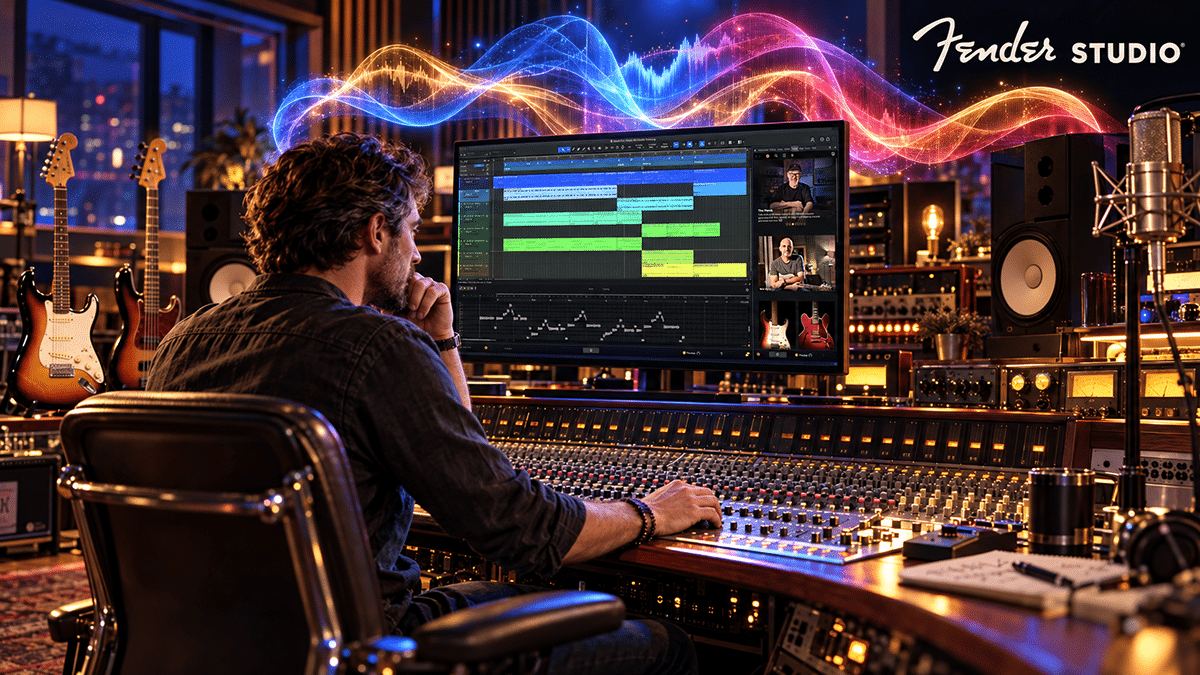
On October 20, 2026, Fender released Fender Studio Pro 8.2, the latest update to the recording program many engineers still instinctively call Studio One. Fender acquired PreSonus in 2021, and the familiar Studio One line was renamed Fender Studio Pro with version 8 earlier this year. That change put one of the best-known guitar brands on the front door of a serious digital audio workstation, or DAW. A DAW is simply the software where you record, edit, mix, and prepare music for release. Think of it as the recording studio’s tape machine, mixing console, razor blade, and filing cabinet living inside one computer.
The good news is that 8.2 is more than a new coat of paint. Its headline additions include Trim Automation, Dim Solo, multiple marker tracks, better native stem separation for guitars and piano, lower-latency vocal tuning, individual-note sound variations, MIDI 2.0 support, and several workflow repairs. Some of those features sound like they were named by a committee that has not seen sunlight in years. Yet several address the tiny, daily frustrations that cost a working engineer time and cost an independent artist money. That is where this review starts, because an extra button is not a business plan.
Trim Automation: A Small Name for a Big Mixing Problem
If you have ever mixed a singer who whispers through one verse, shouts through the chorus, and leans back from the microphone whenever the emotional truth arrives, you already know why volume automation exists. Automation is the set of changes you program so the mix moves as the song plays. You might bring a line of vocal up, pull an acoustic guitar down during the solo, or ride a reverb send on one important word. Once you have spent an hour drawing that delicate curve, the last thing you want is to destroy it because the entire chorus needs another decibel or two.
Version 8.2 introduces a true second layer of volume adjustment through Trim Automation. Rather than forcing you to redraw the original moves, it lets you add a separate adjustment on top. Fender says it works with channel and send volume, avoiding workarounds such as inserting a separate Mix Tool or routing through a VCA just to change a level. The trim curve can be merged with the main automation manually or automatically. The manual even describes the fader turning yellow when Trim is active, which is a welcome visual reminder that you are editing a different layer.
Here is the working-studio example. Imagine an independent blues artist has approved a mix, but after listening in the car decides that the vocal needs a little more presence in the second chorus. The engineer has already written dozens of small vocal moves that keep consonants clear and sustain notes natural. Trim Automation should let that engineer raise the passage without erasing the detailed original ride. The artist gets the revision, the engineer spends fewer minutes fixing what was never broken, and the session moves closer to a paid release instead of turning into an archaeological dig through automation points.
This is not glamorous technology. Nobody is going to put a picture of Trim Automation on a tour T-shirt. But working engineers often earn their money by making hundreds of tiny decisions without losing the earlier good ones. The caution is that a second volume layer adds another place to look when a fader seems to behave strangely. Keep the automation lanes organized, understand when curves merge, and save a new session version before major rewrites. Convenience is valuable only when the mix remains understandable to the person who opens it next month.
Dim Solo: Because Music Is Not Made One Track at a Time
The traditional Solo button has a ridiculous habit. You click Solo on the vocal, and almost everything else disappears. That is useful if you are chasing a click, a bad edit, or an ugly breath. It is less useful when you want to hear whether the vocal actually sits with the guitars, snare drum, and bass. A singer can sound magnificent alone and vanish the moment the band comes back. Ask anybody who has ever mixed a loud rock record with two crunchy guitars and a drummer who appears to be negotiating a personal dispute with the cymbals.
Dim Solo changes that behavior. When enabled, soloing a track reduces the level of the other active channels rather than fully muting them. Fender’s manual lists four selectable reductions: minus 6, 12, 18, or 24 decibels. Tracks that were already muted stay muted, so you do not accidentally resurrect the guide vocal that was retired for excellent reasons. Dim Solo also works with the Listen Bus, a separate monitoring path that engineers can use for checking signals.
This is a deceptively useful feature because mixing is about relationships. The bass is not merely a bass sound; it is how the bass speaks with the kick drum. The rhythm guitar is not merely a tone; it is how that tone leaves room for the singer. With the rest of the arrangement quieter but still audible, a mix engineer can focus on an instrument without losing the musical context. For a self-producing artist, it offers a simple way to stop the endless cycle of soloing something, making it gorgeous, then discovering it sounds ridiculous with the whole band.
There is no miracle here, and that is a compliment. This is a thoughtful monitoring option, not an algorithm deciding how your song should sound. Just remember that reduced-context listening is still a special condition. Make the decision, return to the full mix, and compare again at a reasonable level. A drum that sounds thunderous when the rest of the band is down 24 dB may need no additional thunder once everyone is invited back to the party.
Multiple Marker Tracks: The Unsung Heroes of Paid Deadlines
If your recording work never leaves the world of three-minute songs, markers may sound dull. You put one at the verse, another at the chorus, and maybe one at the guitar solo because the guitar player insisted. But independent musicians now make music for podcasts, films, commercials, online lessons, social videos, theatrical productions, and live shows with visual cues. Those jobs have two different clocks running at once: the musical clock measured in bars and beats, and the real-world clock measured in minutes and seconds.
Fender Studio Pro 8.2 lets users add multiple marker tracks anywhere in an arrangement. Each can follow bars and beats or stay anchored to actual time. That matters when a filmmaker needs a musical accent at exactly 43 seconds but a composer needs freedom to change the tempo of the scene leading up to it. The time-based cue remains at its intended position while the musical sections can be managed according to the changing tempo. The manual also describes colored markers and marker tracks placed inside folders for organizing particular parts of the project.
Consider a small production company paying an indie composer to supply a 60-second advertisement, a 30-second cut, and a short social version. One marker track could hold picture cues and delivery points while another holds introductions, builds, and musical transitions. The composer has a clearer map of the work, and revisions have a better chance of staying aligned with what the client actually asked for. That is the sort of invisible organization that turns a stressful deadline into a repeat customer.
The funny part is that nobody has ever hired an engineer because the markers looked beautiful. They hire you because the audio arrives correctly labeled, on time, and lined up with the picture. This feature will not create a licensing deal, but it could make the next one easier to complete. For artists trying to build a middle-class living from music, reliability is a feature with real financial consequences.
Guitar and Piano Stem Separation: Useful AI, Not a License to Steal
The flashiest 8.2 announcement may be the expansion of native stem separation to include guitar and piano. A stem is a part of a recording that can be handled separately, such as the voice, drums, or bass. With ordinary multitrack recording, the engineer already has the separate tracks. Stem separation is different: software tries to pull those elements apart from a recording where they have already been blended together. It is a clever bit of machine learning, which is the technology that allows a computer to recognize patterns after being trained on many examples.
Fender says the added guitar and piano isolation can help with replacing performances, turning audio ideas into MIDI notes, and creative sampling. This extends an offline native separation system, distinct from the separate Moises integration added earlier in version 8.1. Offline is a meaningful word here: Fender said the native system’s processing runs locally on the user’s machine. It gives artists a way to experiment without treating every split as an upload to a third-party service.
For a working musician, the possibilities are immediate. You might have an old rehearsal recording in which the guitar part was never captured separately. You could try isolating that guitar to study a riff, sketch a new arrangement, or determine where the performer changed chords. A songwriter who played piano into a rough stereo demo might extract an approximate guide before rebuilding the track with a cleaner recording. A teacher might create a practice version of a song the student wrote. A producer might inspect a crowded mix to find out why a guitar figure and keyboard part keep stepping on each other.
Now for the cold bucket of water. Separation is an estimate, not a trip backward through time to the original multitrack tape. When instruments overlap in frequency, the software may leave traces of one sound in another or remove pieces that belong there. Cymbal wash, reverb tails, distorted guitars, and tightly doubled parts can make isolation more difficult. Those are general limitations of source-separation technology, not measured failures established by our testing of 8.2. Before promising a client that a guitar can be surgically removed from a finished record, check the actual result and listen closely for watery artifacts, missing transients, and odd holes in the backing track.
There is an even more important boundary. The ability to isolate a piano from someone else’s master recording does not give you permission to sell the piano performance, release a new recording built from that master, or license it as your own. The sound recording and the underlying song can involve different copyright holders. An indie artist who owns their own masters has far more freedom to reuse and rebuild them. That is why ownership matters. AI can open creative doors, but rights still determine whether the music can walk through those doors and make money without inviting a lawyer to lunch.
Vocal Tune Goes Low Latency, but the Singer Still Has to Sing
Fender introduced its native Vocal Tune plug-in in version 8.1. Version 8.2 improves it with a Follow option that reads the song’s key and scale information without forcing automatic key changes, plus a Low Latency mode intended for recording and monitoring. Fender says that mode brings the plug-in’s own latency below three milliseconds. That is encouraging for singers who like to hear some pitch correction while performing, but it is important not to confuse plug-in latency with the full time a signal takes to pass through the interface, computer, and headphones.
The total monitoring delay also depends on the audio interface, sample rate, buffer settings, drivers, and other plug-ins in the path. A singer may still notice a distracting echo if the rest of the system is poorly configured. Version 8.2 does not magically exempt a computer from physics, much as we might all appreciate that feature. The real test for an artist is simple: can you record the vocal naturally without the performer feeling disconnected from their own voice? If the answer is no, change the monitoring setup before blaming the singer, who has suffered enough.
The Follow control is useful when a session contains harmonic information that the tuning software should respect without making unwanted tonal decisions. In practical terms, it gives the producer another way to keep the processing aligned with the song while retaining control. That is a better philosophy than asking the software to make every note perfectly straight. A gritty blues vocal, a sliding country phrase, or a soul singer leaning into a blue note may contain exactly the musical character that correction can erase. Good vocal editing helps the performance communicate; bad editing turns a human being into a very polite smoke alarm.
For independent artists who sell recording services, the economic value is in completing vocal sessions with fewer distractions and less corrective work afterward. The creative opportunity is in subtle control or intentionally obvious effects when the song calls for them. The hidden cost is the time it takes to learn when not to use the feature. Clients do not pay for the number of pitch-correction tools you own. They pay for a vocal that makes somebody feel something.
There Are Two Different AI Conversations Here
When the music industry hears the letters AI, it often reacts as if a robot is hiding under the piano waiting to replace the band. There are legitimate concerns about training data, permission, likeness, and payment. There are also useful tools that simply help musicians complete work they already own. Fender Studio Pro now contains several AI-assisted features, but it is a mistake to lump all of them into one magical box. A system that separates your own recorded drums is not the same product, technically or ethically, as a cloud service that generates new musical material.
That distinction matters with Moises, whose integration arrived in Studio Pro 8.1. Fender described that integration as offering more advanced stem workflows, voice conversion, and backing-track generation. Its June announcement listed an included monthly allotment for 8.1 users of ten audio stem separations, 120 stem generations, and five voice conversions. Those were the stated launch allowances, not a promise that every account will retain the same quota forever. Artists should check the current terms and account limits before building a paid production service around those numbers. A quota is harmless until your deadline arrives and you discover that the imaginary drummer has gone on break.
The native offline separation expanded in 8.2 belongs to a different conversation from connected services. If you are preparing an unreleased master for a client, local processing may be preferable because fewer outside systems are involved. If you choose cloud-assisted generation or voice conversion, read the service’s terms, consider where the audio goes, confirm that you have authority to upload it, and document the client’s permission. Fender has published AI principles, but a corporate principles page is not a substitute for checking the actual agreement governing a specific feature or partner.
Making a Scene has a fairly straightforward position on this. Artists should be paid for the music, performances, identities, and rights they contribute. They should be allowed to use tools that improve their work without being tricked into surrendering those rights. If AI cuts editing time and helps a musician deliver another paid session, terrific. If it becomes another tollbooth between the artist and their own work, we reserve the right to ask rude questions, preferably while holding a good cup of coffee.
Replace a Plug-in Without Playing Drag-and-Drop Twister
Some software improvements sound almost insultingly basic until you remember how many times a day you perform them. Version 8.2 adds a context-menu command to replace an audio effects plug-in in an insert or send slot. Fender says replacement previously relied on dragging and dropping a new effect into position. The new command gives the user a direct way to swap processing without performing a little mouse-pointer ballet. This will not sell a million records, but it is exactly the kind of refinement a long-running DAW ought to receive.
Imagine experimenting with two compressors on a lead vocal, or trying different reverbs on a guitar bus. Each change should require as few distracting steps as possible. The useful habit is still to level-match alternatives and make a fair comparison, because louder frequently sounds better for the first ten seconds. A quick replacement command does not replace judgment. It simply puts less furniture between the engineer and the decision.
The related freeze changes deserve attention from musicians with modest computers. Freezing turns some live processing into rendered audio so the computer does less work on playback. Fender says the update improves freezing of tracks and channels, including insert effects, while keeping volume and pan as intended. For a laptop-based producer using several demanding instruments and effects, that can help a dense project remain workable. Be careful, though: frozen or rendered audio is not the same thing as keeping the original instrument, its settings, and its editability available forever. Keep the unfrozen session version or a reliable archive when a client may ask for new revisions.
There is a business lesson hiding inside the technical detail. Engineers waste billable hours when a session stutters, a virtual instrument disappears, or a client requests a change that the stored project cannot reproduce. Rendering, freezing, saving versions, and exporting clean audio are not glamorous. Neither is insurance. Both become very interesting on the day you need them.
Per-Note Sound Variations: Better Fake Instruments Through Better Musicianship
Version 8.2 also adds individual-note assignment for Sound Variations. That name sounds as though somebody was trying to avoid calling them articulations, but the idea is clear. Sampled instruments often include several ways to play a note: a violin may be bowed smoothly or sharply, a guitar note may be played open or as a hammer-on, and a brass part may need different attacks. The instrument library holds those variations, and the music software tells it which one to use.
According to Fender’s Sound Variations manual, a variation can now be attached to a note so that it moves with that note when you edit the arrangement. That is a relief for composers who have spent time making a programmed performance sound natural only to move a phrase and lose the matching instructions. A songwriter scoring a short documentary could make a string part breathe more convincingly, while a producer creating a guitar demo could refine a virtual performance before hiring a player to record the final part.
There is a subtle limitation worth knowing. Fender’s documentation explains that when different note-level variations occur at the same starting point, the topmost note’s variation takes priority. That means certain attempts to play a chord with conflicting articulations at exactly the same moment may not behave as a beginner expects. It is a reminder that software instruments are wonderfully sophisticated and still not actual musicians. You can give the machine a hammer-on instruction. It cannot tell you that the bridge sounds better if the bass player waits half a beat and looks annoyed.
This matters especially for independent composers selling music to film, games, podcasts, or commercial clients. Better articulation control can improve the quality of mockups, reduce the time spent rebuilding cues, and make presentations more convincing before a real instrumental session is booked. It does not mean musicians should stop hiring musicians. Used well, it can help a modest-budget project reach the stage where hiring live players becomes possible and financially sensible.
MIDI 2.0 Arrives, but Windows Musicians Need to Read the Fine Print
MIDI is the language that lets keyboards, controllers, virtual instruments, and music software exchange performance instructions. Traditional MIDI has been remarkably useful for decades, but its original data resolution was limited. MIDI 2.0 is intended to carry more detail, allowing compatible devices to describe performance gestures with greater precision. Fender Studio Pro 8.2 adds support for high-resolution velocity and controller information, with data visible in the note editor’s velocity, aftertouch, and automation areas.
There is a big asterisk next to the celebration. Fender’s MIDI 2.0 support notice states that the new capability is available on macOS and Linux at the time of release. Windows support is not yet enabled in this release and is expected through a later maintenance update after Microsoft supplies the required system components. That is not the sort of detail a Windows keyboard player wants to discover after buying new hardware because a headline said MIDI 2.0 had arrived.
Even on a supported operating system, musicians need a compatible controller, receiving instrument, and appropriate configuration to benefit. A more detailed performance message cannot create expression that the player never performed, and it cannot force an older sound library to understand information it was not designed to use. For a composer investing in controllers and expressive instruments, this is an encouraging direction. For the singer-songwriter entering a few keyboard chords with an old USB controller, it is probably not a reason to spend money this weekend.
The larger point is that a DAW should support the artist’s tools, not pressure the artist into replacing working equipment. Hardware purchases are business investments. If a new controller helps you produce better cues or complete paid work faster, make the calculation. If it simply gives you another row of glowing pads to photograph for social media, the music store will be delighted, but your rent may be less impressed.
The Less Flashy Repairs Count, Too
Fender’s feature announcements are naturally designed to show the shiny objects, but working musicians live among the dull objects that must not fail. Version 8.2 also brings various editing and workflow improvements, including refinements around freeze behavior, effects handling, and controller interaction. The broader release notes describe work on chord previews, track creation, automation labels, browser behavior, and software issues. Some changes are small. Together, they can matter because every minute spent repairing a session is a minute not spent on the music.
There is reason to appreciate maintenance work without automatically assuming every bug on every computer is gone. A particular fix may solve one repeatable condition but leave another configuration untouched. Professional studios depend on combinations of operating systems, audio interfaces, control surfaces, third-party plug-ins, and client projects that no release announcement can fully guarantee. If you run sessions for paying clients, the smartest update policy is still boring: read the notes, back up the system, test your key tools, and avoid installing unfamiliar software an hour before a booked vocalist arrives.
Fender also offers the familiar guitar- and bass-focused character that came with the broader version 8 launch, including Mustang guitar and Rumble bass processing. Those are part of the continuing platform, not brand-new inventions in 8.2. That distinction is worth making, because companies understandably like to celebrate the entire toolbox whenever one drawer gets a new handle. The sensible question for an existing user is what 8.2 adds beyond the version already running on their machine.
A Fender Logo Does Not Make This a Guitar-Only DAW
One of the stranger side effects of the name change is the impression that Fender Studio Pro must be aimed mainly at guitar players. Fender certainly brings a serious history of electric guitar and bass design, and native amp sounds are part of the product’s identity. But this remains the descendant of PreSonus Studio One, a full recording, editing, mixing, mastering, and production environment. Someone making soul, jazz, blues, folk, electronic music, orchestral cues, or a documentary soundtrack should evaluate it as a complete workstation rather than a giant amp simulator wearing a necktie.
The Fender product page lists the current software and its broader feature set, including virtual instruments, native effects, a mastering page, and a Show page for performance preparation. It also names integrations such as Splice, Tonalic, and Moises. Integrations can be convenient, but the extra services are not automatically the same as owning the DAW. Artists should check which benefits are included, which require separate accounts, what content is licensed for commercial use, and what happens if a subscription ends.
That distinction becomes important when the artist wants to release music, sell a sample-based beat, or deliver work to a paying client. The fact that an audio loop appears inside a convenient browser does not answer every licensing question. Likewise, a backing track offered for practice does not automatically carry unlimited commercial rights. Fender’s earlier version 8 release notes specifically distinguish noncommercial uses of its Jam Tracks from uses that require separate licensing. Read those terms before putting somebody else’s musical material into a release you intend to sell.
The Price Tag: Ownership Is Still an Option, Thank Goodness
Now we arrive at the section musicians usually read immediately after checking whether the update has a new reverb. Fender’s October 2026 release announcement lists a U.S. manufacturer’s suggested retail price of $199.99 for a new perpetual license, $99.99 for an upgrade, $179.99 per year for the Pro+ annual plan that includes a perpetual license, and $19.99 per month for monthly Pro+ access. Retail prices and promotions can change, and the live product page should be checked at purchase. What matters most is understanding which kind of payment buys ongoing ownership and which rents access.
A perpetual license means you can keep using the licensed version even after the included update period ends. Fender’s product page says the perpetual purchase comes with a year of new software features and releases. The upgrade also extends access to new releases for another year. Fender’s registration guidance says that a perpetual license from the annual plan appears in the user’s account when the annual subscription expires. Monthly access is a different deal; it should not be mistaken for perpetual ownership. The precise included extras, renewal terms, eligibility, and feature access deserve a look before clicking the Buy button.
At the published monthly rate, twelve months would total $239.88 before taxes. The advertised annual plan is $179.99, and a new perpetual license is listed at $199.99. Those simple numbers are not the whole story because the plans include different extras and continuing access rights. But the comparison makes one thing obvious: an indie musician who expects to keep making records for years should look beyond the smallest first payment. Paying a little every month can feel painless until you add up several years of studio software, sound libraries, cloud storage, and specialty plug-ins. Suddenly your computer has a larger entourage than the band.
For existing Studio One or Fender Studio Pro owners, eligibility matters as much as price. Fender says 8.2 is available to qualifying perpetual-license holders and Pro+ subscribers. The registration article for earlier Studio One licenses directs users to their extended-support date in their Fender account. Check that date rather than assuming either that 8.2 is free for everyone or that everyone needs to buy it again. And because a product is called Pro, do not assume every optional cloud, sample, or AI feature is permanently included. Professional is a description of a tool. It is not a promise that the accountant can take the afternoon off.
The Hidden Costs Are Usually Not in the Shopping Cart
Recording software is only one part of the system. An inexpensive DAW can become expensive if the computer needs more memory, the audio interface needs replacement, or the favorite plug-ins no longer behave correctly. Fender’s 8.2 system requirements list Windows and macOS support and a Linux public beta, with a minimum of 8 GB RAM and 40 GB of free drive space. Those are minimums, not a guarantee that a huge orchestral arrangement with dozens of real-time effects will run comfortably on an aging machine.
There are also operating-system deadlines. Fender’s manual says Windows 10 support for Studio Pro 8 will end on December 31, 2026, and it gives the same date for macOS 13 support. A studio still using an older but stable computer should take that information seriously. Upgrading the DAW may eventually imply upgrading the operating system, and that may expose other compatibility problems. This is why we recommend keeping a tested production environment until the alternative proves reliable, especially if your livelihood depends on the current setup. There is nothing rebellious about losing a client’s files because you wanted to see a new splash screen.
Old sessions need special care, too. Fender’s version 8 documentation says Fender Studio Pro 8 installs separately from older Studio One versions, but once a session, mastering project, or show is saved in version 8, it cannot be opened again in an earlier Studio One version. The company also cautions that some third-party plug-ins may need updates. In plain English, make a separate copy of the old project before opening it in the new system. Keep the original safe. Export audio stems and a reference mix for the projects that matter most. Your future self deserves something better than discovering the only working copy was saved into a version the old studio cannot read.
The program’s export tools can create individual track or channel audio, while the Zip export can collect referenced media for a portable project archive. The Zip method does not include commercial plug-in installations, sound sets, or unused media and alternate session versions, so it is not a perfect time capsule. A sensible archive includes the original session, consolidated recordings, clean and processed stems when appropriate, final mixes, and written notes about critical plug-ins and rights. In a world where platforms change names faster than bands change drummers, portable files are a form of independence.
Can This Update Actually Help an Indie Artist Earn More?
Here at Making a Scene, the central question is never simply whether the technology is impressive. The question is whether it helps independent artists build sustainable income while keeping control of their work. Fender Studio Pro 8.2 cannot book your band, sell a T-shirt, collect a publishing royalty, or make a listener join your mailing list. If a DAW starts promising all of that, check whether a marketing department has accidentally swallowed the microphone. What it can do is improve the production process behind the recordings, cues, lessons, live-show materials, and client projects that do generate income.
Picture a working blues trio recording an EP without a major-label budget. Trim Automation can make revisions less destructive. Dim Solo can help the engineer shape a lead vocal or guitar without losing the arrangement. Better freezing can make an older computer more useful for another season. Native stem separation may help recover ideas from rough recordings the band owns. When these improvements save a few hours on each project, those hours can be used to finish another mix, create an instrumental version for licensing, prepare an alternate edit, or spend time building the audience relationship that actually pays the bills. We should not assign imaginary dollar figures to the savings, but reduced friction has an obvious business value.
Consider the independent producer who offers recording, editing, and mixing services to other local musicians. The producer’s reputation is built on finishing work, communicating clearly, protecting files, and delivering revisions without drama. Low-latency monitoring might improve the singer’s recording experience if the full system is configured properly. Multiple marker tracks might keep podcast advertising cues and commercial edits organized. Per-note variations could make a demo arrangement sound more convincing before a live string session is hired. Each tool is useful only to the extent that it helps the producer deliver something a client needs. The software does not create customers. Trust, results, and relationships do.
There is also a touring angle. Independent artists increasingly carry backing tracks, show cues, and promotional video content. Fender Studio Pro already has a Show page, and its video features are part of the broader version 8 platform. The new organizational improvements may help artists prepare music that stays aligned with visual events, especially when arrangements change. Still, a live show is an unforgiving place for software surprises. Test the complete set, use reliable playback arrangements, and keep emergency audio copies available. Your audience paid to hear the show, not to watch the band troubleshoot a driver dialog on stage.
For licensing and publishing, the advantage is speed and flexibility in producing the assets a potential buyer may request. A music supervisor may need an instrumental, a no-lead-vocal version, a short edit, and properly named files. Creating those versions from original multitrack sessions is preferable to trying to separate a finished master at the last minute. Fender’s stem features can be useful backup tools, but owning the source recordings and having accurate ownership and songwriter information remain more valuable than any separation trick. The strongest licensing pitch is good music, clean rights, and deliverables that arrive before the deadline.
Artists Still Need to Own the Music, Not Just the Session File
We should talk about the one thing a workstation cannot solve by itself. The artist may own the computer and the DAW license while still losing control of the music business around the recording. A distributor can control delivery to streaming platforms. A social platform can control which fans see a post. A ticket seller may hold the buyer’s contact details. None of that changes because the vocal compressor is wonderful. Recording software is a production tool, not an artist-owned business infrastructure.
The smart independent artist uses the DAW to create valuable assets and then manages those assets deliberately. Keep the masters, document the songwriters and ownership splits, preserve instrumental and alternate mixes, collect the metadata needed for proper registration, and send fans toward a website or system where the artist maintains the relationship. If you offer direct music sales, merchandise, memberships, live experiences, teaching, or licensing, the recording is part of a much wider revenue picture. A finished song should be the beginning of a business opportunity, not the end of an upload process that leaves everyone except the artist with useful customer data.
There is a practical AI connection here as well. New tools make it easier to transform existing recordings into practice tracks, demos, educational materials, and alternate arrangements. When you have the rights to your own material, that flexibility can support paid products and services. When you do not know who owns the master or composition, technology can multiply the confusion faster than it multiplies revenue. The future of independent music will belong less to the person who buys every new plug-in and more to the person who understands which assets they own, what permission is required, and where the income is supposed to go.
Who Should Update, Who Should Wait, and Who Can Ignore the Hype?
If you already use Fender Studio Pro and have a qualifying update entitlement, 8.2 looks like a meaningful release to investigate. Engineers who write a lot of automation are the most obvious winners, followed closely by people mixing dense sessions who want better context while soloing. Composers working with video and sampled instruments have legitimate reasons to care about marker tracks and sound variations. Musicians using native stem separation on material they own may find guitar and piano isolation especially useful. The important word is investigate, because this is a software update and not a religious conversion.
If you are running an older Studio One setup that reliably completes paid work, the decision is more complicated. You may gain new tools but also inherit licensing questions, plug-in compatibility chores, and projects that cannot travel backward after being saved in version 8. Test with copies, not irreplaceable originals. Check the operating-system support dates and your update eligibility. If you depend on Windows MIDI 2.0 today, this particular release is not yet the answer. If your current DAW already does everything you need, you are under no moral obligation to buy a new version just because the release video contains attractive lighting.
New buyers should compare the actual work they perform with the included features, then evaluate the perpetual and subscription choices using more than the first month’s price. A solo songwriter may prize the built-in guitar sounds, simple recording workflow, and native mixing tools. A post-production engineer may care more about time-based markers and flexible exports. A composer with demanding sampled instruments may prioritize articulation editing and computer performance. No one product is automatically right for every musician, and a change of DAW always has a learning cost. The best system is often the one you can operate confidently when a client is waiting and the clock is running.
The Making a Scene Verdict: The Boring Improvements Are the Real Headliners
There is an almost refreshing honesty buried inside Fender Studio Pro 8.2. Yes, the announcement talks about AI, vocal tuning, and the future of creativity. Those things are interesting, and guitar and piano separation will attract attention. But the most convincing features are the ones that solve everyday studio problems: editing a finished automation ride without rebuilding it, focusing on an instrument while still hearing the band, keeping music aligned with picture, and rendering complicated processing without unnecessary surprises. Those are improvements rooted in work rather than spectacle.
We are not handing out a made-up benchmark score or declaring the new stem models flawless without controlled tests. We also are not treating a perpetual license as though its extra services, updates, and compatibility obligations come free forever. Fender deserves credit for offering an ownership option and for continuing to develop a capable DAW with practical refinements. It deserves scrutiny over any AI feature that touches artist rights, any workflow that depends on separate subscriptions, and any future choice that makes old projects harder to preserve. A company can make useful software and still require its customers to read the fine print.
For the independent musician trying to build a career, the verdict is cautiously positive. Version 8.2 appears more valuable as a working engineer’s update than as a flashy excuse to rebuild the entire studio. If you are eligible and your system checks out, there are enough thoughtful additions to make a careful upgrade worthwhile. If you are happy with your present system, keep making music while you test the new release on a copy of a project. The art does not get better merely because the software number changed.
The real rebellion is not refusing technology. It is refusing to let technology companies decide what success looks like for you. Make the record, keep the masters, know your rights, deliver professional work, and build relationships with people who want to support it. Then, when somebody asks whether Fender Studio Pro 8.2 can make you a star, you can give the only sensible answer: it can help you make a better record and perhaps finish it faster. The rest still requires songs, fans, good business habits, and the occasional guitar solo loud enough to annoy a corporate vice president.

Subscribe to Our Newsletter
Discover more from Making A Scene!
Subscribe to get the latest posts sent to your email.


