

Universal Audio Volt Gen 2 Review




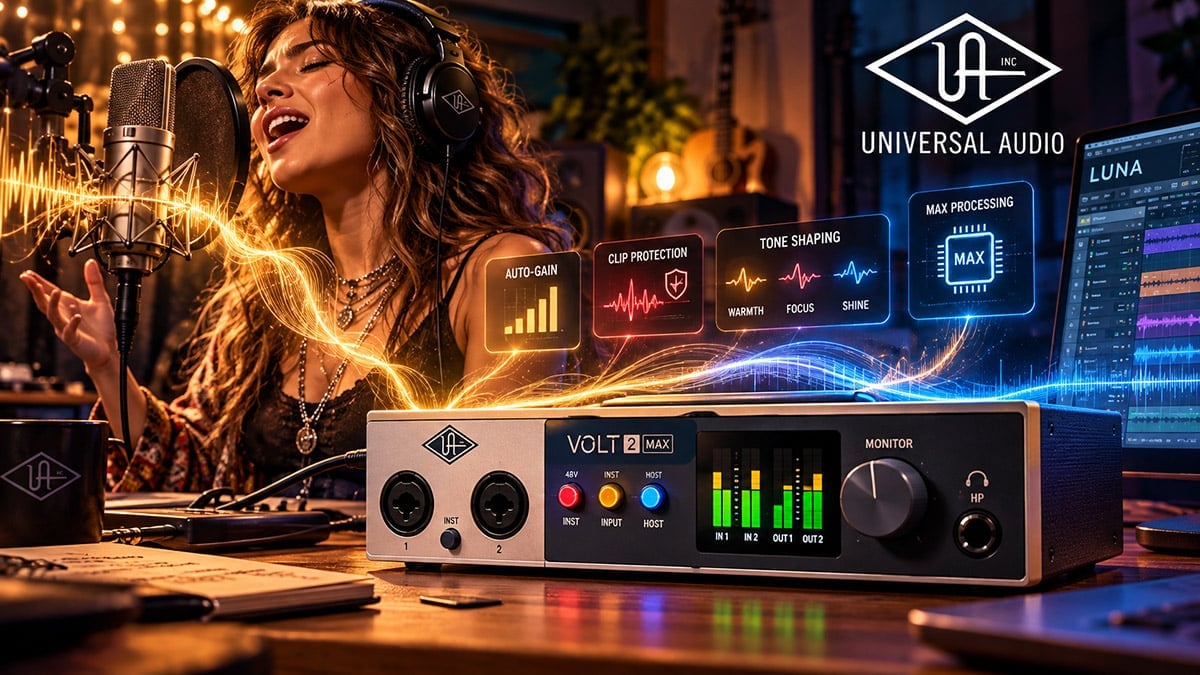
Making a Scene Presents – Universal Audio Volt Gen 2 Review: The Audio Interface Is Becoming the Assistant Engineer
Universal Audio Brings More Engineering Decisions Into the Interface
For most of the history of home recording, the audio interface has had a fairly simple job. It takes the tiny electrical signal coming from a microphone, guitar, keyboard, or other source, amplifies it, turns it into digital information, and sends that information into the computer. Once that happened, most of the real engineering decisions were expected to take place somewhere else. The engineer set the gain, watched the meters, decided whether compression was needed, built the headphone mix, adjusted monitoring, and made sure the musician did not suddenly become twice as loud the moment the red recording light came on. The interface was important, but it was mostly the doorway into the studio rather than an active participant in what happened inside it.
Universal Audio appears to be rethinking that relationship with its new Volt Gen 2 and Volt Max interfaces. Announced on October 1, 2026, the new Volt family contains six bus-powered USB interfaces ranging from the $149 Volt 1 Gen 2 through the $499 Volt 4P Max. Every model supports 32-bit/192 kHz conversion, but the larger story is not the converter specification. The interesting change is that Universal Audio has moved more of the routine engineering work into the interface itself, giving musicians tools that can help establish recording levels, protect against clipping, shape the tone before recording, manage monitoring, and, in the Max models, apply dynamics processing before the sound ever reaches the DAW. The company’s current Volt lineup can be found at https://www.uaudio.com/pages/volt.
That shift matters because the home studio has changed. A large percentage of independent musicians are no longer recording with another person sitting behind a console. They are writing the song, playing the instrument, singing the vocal, operating the DAW, adjusting the microphone, setting the headphone level, editing the takes, and making production decisions themselves. Every technical interruption pulls the musician away from the performance. The more recording technology can quietly handle the predictable problems without getting in the way, the more attention the artist can give to the reason the studio exists in the first place.
The new Volt generation is therefore interesting less as another collection of affordable interfaces and more as evidence of where recording equipment is heading. The interface is slowly beginning to behave like an assistant engineer. It cannot decide whether a vocal has enough emotion, whether the guitar arrangement is cluttered, or whether the chorus needs another harmony, but it can watch levels, prevent obvious mistakes, recall settings, simplify monitoring, and make certain technical decisions easier to manage. That is a useful direction for independent artists because the best recording technology is not technology that demands attention. It is technology that quietly creates room for the artist to work.
Before going farther, there is one important limitation to this review. These interfaces were announced only days ago, and I have not yet had an opportunity to conduct a controlled Making a Scene recording and listening test with the hardware. I am therefore not going to invent descriptions about “silky highs,” “three-dimensional imaging,” or some mystical transformation of the low end simply because a new product needs adjectives. This review is based on Universal Audio’s published specifications, support documentation, feature design, current pricing, and what those features mean in a real independent recording workflow. The long-term sound quality, reliability, driver stability, and physical durability will become clearer as people spend real time working with these units.
The 32-Bit Headline Is Not the Most Important Part
Universal Audio understandably leads the Volt Gen 2 story with 32-bit/192 kHz conversion because large numbers are easy to market. Every interface in the new range supports sample rates up to 192 kHz, and models such as the Volt 2 Gen 2 publish specifications that are more than capable of professional music production. That is good news, but converter specifications have reached the point where even relatively affordable interfaces can produce technically excellent recordings when they are used correctly. The practical difference between a successful home recording and a ruined one is increasingly less about whether the converter has another impressive number on the box and more about whether the person operating the system can capture the performance without making a preventable mistake.
That distinction becomes especially important because musicians often misunderstand what “32-bit” means. The phrase can create the impression that clipping has somehow been eliminated, particularly because portable recorders using 32-bit floating-point technology have become popular for their enormous usable recording range. Universal Audio has previously explained in its own technical material that its Volt architecture uses 32-bit fixed-point conversion rather than the kind of floating-point recording system that allows exceptionally wide level recovery after recording. In other words, proper gain staging still matters. A musician can still drive the input or converter beyond its usable range, which means the recording level still needs to be managed intelligently.
That is one reason Auto-Gain and Clip Protection may be more important to the average home recordist than the 32-bit specification itself. Musicians have endured decades of questionable advice about digital recording levels, including the old belief that every recording should come as close to 0 dBFS as possible in order to “use all the bits.” That thinking came from an earlier period of digital recording and often resulted in musicians tracking with almost no headroom. Modern recording systems do not require the waveform to be sitting one unexpected transient away from clipping in order to produce a professional result.
Experienced engineers already understand this. They know that recording with reasonable headroom makes the session easier to manage and gives performers room to become louder without destroying the take. The problem is that an artist recording alone may not know exactly how much headroom to leave, particularly when the performer is also the person operating the system. A singer can run through the chorus at one level while checking the microphone and then deliver the actual take with far more energy once the emotion of the song takes over. A guitarist can strike the strings harder during the real performance than during soundcheck. A drummer can produce peaks that are difficult to predict from a quiet rehearsal hit. These are normal parts of making music, and they are exactly the kinds of problems an experienced engineer learns to anticipate.
Auto-Gain Is Really About Preserving the Performance
The Volt 2 Gen 2, Volt 4 Gen 2, Volt 2 Max, Volt 4 Max, and Volt 4P Max include Auto-Gain and Clip Protection, while the entry-level Volt 1 Gen 2 does not. That distinction is worth making clearly because Universal Audio naturally talks about the new Volt family as a whole, and a musician shopping quickly could easily assume that every model includes the same intelligent gain features. The Volt 1 remains a capable and affordable interface, but the most important workflow ideas behind this generation begin with the Volt 2 Gen 2.
Auto-Gain allows the interface to establish an appropriate recording level automatically. That may sound like a convenience feature, but for a self-recording artist it can remove one of the most irritating interruptions in the creative process. Imagine a singer-songwriter working alone. The microphone is positioned, the song is ready, the headphones are on, and the performer is emotionally prepared to sing. Instead of staying in that creative headspace, the artist now has to lean toward the computer, watch a meter, sing a few lines, adjust a knob, sing again, adjust the knob again, then wonder whether the loudest part of the chorus will still overload the input. None of that is particularly difficult, but every one of those actions moves attention away from the song.
Clip Protection goes after the other half of that problem by helping deal with unexpected peaks. The importance of this is not that the interface suddenly becomes smarter than an experienced recording engineer. It is that a technical mistake has less chance of destroying an otherwise valuable performance. A great vocal take may contain a moment that cannot be recreated simply because the emotional circumstances were different the second time. If a system can keep that performance usable by responding when the singer suddenly becomes louder than expected, it has contributed something meaningful to the recording process.
This is exactly the kind of intelligent technology that makes sense in a studio. It handles a routine technical risk without pretending to make the artistic decision. The machine is not determining whether the singer should whisper the verse or scream the chorus. It is simply trying to make sure that when the singer does make that choice, the recording survives it. For independent musicians, that distinction matters because there is a growing temptation to sell every automated function as a substitute for human judgment. The better model is technology that protects the human decision rather than replacing it.
There is also a business argument here. Recording mistakes cost money even when no invoice is involved. A performer who has to repeat a vocal because the first one clipped has lost time. A producer who has to rebuild a session because settings were wrong has lost time. A touring artist who has only one afternoon available to record a remote part may not have another opportunity. The value of Auto-Gain and Clip Protection is therefore not simply that they make recording easier. Their value is that they can reduce the amount of time and work lost to routine technical errors.
Tone Shaping Brings Commitment Back Into the Recording Process
The other major change in the new Volt range is Universal Audio’s expanded Tone Shaping Preamp system. The original Volt family was known for its Vintage mode, which gave users a simplified version of the coloration associated with classic Universal Audio preamp designs. Gen 2 expands that idea into three selectable tonal characters called Warmth, Focus, and Shine. Universal Audio describes Warmth as thicker and darker, drawing inspiration from American tube designs of the 1950s. Focus emphasizes a tighter low end and stronger midrange character associated with American solid-state designs of the 1970s, while Shine takes inspiration from British Class-A designs with a more open and balanced upper range. Universal Audio explains the system in greater detail at https://www.uaudio.com/blogs/ua/volt-tone-shaping-preamps-get-the-rich-character-of-a-record.
Those descriptions should be understood as broad tonal inspiration rather than literal replacements for classic pieces of hardware. A $219 desktop interface does not secretly contain three vintage microphone preamps worth several thousand dollars each. What Universal Audio is really providing is a simplified way to make an intentional tonal decision before the recording reaches the computer. That may be more useful than pretending every home studio needs a museum of historical circuitry.
A singer whose microphone sounds slightly hard or thin may prefer Warmth. A guitar that needs more midrange definition inside a dense arrangement could benefit from Focus. An acoustic instrument that feels dull might respond better to Shine. The important thing is not which mode is theoretically “best,” because there is no universally correct answer. The important thing is that the artist can hear the alternatives quickly and choose the one that supports the performance.
Modern recording has made it incredibly easy to postpone decisions. We can record everything clean, save every alternate take, duplicate playlists, keep several microphone choices, and leave every tonal option open until the mix. That flexibility is powerful, but it can also become a form of creative procrastination. Some of the greatest records ever made were created in environments where engineers had to choose a microphone, choose a preamp, choose a compressor, and commit to the sound. Those choices became part of the performance because the musician heard that sound in the headphones and reacted to it.
That relationship between sound and performance is easy to underestimate. A singer hearing a thick, intimate vocal may deliver the song differently than a singer hearing a thin, dry microphone feed. A guitarist hearing a more aggressive midrange can change pick attack and phrasing. A bass player hearing compression may play more evenly. The sound coming back through the headphones becomes part of the musical environment, and the performer responds to it.
Universal Audio notes that the Tone Shaping settings are part of the recorded signal rather than temporary monitoring effects. That means choosing one of these modes is a real commitment. For beginners, that is worth understanding before recording begins. If the tone is wrong for the source, there is no button later that returns the signal to exactly what it would have been without that processing. The right approach is to listen carefully, choose the tone because it supports the song, and then record with confidence.
Volt Max Pushes the Interface Further Into Engineering Territory
The Volt Max interfaces take this philosophy another step by adding real-time dynamics processing. Volt 2 Max, Volt 4 Max, and Volt 4P Max include what Universal Audio calls Max Processing, with six compressor settings inspired by the behavior of familiar 1176, LA-2A, and VCA-style compression. Universal Audio says these settings operate in real time without adding meaningful recording latency and can be combined with the three Tone Shaping modes, giving the user a fairly wide range of front-end character without opening a plug-in window.
This is a significant philosophical change from the previous Volt “76” interfaces. The first-generation Volt 176, 276, 476, and 476P used an analog compressor circuit inspired by Universal Audio’s famous 1176. The new Max system takes a different route and provides a broader range of digitally controlled dynamics behavior with more visual feedback and more recall capability. That will disappoint anyone whose main attraction to the earlier Volt 76 models was the fact that an analog compression circuit physically sat in the signal path, but for many musicians the wider flexibility of the new design may be more useful in daily work.
Compression while recording has always been one of those subjects that separates experienced engineers from nervous beginners. Used gently, it can help a singer stay comfortable in the headphones, keep a bass under control, tame a guitar part, or smooth a voiceover before it reaches the DAW. Used badly, it can flatten transients, exaggerate noise, and permanently damage the character of the recording. Once an overcompressed signal is recorded, the lost dynamics cannot simply be recreated later.
That is why the preset-oriented approach makes sense on a product designed for musicians as well as engineers. Instead of asking a beginner to understand threshold, ratio, attack, release, knee, and makeup gain before recording the first vocal, the interface presents musical choices that are easier to understand. The tradeoff is obvious: the user gives up some detailed control in exchange for speed and simplicity.
An experienced engineer may still prefer to control every parameter. A singer-songwriter trying to capture a song before inspiration disappears may be perfectly happy with a system that gets the dynamics into the right neighborhood without requiring a small seminar on compressor topology. That difference gets to the heart of the new Volt design. Universal Audio is not trying to eliminate engineering; it is translating some common engineering decisions into controls that musicians can reach quickly.
The Volt 1 Gen 2 Is Affordable, but the Volt 2 Is Where the New Idea Starts
At $149, the Volt 1 Gen 2 sits at the bottom of the range and will probably attract beginners who want to enter the Universal Audio ecosystem for as little money as possible. It provides a Tone Shaping microphone/line preamp with 60 dB of gain, a separate instrument input, loopback, phantom power, mobile compatibility, and the included software collection. For a singer-songwriter, guitarist, content creator, or traveling musician who only needs a simple front end, that is a useful amount of capability in a small package.
The complication is that Volt 1 Gen 2 does not include Auto-Gain, Clip Protection, or the Smart Display found on the other models. Those are precisely the features that make this generation particularly interesting, so the entry-level model feels slightly disconnected from the broader design story. It is still a good interface on paper, but it behaves more like a straightforward modern recording box than the assistant-engineer concept developing farther up the range.
That makes the $219 Volt 2 Gen 2 a much more interesting starting point. It provides two Tone Shaping preamps, two front-panel instrument inputs, Auto-Gain, Clip Protection, a full-color Smart Display, independent phantom power for the inputs, loopback, and 2-in/4-out operation. Universal Audio specifies 60 dB of digitally controlled microphone gain.
For the majority of independent musicians recording at home, this is probably the most naturally sized interface. Two microphone inputs are enough for a vocal and guitar, stereo acoustic recording, a two-person podcast, a stereo keyboard setup, or a large number of overdub workflows. Four outputs provide more flexibility than a bare-bones stereo box, while the automatic gain features reduce the amount of attention required during setup.
There is one unusual change that hardware-synth users should know about. The original Volt 2 included traditional MIDI In and Out connections, while Universal Audio’s published Volt 2 Gen 2 specifications list no MIDI connections. A musician using a modern USB controller may never notice the difference, but somebody working with older synthesizers, drum machines, MIDI pedals, or rack equipment could discover that the newer model actually removes a useful connection from the original design. This is a good example of why musicians should compare features instead of assuming the next generation automatically includes everything from the previous one.
Volt 4 Gen 2 May Be the Smartest Long-Term Home Studio Choice
The $299 Volt 4 Gen 2 is where the family begins to make more sense as the center of a growing studio rather than simply an interface for a couple of microphones. It still provides two Tone Shaping microphone preamps, Auto-Gain, Clip Protection, and the Smart Display, but it adds analog line I/O, traditional MIDI, an onboard USB hub, and optical digital expansion through ADAT or S/PDIF. Universal Audio rates the system as 12-in/6-out when the digital input is used, which gives a home studio room to grow without immediately replacing the interface.
ADAT expansion is especially important because it changes the economics of the purchase. An artist might begin with two microphones and spend most of the first year recording vocals, guitars, bass, keyboards, and overdubs. Later, that same artist may want to record drums or a live group. Instead of selling the interface and buying a completely different system, an ADAT-equipped multi-channel preamp can be added to provide more microphone inputs.
That is the kind of upgrade path independent musicians should pay attention to. Constantly replacing cheap equipment is often more expensive than buying something that can grow with the studio. A product does not need to be the biggest interface available to be future-proof. It simply needs to provide a reasonable path toward the next stage of the artist’s work.
The extra line connections also make Volt 4 Gen 2 more useful for musicians who own synthesizers, drum machines, external microphone preamps, compressors, or other hardware. The MIDI ports matter in exactly the same kind of studio. Someone building a small electronic music setup or hybrid analog/digital room may therefore find Volt 4 Gen 2 more practical than Volt 2 even if they rarely need more than two microphones.
Volt 2 Max May Be the Most Interesting $299 Interface in the Family
Volt 2 Max sits at the same $299 price as Volt 4 Gen 2 but targets a somewhat different musician. Instead of focusing mainly on analog expansion, it adds Max Processing, talkback, two headphone connections, MIDI, ADAT or S/PDIF digital expansion, an onboard USB hub, Auto-Gain, Clip Protection, and the Smart Display with gain-reduction information. Universal Audio rates it as 10-in/4-out once the digital expansion is counted.
The talkback microphone is a small feature with a surprisingly large effect on workflow. Anyone who has recorded another musician in headphones knows the awkward routine of pulling one headphone cup away, shouting across the room, or walking back and forth between the control position and the microphone. Talkback turns the system into something much closer to a miniature professional studio control room.
The second headphone output is useful as well, although musicians should understand what it does and does not provide. The two headphone connections share the same cue mix, so this is not a system that gives two performers completely independent monitor balances. For a producer and singer working together, or for two people who are comfortable hearing the same mix, that may be completely adequate. A session requiring individualized headphone mixes would still need a more sophisticated monitoring arrangement.
What makes Volt 2 Max especially attractive is the balance between portability and growth. A singer-songwriter could take it on tour, run it from a laptop, record two microphones, use talkback during sessions, track with compression, connect MIDI hardware, and later expand the system through ADAT when more inputs are needed. That is a significant amount of capability in a box small enough to live in a mobile recording bag.
Volt 4 Max and 4P Max Move Toward the Small Commercial Studio
The $399 Volt 4 Max expands that idea into something much closer to a small studio control center. It adds the extra analog connections of the Volt 4 design, keeps the Max Processing, provides Main and Alt speaker switching, includes talkback, offers two headphone connections, and retains ADAT/S/PDIF expansion, MIDI, the USB hub, Auto-Gain, Clip Protection, and the Smart Display. Universal Audio rates it as a 12-in/6-out system, and full specifications are available at https://www.uaudio.com/products/volt-4-max.
Speaker switching may seem minor to musicians who work on a single pair of monitors, but it becomes useful in a serious mixing environment. Engineers routinely compare a mix on more than one speaker system because different monitors reveal different problems. A vocal balance that sounds perfect on the main monitors may become too loud on a smaller pair, while a bass-heavy mix may immediately reveal itself when switched to another reference. Traditionally, that kind of monitoring setup often requires a separate monitor controller. Integrating it into the interface reduces both cost and clutter.
The $499 Volt 4P Max expands the microphone side of the system by providing four Tone Shaping microphone/line preamps along with the same general Max feature set. That makes it more appropriate for a rehearsal room, mobile engineer, podcast studio, small commercial room, or band that regularly records multiple sources at once. A basic drum session could be captured with kick, snare, and stereo overheads using the built-in preamps, while ADAT expansion could later add enough inputs for a more elaborate microphone setup.
For a small studio, that expansion path matters because four microphone preamps are enough to handle a surprising amount of work without forcing the user immediately into another purchase. A four-person podcast, acoustic ensemble, live rehearsal, singer-songwriter session, or simple drum recording can all happen directly from the interface. When the work grows, the interface can grow with it rather than becoming obsolete.
Sixty Decibels of Gain Will Handle Most Jobs, but Not Every Microphone
Universal Audio specifies 60 dB of gain for the microphone preamps in the new Volt family. For most condenser microphones, active ribbon microphones, instruments, and normal studio applications, that should be plenty. Many dynamic microphones will also work perfectly well, particularly with close-miked vocals, guitar cabinets, drums, and louder sources.
There are situations, however, where 60 dB is not an enormous amount of available gain. A low-output passive ribbon microphone on a quiet acoustic instrument may require more. Some broadcast-style dynamic microphones can also demand significant gain when used on quiet voices or distant sources.
That does not mean Volt is underpowered. It means musicians should think about the microphones they actually own before buying the interface. If your favorite microphone already requires an inline gain booster or high-gain preamp with your current system, the new Volt may not eliminate that requirement. The additional hardware should therefore be included in the real cost of the recording setup.
This is an important way to think about gear in general. Equipment does not exist in isolation. The value of an interface depends on how it works with your microphones, headphones, monitors, instruments, computer, and recording environment. A specification may look excellent on paper while still creating another purchase somewhere else in the chain.
USB-C Does Not Mean the Interface Needs the Fastest USB Standard
The physical connection on the new Volt family is USB-C, although the interfaces use USB 2.0 host connectivity. That can look strange in an era when computer manufacturers seem determined to make every new USB number sound like an essential leap in civilization, but USB 2.0 already has enough bandwidth to carry the channel counts involved here. Recording interfaces do not automatically become better simply because they use a faster connection standard than the job requires.
What matters more is stability, latency, driver quality, and compatibility with the computer the musician actually owns. On macOS and Apple mobile devices, Volt works as a class-compliant interface. Windows users install Universal Audio’s ASIO driver through UA Connect at https://www.uaudio.com/ua-connect. Universal Audio currently lists Windows 10 64-bit or newer, macOS 12 Monterey or newer, and iOS or iPadOS 16 or later among the supported systems.
Mobile musicians should still pay attention to power requirements. “Bus powered” does not mean that every phone, tablet, hub, or inexpensive USB adapter will reliably power every configuration. Larger interfaces require more current, particularly when phantom power, headphones, and multiple connected devices are involved. The Volt 4 Max, for example, includes an external power supply even though bus operation may be available when the host provides enough current.
For a touring musician, this is not a reason to avoid the interface. It is simply something that should be tested before leaving home. A mobile recording system is only useful when the power, cables, adapters, and computer have already been proven to work together. Soundcheck is not the ideal place to discover that a USB hub does not provide enough current.
The Software Bundle Changes the Real Cost of the Interface
One of the easiest mistakes in gear shopping is comparing two interface prices while pretending the software needed to make records has no value. Universal Audio includes a substantial software collection with the new Volt range, and that matters most for someone building a serious recording system from scratch.
The Volt Studio Bundle includes LUNA Free along with more than 15 UAD plug-ins and instruments according to Universal Audio’s launch information. The collection includes versions of classic UA processing such as LA-2A and 1176 compression, UA 610 preamp processing, Pure Plate reverb, Galaxy Tape Echo, Oxide Tape Recorder, virtual instruments, guitar-processing tools, and other production software. The exact bundle can change over time, so buyers should check the current product page rather than assuming every launch-day item will remain unchanged.
LUNA itself is available at https://www.uaudio.com/products/luna-free and now runs on both Mac and Windows without requiring Universal Audio hardware. The Volt bundle also includes Melodyne Essential from Celemony, available separately at https://www.celemony.com/en/melodyne/what-is-melodyne, along with temporary access to FL Studio Producer Edition from Image-Line at https://www.image-line.com/fl-studio and other partner software.
For someone building a first home studio, that software can significantly reduce the amount of money needed after purchasing the hardware. A new musician can obtain a complete recording environment, basic pitch editing, reverbs, compressors, tape-style processing, instruments, guitar sounds, and general production tools without immediately spending hundreds of dollars on additional plug-ins.
There is still some account management involved. Native UAD software is installed and managed through UA Connect, and Universal Audio uses iLok licensing for native UAD products. A physical iLok USB key is not required for normal use because compatible licenses can be authorized directly to the computer, but the user still needs the relevant accounts and software-management tools.
That is worth mentioning because “included software” is not the same thing as “zero maintenance.” Software must be installed, updated, authorized, and eventually migrated when computers change. None of that is unusual in modern production, but it is part of the real workflow.
Musicians should also notice the difference between permanent software and temporary offers. Three months of FL Studio Producer Edition access is useful, but three months is not ownership. Someone who builds an important part of the workflow around that software should understand what continuing access will cost after the promotional period ends. The good news is that the Volt does not lock musicians into any particular DAW. Logic, Pro Tools, Ableton Live, Studio One, Cubase, Reaper, FL Studio, LUNA, and other major recording environments remain available depending on the computer and operating system.
LUNA Integration Shows Where Universal Audio Wants This to Go
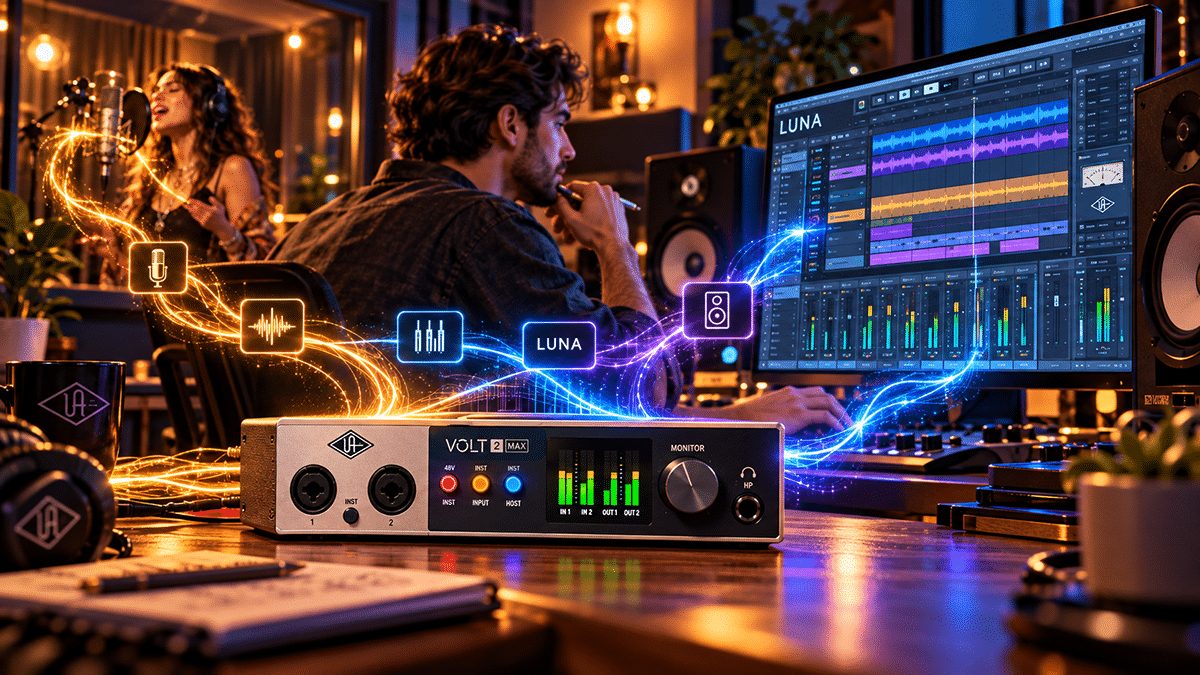
Universal Audio’s deeper integration between Volt and LUNA may eventually become one of the more important parts of this generation. Hardware settings can be integrated more closely with the session, which means less time rebuilding the interface configuration every time a project is reopened. Depending on the model and workflow, LUNA can also manage low-latency cue functions and hardware-related settings from inside the recording environment.
That kind of integration becomes valuable when the studio handles several different artists or projects. A producer might record a singer using Warmth one day, a guitar player using Focus the next, and a stereo acoustic session after that. The more of those decisions the session can remember, the less time the studio spends reconstructing yesterday’s setup.
Time saved inside the studio has direct economic value. A commercial room that resets faster can handle more work. A producer who spends less time rebuilding settings can spend more time recording. A self-produced artist who can open a project and immediately continue working has a better chance of finishing the song instead of getting distracted by the mechanics of rebuilding the system.
This is the sort of technology improvement that does not always generate dramatic marketing language because it is not particularly exciting to photograph. It simply removes friction. In a working studio, that may be more valuable than another plug-in modeled after another piece of vintage equipment.
Loopback May Be One of the Most Useful Revenue Features
Loopback is included across the new Volt family and deserves more attention than it usually receives. The feature allows computer audio to be routed alongside live inputs, which means an artist can combine microphones, instruments, playback, and other software audio into a livestream, recording, or online conversation without building a complicated external routing system.
For independent musicians, that opens a larger business opportunity than the usual podcast demonstration suggests. A performer can livestream an acoustic set while incorporating backing tracks. A producer can demonstrate a session during an online lesson. A musician can appear on a remote podcast with a professional microphone while also sharing audio from the DAW. An artist can host a paid members-only performance, run remote songwriting sessions, offer production consultations, or produce instructional content.
The value comes from the fact that modern artists increasingly make money through more than recorded music alone. A musician may earn from teaching, fan memberships, livestreams, remote production, consultations, private performances, podcasts, sponsor content, and direct-to-fan experiences. Loopback turns the recording interface into part of that communication system.
The equipment becomes valuable when it helps the artist create something that can be sold, licensed, taught, streamed, or shared directly with fans. The interface is no longer just a way to record an album. It becomes part of the infrastructure connecting the artist to the audience.
Touring Artists Could Build a Portable Media Business Around One Interface
The mobile possibilities may be where Volt Gen 2 makes the strongest case for independent musicians. Touring artists already travel with laptops, instruments, microphones, headphones, cameras, and enough cables to start a small electrical contracting company. A compact bus-powered interface can turn a hotel room, backstage area, rehearsal space, green room, or borrowed bedroom into a temporary recording and content-production environment.
The most obvious application is conventional recording. A singer can replace a vocal while on the road. A guitarist can send a remote session to another artist. A songwriter can record a demo before the idea disappears. A band can capture an acoustic performance between shows. A touring producer can handle editing, overdubs, and collaboration without returning to the main studio.
The larger opportunity comes from treating that portable system as a small media-production business. A musician can record exclusive songs for paying supporters, produce tour diaries, capture backstage conversations, make instructional videos, record podcast appearances, create livestreams, produce sponsor material, record fan-only performances, and generate content that supports merchandise, ticket sales, memberships, licensing, and future releases.
That is an important shift in how independent artists should think about recording equipment. A studio tool should not be judged only by whether it helps create the next album. It should be judged by how many useful assets it can help the artist create. One microphone, one interface, one laptop, and a controlled recording space can produce music, video audio, podcasts, interviews, lessons, livestreams, fan exclusives, sync material, and promotional content.
A portable system therefore has the potential to earn money in several different ways. That makes it far more valuable than a piece of equipment that looks impressive in a rack but rarely contributes to actual work.
Small Studios Should Pay Attention to the Max Models
The Volt 4 Max and Volt 4P Max make a particularly strong argument for small project studios because they combine functions that traditionally required several pieces of hardware. Talkback, multiple headphone connections, alternate monitor switching, digital expansion, MIDI, line I/O, and dynamics processing can all be handled inside the same system.
Each separate studio box has a cost beyond the purchase price. It requires cables, power, desk space, routing, and maintenance. Every additional device introduces another possible failure point. Consolidating several control-room functions into one interface can therefore have real value, especially in a small space where simplicity matters.
The Volt 4P Max is especially interesting because four built-in microphone preamps handle a wide range of sessions before expansion is needed. A basic drum setup, four-person podcast, acoustic group, rehearsal recording, or small ensemble can be captured without another preamp. If the studio grows, ADAT allows additional channels to be added later.
That is the kind of growth path that makes sense for an independent studio business. The owner can begin with the work that currently exists and expand when the revenue justifies it. Buying equipment ahead of actual need is one of the fastest ways to turn a studio into a museum of excellent purchases that never paid for themselves.
Existing Studio Owners Should Not Feel an Urgent Need to Upgrade
A new product launch always creates the impression that everything already sitting in the studio has suddenly become obsolete. That is rarely true, and it is certainly not true here. If you already own a stable interface with good converters, enough inputs and outputs, reliable drivers, usable microphone preamps, and a monitoring system that works, Volt Gen 2 does not create an emergency.
A commercial studio that already owns high-end converters, dedicated microphone preamps, monitor control, headphone distribution, outboard compressors, and a mature workflow may gain very little from changing its main recording system. The new Volt range is not trying to replace every professional interface on the market.
The strongest buyers are likely to be musicians building their first serious system, existing Volt owners who specifically want the new workflow features, touring artists who need a compact production rig, small studios that value expansion, and producers who prefer hardware controls that reduce the amount of time spent inside menus.
For those users, the models separate themselves fairly naturally. Volt 2 Gen 2 is likely to make the most sense for many solo artists and home recordists. Volt 4 Gen 2 is attractive when MIDI, line connections, and future expansion matter. Volt 2 Max becomes particularly compelling when recording performers is the priority and onboard dynamics, talkback, dual headphone connections, and ADAT expansion are valuable. Volt 4 Max steps toward a full small-studio control center, while Volt 4P Max earns its additional cost when four microphone inputs are genuinely useful.
The important point is that musicians should begin with the work rather than the product. The right interface is the one that solves the actual problem in the studio. Buying four preamps because four is bigger than two does not create revenue. Buying four preamps because the band regularly records drums does.
Where Artificial Intelligence Fits Into This Direction
Universal Audio is not marketing Volt Gen 2 as an artificial-intelligence recording system, and that is probably a good thing. Auto-Gain does not need an AI sticker to be useful, and Clip Protection does not become more impressive simply because somebody adds the phrase “machine learning” to the product page.
The philosophy behind these features does, however, point toward the future of intelligent recording systems. Gain can be measured automatically. Dangerous peaks can be recognized. Sources can be identified. Hardware settings can be recalled. Session information can be organized. Files can be named, tagged, checked, and prepared for delivery. None of those tasks require the technology to replace the artist.
This is the version of AI that could become genuinely useful in recording. Imagine a studio system that knows which microphone is connected, remembers the artist’s last session, recalls the preferred headphone level, recognizes that the singer consistently becomes louder in the chorus, suggests additional headroom, checks whether instrumental mixes have been exported, verifies that metadata is complete, and reminds the artist that the clean version needed for a licensing opportunity has not yet been created.
That kind of intelligence does not write the song. It makes the business around the song easier to manage.
For independent artists, that distinction is essential. The real promise of AI is not simply generating more content. It is reducing the administrative and technical friction that keeps musicians from controlling their own catalog, rights, metadata, fan relationships, and revenue opportunities. The more routine work the system can handle, the more time the artist can spend making music, connecting with fans, preparing merchandise, performing shows, pitching licensing opportunities, and building a direct business.
Volt Gen 2 does not go nearly that far yet, but the underlying design philosophy is moving in that direction. The interface is no longer only converting audio. It is beginning to watch, remember, assist, protect, and organize.
The Most Important Upgrade Is Reduced Friction
After stripping away the marketing language, classic-preamp references, compressor mythology, converter numbers, and software bundle, the strongest achievement of Volt Gen 2 may simply be the reduction of friction.
The interface can help establish a sensible recording level before the take begins and protect against unexpected peaks after the performance starts. It can present useful tonal options without forcing the artist to open another plug-in window. The Max models can apply controlled dynamics without requiring the musician to understand every compressor parameter. Larger models can handle talkback, speaker switching, MIDI, digital expansion, and monitoring without surrounding the computer with several additional pieces of hardware.
None of those improvements changes the fundamental job of recording music. A singer still has to sing well. A songwriter still has to write something worth hearing. A producer still has to make choices. A musician still has to understand what the song needs.
What the technology can do is remove some of the small technical interruptions that compete with those decisions.
That is the direction I would like to see more recording equipment take. The ideal studio system should become less noticeable as the musician becomes more involved in the performance. The singer should not be thinking about converter architecture halfway through the chorus. The guitarist should not be staring at an input meter during the solo. The producer should not have to reconstruct the entire monitoring system every time a session opens.
The equipment should quietly make those things easier while leaving the creative decisions in human hands.
The Making a Scene Verdict
Universal Audio did not reinvent the audio interface with Volt Gen 2, and that is probably the wrong standard anyway. Affordable USB interfaces are already remarkably good, and the market contains strong products from Focusrite, Audient, SSL, PreSonus, MOTU, Steinberg, Arturia, Native Instruments, and many others. The important development here is that Universal Audio is moving more engineering decisions toward the point where the musician actually records.
Auto-Gain and Clip Protection make technical setup easier and help preserve performances. Tone Shaping moves tonal choices earlier into the recording process. Max Processing gives musicians access to useful dynamics without building complicated plug-in chains. Smart Displays make the hardware easier to understand. LUNA integration allows the hardware and software to work more like one system. Loopback connects recording with livestreaming and online content creation. ADAT provides an upgrade path. Talkback and monitor switching bring functions associated with larger studios into compact desktop systems.
The pricing makes the range particularly interesting because the useful models are not separated by enormous jumps. The $149 Volt 1 Gen 2 remains the budget entry point, but the $219 Volt 2 Gen 2 is where the new generation’s most important workflow features really begin. At $299, buyers have an interesting choice between Volt 4 Gen 2 and Volt 2 Max depending on whether they value broader connectivity or onboard recording assistance more heavily. Volt 4 Max at $399 and Volt 4P Max at $499 begin to make sense for people running serious project studios or mobile recording operations.
The decision should not come down to whether 32 bits sounds more impressive than 24 bits. It should come down to what the equipment allows the artist to accomplish. If Auto-Gain helps a musician record alone without constantly leaving the performance to watch meters, that has value. If loopback allows an artist to create paid livestreams or remote lessons, that has value. If ADAT keeps the studio from needing an entirely new interface when drum recording becomes part of the business, that has value. If a touring musician can use one small box to record remote sessions, fan-exclusive performances, podcasts, acoustic videos, and licensing material while on the road, the interface becomes more than another piece of recording equipment.
It becomes part of the artist’s business infrastructure.
That is ultimately how independent musicians should judge every piece of gear. Recording equipment should help create assets the artist owns, experiences the artist can sell, work the artist can license, and relationships the artist can strengthen. It should either increase what the artist can produce or reduce the cost and difficulty of producing it. When technology does that, it can contribute directly to the larger goal of building a sustainable music career in which artists own more of the music, the data, the audience relationship, and the revenue surrounding their work.
Volt Gen 2 is interesting because Universal Audio appears to understand that the next step in affordable recording is not simply better conversion. It is a recording system that quietly removes more obstacles between the musician and the finished performance while leaving the creative control where it belongs.
For an independent artist, that may turn out to be a far more important upgrade than another number on the specification sheet.

Subscribe to Our Newsletter
Discover more from Making A Scene!
Subscribe to get the latest posts sent to your email.


