

Automation: The Missing Piece in Most Indie Mixes




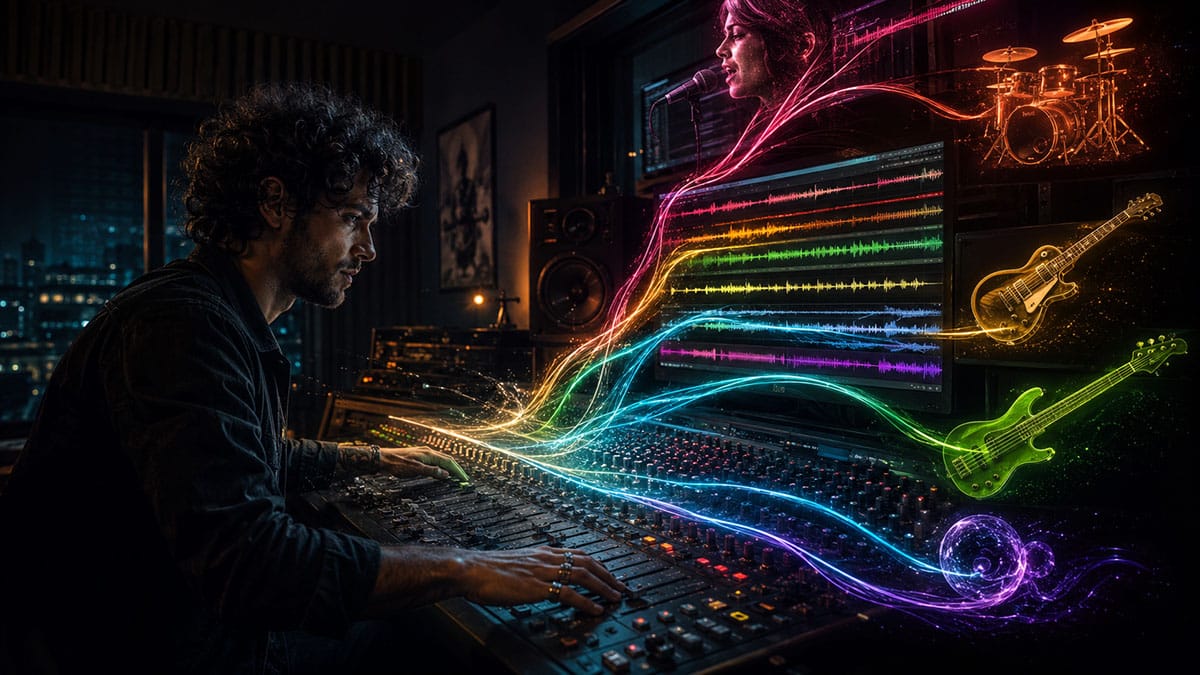
Making a Scene Presents – Automation: The Missing Piece in Most Indie Mixes
Listen to the Podcast Discussion
Why the Mix Does Not Come Alive Until It Starts Moving
A lot of indie mixes do not fail because the artist used the wrong microphone, the wrong preamp, the wrong compressor, or the wrong $29 plugin they bought during a midnight sale while questioning every life choice that led them into home recording. Most indie mixes fail for a simpler reason. They sit still.
The song may be well recorded. The vocal may be emotional. The guitars may sound good. The beat may hit. The bass may be solid. The reverb may be tasteful. But once everything starts playing together, the mix feels like a photograph instead of a movie. Every part is there, but nothing steps forward at the right time. The lead vocal disappears during the chorus. The guitar hook feels exciting in the intro but gets buried once the drums enter. The delay sounds cool in one line but clutters the next one. The snare is perfect in the verse but feels too small when the song opens up. So the artist starts reaching for more processing.
They add compression. Then more compression. Then an EQ boost. Then a saturation plugin. Then a different vocal chain. Then another preset. Before long, the mix is no longer being mixed. It is being medicated.
Automation is the missing piece.
Automation is how you teach the mix to move. It is how you tell one word to step forward, one guitar phrase to lean left, one delay throw to appear for a single line, one reverb tail to bloom at the end of a chorus, and one harsh effect to back off before it causes trouble. It is not a fancy trick. It is not only for engineers with giant consoles and assistant engineers fetching coffee. It is one of the most practical tools inside any modern DAW, and it costs nothing extra.
In simple terms, automation means recording changes over time. Instead of setting one volume level for the whole song, you can make the vocal a little louder in the chorus, softer in the bridge, and slightly lifted on quiet words. Instead of choosing one pan position for a guitar, you can move it wider when the arrangement gets big. Instead of leaving delay on the whole vocal, you can bring it in only on the last word of a line. The computer remembers those moves and plays them back every time.
That is the quiet secret behind many professional mixes. They are not just better processed. They are better performed after the recording is already finished.
The Making a Scene Angle: Stop Buying Movement When You Can Create It
Independent artists are constantly sold the idea that the next purchase will fix the mix. Buy this vocal plugin. Buy this analog-modeled compressor. Buy this AI mastering suite. Buy this tape machine. Buy this reverb. Buy this bundle before the countdown clock expires, because apparently civilization ends at midnight.
Some tools are great. There are amazing plugins out there. But the problem is not always the tool. Sometimes the problem is that the mix has not been given a human sense of motion.
Automation is one of the most artist-owned mixing skills you can learn because it does not depend on a platform, a label, a playlist gatekeeper, or even a plugin company. It depends on listening. It depends on taste. It depends on knowing what the song needs at each moment. That is exactly the kind of skill that helps indie artists build better records without being trapped in the “buy more stuff” cycle.
A compressor can control a vocal. Automation can understand it.
That is a big difference. A compressor reacts to level. It does not know which lyric matters. It does not know that the last word of the chorus is the emotional punchline. It does not know that the singer leaned back from the mic during the best take. It does not know that the guitar fill between vocal lines needs to be heard for two seconds, then get out of the way. Automation lets you make those decisions like a producer, not just a technician.
This is why automation matters for indie artists. It makes the record feel intentional. It lets you fix balance problems without crushing the life out of the tracks. It lets a home studio mix feel alive, emotional, and expensive without needing to sound overprocessed.
What Automation Actually Is
Imagine you are mixing on an old-school console. The song plays, and you ride the vocal fader with your hand. When the singer gets quiet, you push the fader up. When they belt, you pull it down. When the guitar solo comes in, you push that track forward. When the backing vocals enter, you lift them just enough to support the hook. If you had four hands, you could ride four faders at once. If you had eight hands, you would be terrifying, but you could probably make a great mix.
Automation is the DAW remembering those moves for you.
Inside a DAW, automation usually appears as a line or curve drawn across the track. That line can control volume, pan, mute, send level, plugin settings, effect bypass, EQ frequency, distortion amount, delay feedback, reverb size, filter cutoff, stereo width, or almost anything the software allows you to automate.
In a DAW like Fender Studio Pro, the current evolution of the Studio One platform, automation works inside a modern drag-and-drop production environment with track controls, plugin controls, and mix parameters that can be shaped over time. Fender describes Fender Studio Pro as being built on PreSonus’ Studio One platform, with a modern interface, Channel and Arrangement Overviews, Fender Mustang Guitar and Rumble Bass plug-ins, Studio Verb, and other production tools. URL: https://www.fender.com/products/fender-studio-pro
But the concept is not limited to Fender Studio Pro. The same core idea applies in Pro Tools, Logic Pro, Cubase, Reaper, Ableton Live, FL Studio, Studio One legacy versions, and almost every real DAW. You choose a parameter. You tell the DAW how that parameter should change during the song. Then the DAW plays those changes back.
That is it. Automation is not mysterious. It is just motion with memory.
Why Static Mixes Feel Small
A beginner often thinks mixing is about finding the perfect setting. The perfect vocal level. The perfect snare EQ. The perfect reverb amount. The perfect guitar pan. But music does not behave like that. A song changes from moment to moment.
The verse may be intimate. The pre-chorus may build tension. The chorus may need to explode. The bridge may pull everything inward. The final chorus may need to feel wider, louder, deeper, or more emotional than the first one. If every fader, pan knob, and effect send stays in one position for the whole song, the mix may technically be balanced, but emotionally it can feel flat.
That is one reason beginners often overprocess. They are trying to make one setting work for the whole song. They compress a vocal harder because some words are too loud and others are too soft. They add more top end because one phrase feels buried. They add more reverb because the chorus feels small. They make the snare brighter because it lacks excitement in the last chorus. But those fixes affect the entire track, even when only one moment needed help.
Automation lets you solve the exact moment instead of punishing the whole song.
If one vocal word disappears, turn up that word. If one guitar lick fights the vocal, turn it down during the lyric and bring it back after. If the chorus needs more size, raise the reverb send in the chorus instead of drowning the verse. If the delay is magical on the last word of a phrase but messy everywhere else, automate it for that word only.
That is how mixes become more professional. Not because every track is processed harder, but because every important moment is supported.
Volume Automation: The First Automation Every Indie Artist Should Learn
Volume automation is the king. Not the flashiest. Not the weirdest. Not the one that looks coolest in a plugin demo. But if you only learn one kind of automation, learn volume.
Volume automation lets you control the emotional focus of the song. It tells the listener what matters right now. This is especially important for vocals, because the human ear is brutally sensitive to vocal balance. If a vocal is slightly too loud, the track can feel disconnected from the band. If it is slightly too low, the listener starts working too hard. If it jumps around, the mix feels amateur even if the tones are good.
The common beginner mistake is trying to fix every vocal level problem with compression. Compression helps, but it is not a mind reader. If the singer whispers one line, shouts the next, turns away from the mic during a phrase, or swallows the end of a word, a compressor may react in ways that create new problems. It might clamp down too hard on loud words, pull up breath noise, exaggerate room tone, or make the vocal feel smaller.
A better approach is often to automate the vocal before or after compression. You can gently lift quiet phrases, tuck loud phrases, and make the compressor work less aggressively. This creates a vocal that feels controlled but still human.
For a beginner, the easiest place to start is phrase automation. Listen to the vocal line by line. Do not stare at the screen. Listen. When a phrase disappears, raise it a little. When a phrase jumps out, lower it a little. You are not trying to make the vocal robotic. You are trying to make the listener believe the singer naturally delivered every word at the perfect level.
Advanced home studio owners can go deeper with word-level automation. This is where a vocal starts to sound truly finished. You may lift the first word of a line because the singer came in soft. You may bring down a sharp consonant. You may raise the emotional word at the end of the chorus by half a dB or 1 dB. You may tuck a breath instead of deleting it, because the breath adds feeling but should not distract.
Small moves matter. A 1 dB vocal ride can be the difference between “something feels wrong” and “this sounds like a record.”
Automation Before Compression vs. Automation After Compression
Here is where beginners and advanced users can both level up.
Automation before compression changes what hits the compressor. If you raise a quiet word before the compressor, the compressor reacts to it more evenly. If you lower a loud shout before the compressor, the compressor does not have to slam down as hard. This can make the vocal sound smoother and more natural.
Automation after compression changes the final level in the mix. This is the classic fader ride. The vocal has already been processed, and now you are placing it emotionally against the track.
Both are useful. Neither is “the only correct way.” For many indie mixes, a simple workflow works best. First, use clip gain or event gain to even out the most obvious raw level problems before the vocal chain. Then use compression to shape the tone and control dynamics. Then use volume automation after the vocal chain to make the vocal sit perfectly in the song.
That sounds technical, but it is really just common sense. Fix the wild stuff before processing. Use processing for tone and control. Use automation for musical decisions.
Pan Automation: Making the Mix Feel Wider Without Making It Messy
Pan automation is where movement becomes visual. Even though the listener does not see the mix, they feel where things are placed. A guitar on the left, a keyboard on the right, a vocal in the center, percussion slightly wide, background vocals spread out. That stereo picture helps the song feel organized.
But pan does not have to stay frozen.
Pan automation can make a transition feel exciting. A synth riser can move from left to right before the chorus. A guitar delay can bounce across the stereo field at the end of a phrase. A percussion loop can start narrow in the verse and spread wider in the chorus. A background vocal answer can move slightly outward when the lead vocal is not singing.
The key is not to turn the mix into a carnival ride. Pan automation should support the arrangement, not distract from it. If everything is flying around, nothing feels important. But when used with taste, pan automation can create space without adding more EQ or compression.
For example, imagine a dense chorus with guitars, keys, vocals, drums, and percussion. Instead of boosting the keyboard to make it heard, you might automate it slightly wider during the chorus. Instead of turning up a guitar fill, you might move it a little away from the lead vocal’s center position for that moment. This can help the part become clearer without making the mix louder or harsher.
Pan automation is especially useful for ear candy. That little reverse cymbal. That single guitar slide. That background vocal “hey.” That synth sparkle before the hook. These parts do not need to dominate the song, but they can make the mix feel alive when they appear in the stereo field like little flashes of light.
Effects Automation: The Fun Door Opens Here
Effects automation is where many indie artists suddenly realize mixing can be creative, not just corrective.
You can automate reverb. You can automate delay. You can automate distortion. You can automate filter sweeps. You can automate chorus depth, flanger feedback, tremolo speed, stereo width, pitch effects, amp settings, and almost any plugin parameter your DAW exposes.
This is where plugins become instruments.
A reverb does not have to sit at one level for the whole song. A delay does not have to repeat every line. A distortion plugin does not have to be either on or off forever. You can make effects appear, bloom, vanish, swell, or transform depending on the emotional moment.
One of the most useful effects moves is the delay throw. A delay throw happens when delay is added to one word or phrase, often at the end of a vocal line. The vocal stays clean most of the time, but one word repeats into the space. This gives the mix drama without cluttering the whole vocal.
For example, the singer ends a line with the word “gone.” You automate the delay send so only “gone” goes into the delay. The word repeats into the gap before the next phrase. Then the delay send drops back down. The vocal remains clear, but the moment feels bigger.
You can do this with stock delays in almost any DAW. You can also do it with third-party tools like Soundtoys EchoBoy, which is a widely used creative delay plugin. URL: https://www.soundtoys.com/product/echoboy/
Reverb automation works the same way. A verse vocal may need to feel close and dry. The chorus may need more space. The bridge may need a long, dreamy tail. Instead of choosing one reverb level for the whole song, automate the reverb send. Keep the verse intimate. Open the chorus. Pull it back when the arrangement gets busy. Let the final word of a section bloom.
A plugin like Valhalla VintageVerb can be useful for lush reverb colors, and its official product page is here: https://valhalladsp.com/shop/reverb/valhalla-vintage-verb/ Fender Studio Pro also includes Studio Verb, which Fender describes as an immersive reverb plugin built into the software.
Fixing Balance Problems Without Overprocessing
This is the heart of the article.
Automation fixes many problems that beginners try to solve with too much processing. If the vocal is buried in the chorus, you may not need more compression or a brighter EQ. You may need to automate the vocal up 1 dB in the chorus. Or you may need to automate the guitars down half a dB when the vocal enters. That is not weakness. That is mixing.
If the snare feels exciting in the verse but small in the final chorus, you may not need a new snare sample. You may need to automate the snare bus slightly louder in the final chorus. Or automate a parallel compression send. Or automate a room reverb send to give it more size only when the song needs it.
If the bass disappears on certain notes, you might not need to smash it with a limiter. You might need to automate those notes up with clip gain or track volume. If the low end is too much in one section, automate it down there instead of thinning the entire bass sound.
If the guitar solo does not cut through, do not automatically reach for a giant high-mid boost that makes the guitar painful. Try a volume ride. Try a small pan move. Try automating a delay or reverb send so the solo feels larger. Try pulling competing instruments back during the solo. Mixing is not just making one thing louder. It is making space for the thing that matters.
This is where automation becomes an arrangement tool. You are not only fixing the mix. You are helping the song tell the listener where to look.
Automating Sends Instead of Inserts
One of the best habits an indie mixer can build is using sends for time-based effects like reverb and delay, then automating the send level.
An insert effect sits directly on the track. A send copies some of the signal to an effect bus. That means your vocal can stay dry and clear while you send only part of it to a reverb or delay. When you automate the send, you control how much of the vocal enters that effect at each moment.
This is cleaner than putting a delay directly on the vocal and automating the wet/dry mix, though that can also work. Sends make it easier to create shared spaces. Several tracks can feed the same reverb, which helps the mix feel like one world instead of a pile of unrelated rooms.
In Fender Studio Pro 8, a practical workflow would be to create an FX Channel with Studio Verb or a delay plugin, send your vocal to that FX Channel, then automate the send level from the vocal track. You can keep the verse vocal nearly dry, lift the send in the chorus, and push one word into a dramatic throw at the end of a line. The same idea applies to other DAWs, even if the buttons and names are different.
Advanced users can automate the effect return too. You might raise the reverb return in the chorus, but also EQ the reverb darker in the verse and brighter in the bridge. You might automate delay feedback so one throw repeats longer than another. You might automate a filter after the delay so the repeats get thinner, darker, or more telephone-like during a transition.
That is how you create movement without crowding the dry track.
Plugin Automation as Sound Design
Plugin automation is not only for fixing things. It can create signature moments.
A filter sweep is one of the simplest examples. Put a filter or EQ on a synth, guitar, drum loop, vocal effect, or full music bus, then automate the cutoff frequency so the sound opens up over time. This can build tension before a chorus or make a bridge feel like it is rising out of the floor.
A plugin like FabFilter Pro-Q 4 can handle EQ moves, dynamic EQ, mid/side work, and sample-accurate automation, according to FabFilter’s official feature list. URL: https://www.fabfilter.com/products/pro-q-4-equalizer-plug-in That kind of tool can be used very practically, such as automating a high-pass filter on a reverb return so the low end stays clean, or creatively, such as sweeping a band-pass effect during a breakdown.
You can automate distortion for impact. A vocal might stay clean in the verse, then get a little more saturation in the chorus. A drum loop might become more crushed during a transition, then return to normal when the groove drops back in. A bass might get extra grit only during the final chorus, helping it speak on smaller speakers without making the whole track harsh.
You can automate intelligent plugins too, but with caution. iZotope Neutron 5 is described by iZotope as a mixing suite with multiple modules, Mix Assistant, mid/side and transient/sustain modes, and component plugins. URL: https://www.izotope.com/en/products/neutron.html Those tools can help shape a track, but automation still matters because the plugin does not know the emotional story of the song the way the artist does. Let the assistant help you get a starting point. Then use automation to make the mix breathe.
The same goes for spatial tools. sonible smart:reverb 2 is described as a content-aware reverb that analyzes input material and can help shape space and depth across tracks. URL: https://www.sonible.com/smartreverb2/ That can be powerful, but even a smart reverb benefits from human decisions. You may still automate when the space gets bigger, when it pulls back, and when one phrase deserves a special tail.
AI can suggest. Automation decides.
Automation Modes Without the Headache
Most DAWs offer automation modes with names like Read, Write, Touch, Latch, and Trim. These can scare beginners, but the basic idea is simple.
Read means the DAW plays back automation that already exists. This is the safe mode. If you drew volume moves, Read tells the track to follow them.
Write means the DAW records automation as you move a control, often replacing what was there before. This can be powerful but dangerous because it may overwrite automation if you are not paying attention.
Touch usually writes automation only while you are touching or moving the control. When you let go, the parameter returns to the existing automation path. This is useful for fader rides because you can grab a word, lift it, release, and let the previous automation continue.
Latch starts writing when you move the control and keeps writing the last value after you release until playback stops or you change mode. This can be useful for section-based changes, like raising a reverb send for a whole chorus.
Trim, when available, lets you adjust existing automation up or down without completely rewriting the shape. This is useful when the ride feels right, but the whole chorus vocal automation needs to be 1 dB louder.
Do not worry about mastering every mode on day one. Beginners can start by drawing automation with the mouse. Then learn Touch for live fader rides. Then learn Latch for section changes. That is enough to do serious work.
The Fender Studio Pro 8 Workflow Example
Let’s make this practical.
Imagine you are mixing a song in Fender Studio Pro 8. You have drums, bass, two guitars, keys, lead vocal, backing vocals, and a few effects. The rough mix sounds decent, but the chorus does not lift enough and the vocal gets buried when everything enters.
First, you open the vocal automation lane. You listen from the first verse through the first chorus. You do not touch EQ. You do not touch compression. You simply ride the vocal level. A few quiet words come up. A few loud lines come down. The chorus vocal gets a gentle lift. Nothing dramatic. Just enough that the lyric stays connected.
Next, you automate the rhythm guitars. During vocal lines, they tuck down slightly. Between vocal lines, they rise back up so the groove still feels energetic. This is a classic professional move. The listener does not notice the guitars moving. They just notice that the vocal is clear and the band still feels powerful.
Then you create an FX Channel with Studio Verb. You send the vocal to it. The verse gets a short, subtle space. In the chorus, the send comes up. At the very end of the chorus, the last word gets a little more send so it blooms into the transition. The vocal now feels bigger without washing out the whole song.
Then you add a delay on another FX Channel. You automate the send so only one or two words hit the delay. The delay fills empty space, not busy space. This makes the mix feel produced without making the vocal messy.
Finally, you automate the backing vocals. They stay tucked during the first chorus, then come up slightly in the final chorus. The last chorus now feels like a payoff, not just a copy-and-paste repeat.
Nothing about this workflow requires expensive gear. It requires listening and making decisions.
The Most Common Automation Mistakes
The first mistake is doing too much. Automation should help the song feel natural unless the goal is an obvious special effect. If the vocal level is jumping all over the place, the listener may feel seasick. If the panning is too active, the mix becomes distracting. If the effects are constantly changing, the song can lose its center.
The second mistake is automating before the basic balance is right. Automation is powerful, but it is not a substitute for a decent static mix. First, get the song sounding good with faders, pans, and basic processing. Then automate the moments that need movement. Do not start drawing tiny rides before you know what the mix is trying to be.
The third mistake is staring instead of listening. Automation lanes can trick you into mixing with your eyes. A curve may look smooth but sound wrong. A move may look too small but sound perfect. Trust the speakers. Better yet, check quietly. Automation problems often reveal themselves at low volume because the important parts either stay emotionally present or vanish.
The fourth mistake is forgetting transitions. Many indie mixes sound good inside each section but weak between sections. The moment before the chorus matters. The last bar of the bridge matters. The downbeat after the breakdown matters. Automation can build those moments. A little drum room lift, a rising delay feedback, a widening pad, a vocal throw, or a small master effects change can make the transition feel intentional.
The fifth mistake is using automation only as a fix. Automation is also performance. A great mix does not just correct problems. It creates drama.
Automation and the Listener’s Attention
A song is a guided experience. The listener does not know what to focus on unless the mix tells them.
In a verse, the story may be in the lead vocal. In the space between lines, the story may move to a guitar answer. In the pre-chorus, the story may be the rising background vocals. In the chorus, the story may be the hook. In the bridge, the story may be the atmosphere. Automation is how the mix points the flashlight.
This is why automation is genre-neutral. It works in rock, blues, Americana, hip-hop, EDM, pop, folk, metal, country, jazz, worship, punk, soul, and singer-songwriter productions. Every genre has moments. Every arrangement has focus. Every song has emotional turns.
In a hip-hop mix, automation might bring ad-libs forward only in key spaces, throw delay on the last word of a bar, or widen a vocal double in the hook. In a rock mix, it might lift the guitar solo, tuck rhythm guitars during vocals, or push the room mics in the final chorus. In an acoustic mix, it might ride fingerpicked guitar notes so the performance feels intimate without being uneven. In electronic music, it might open filters, raise reverb size, increase delay feedback, or move percussion around the stereo field during builds.
The style changes. The principle does not.
Automation helps the listener feel the song unfold.
A Practical First Automation Pass
When the static mix feels good, start with the lead vocal or lead instrument. Play the song from top to bottom and ride the level so the main idea stays clear. Do not aim for perfection. Aim for connection. The vocal should feel like it belongs to the track, not like it is fighting the track.
Then automate the instruments that compete with the lead. In most songs, this means guitars, keys, synths, snare, cymbals, or background vocals. Pull them back slightly when they mask the vocal. Let them rise when the vocal leaves space. This one move can clean up a mix more naturally than another EQ plugin.
Next, automate section energy. Ask what should change from verse to chorus. Maybe the chorus vocal comes up half a dB. Maybe the drum room comes up. Maybe the guitars get wider. Maybe the reverb send increases. Maybe the bass stays the same because the low end already feels right. The point is not to automate everything. The point is to make each section feel like it has a reason to exist.
Then automate effects for moments. Add delay throws. Let reverb bloom at the ends of phrases. Push a filter sweep into a transition. Bring saturation up in the final chorus. Mute effects when they clutter the next line. Make the effects serve the song, not the other way around.
Finally, listen without looking. Close the automation lanes. Hide the screen if you have to. Play the song quietly. Then play it at normal level. Take notes. Does the vocal stay emotionally present? Does the chorus lift? Do the effects add excitement without getting in the way? Does the mix feel like it moves from beginning to end?
That is the automation pass.
The Real Lesson: Automation Is Mixing Like a Musician
Automation is not just a technical feature. It is the part of mixing that feels most like playing an instrument.
A musician does not perform every note at the same volume. A singer leans into a phrase. A drummer hits harder in the chorus. A guitarist digs in during the solo. A keyboard player swells into a chord. Music moves because humans move.
Automation puts that humanity back into the mix.
For indie artists, this is huge. You may not have a million-dollar room. You may not have an SSL console. You may not have an assistant engineer, a label budget, or a rack of vintage compressors glowing in the dark like sacred studio furniture. But you do have a DAW. You do have ears. You do have the ability to make decisions that serve the song.
That is the point. Professional mixing is not about proving how many plugins you own. It is about making the listener feel something. Automation is one of the cleanest, cheapest, smartest ways to do that.
It brings the vocal forward without crushing it. It makes choruses lift without making verses messy. It gives effects drama without drowning the song. It fixes balance problems without overprocessing. It turns a static mix into a living performance.
The next time a mix feels flat, do not immediately open another plugin. Open an automation lane.
That may be where the record finally starts breathing.
 |  Spotify |  Deezer |  Breaker |
 Pocket Cast |  Radio Public |  Stitcher |  TuneIn |
 IHeart Radio |  Mixcloud |  PlayerFM |  Amazon |
 Jiosaavn |  Gaana |  Vurbl |  Audius |
 Reason.Fm | |||
Find our Podcasts on these outlets

Subscribe to Our Newsletter
Discover more from Making A Scene!
Subscribe to get the latest posts sent to your email.


