Why AI Video Finally Makes Sense for Indie Artists using AIVideo.com



Making a Scene Presents – Why AI Video Finally Makes Sense for Indie Artists using AIVideo.com
Listen to the Podcast Discussion to gain more Insight into AIVideo!!
For most independent musicians, the music video has always been the most expensive piece of the puzzle. You can record at home, distribute digitally, market on social platforms, but the moment visuals enter the conversation, the price jumps and control disappears. Crews, locations, schedules, favors, compromises. That is the old system. AI video changes that system, not by replacing creativity, but by breaking the video down into its smallest, most manageable parts.
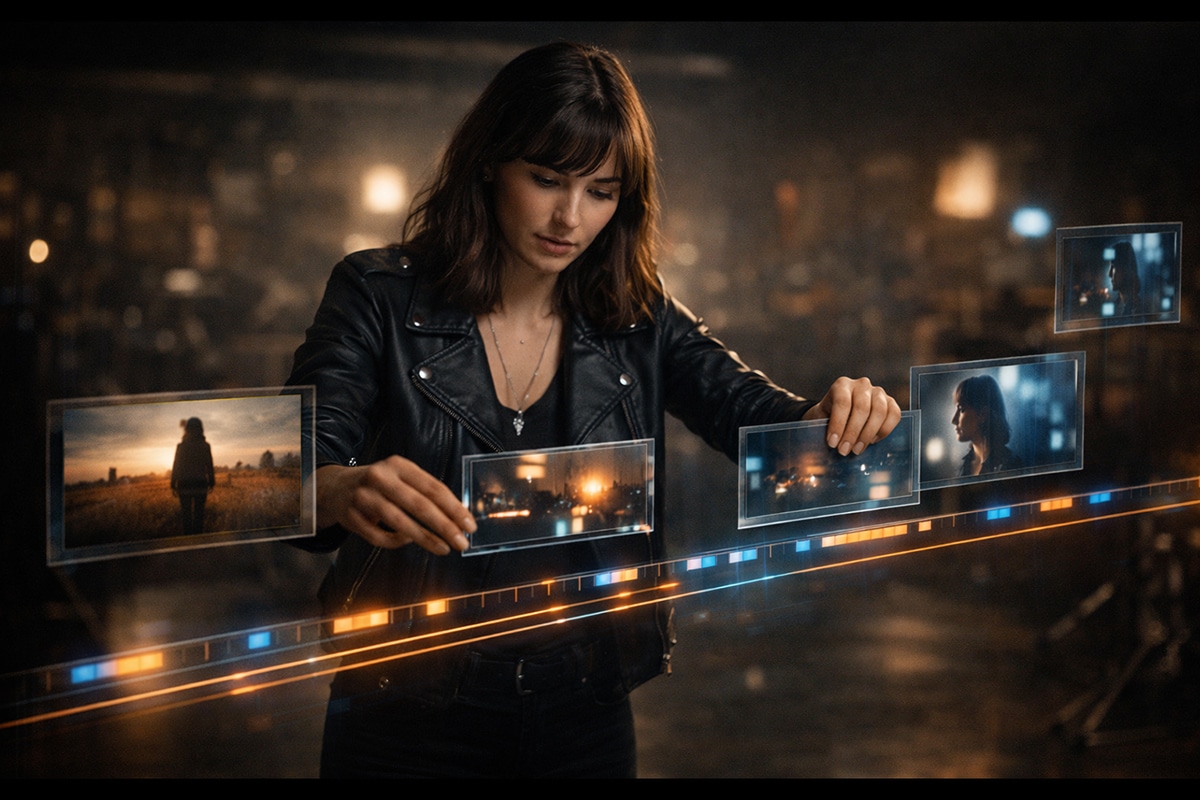
Platforms like AIVideo.com work because they align with how video has always been made at a professional level. Movies, television shows, commercials, and music videos are not built from long continuous performances. They are built from short scenes, usually three to five seconds long, cut together to create rhythm, emotion, and meaning. Once you understand that, AI video stops feeling intimidating and starts feeling practical.
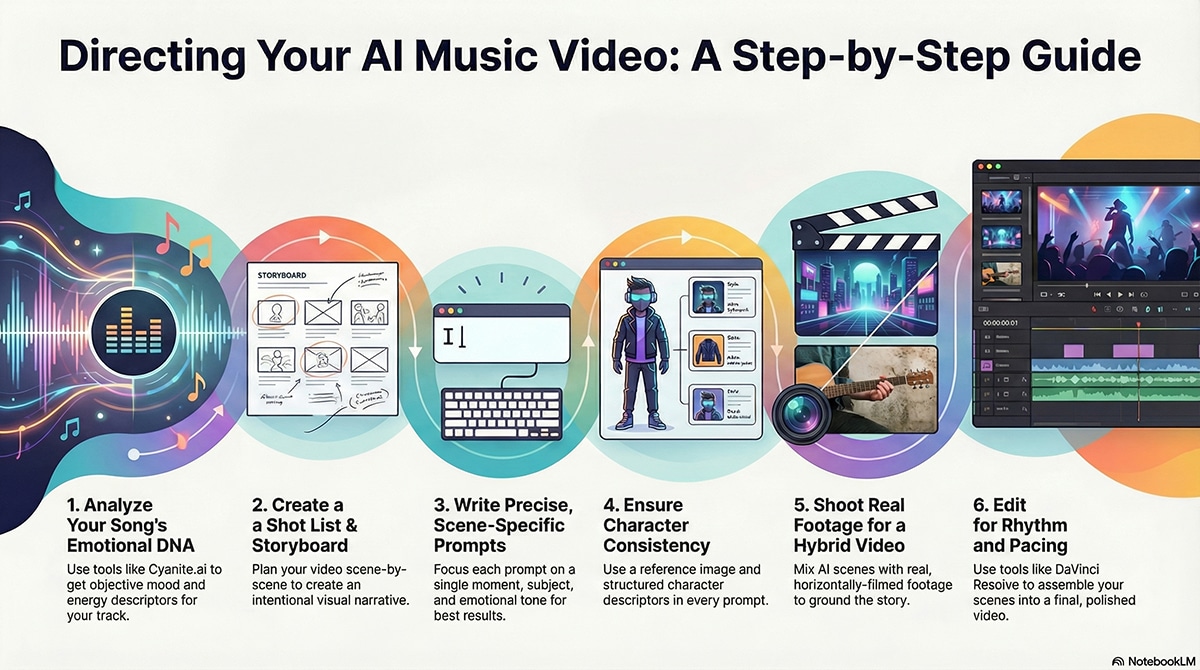
This article walks through that mindset shift and shows how an indie artist can use AI tools intentionally, from understanding the emotional DNA of a song to generating consistent scenes, editing them together, and releasing a finished video without apology.
How Film and Television Actually Work (And Why This Matters for AI Video)
Most people assume movies and TV shows are made from long takes. In reality, nearly everything you watch is a rapid sequence of short scenes. Dialogue scenes cut every few seconds. Action scenes cut even faster. Emotional moments linger a bit longer, but rarely for more than five seconds before something changes.
Try this simple exercise. The next time you watch a TV show, casually count the seconds between scene changes. Notice when the editor uses a hard cut versus a fade or dissolve. Hard cuts keep energy high and momentum moving. Fades usually signal time passing, emotional shifts, or reflection. Once you notice this, you start seeing video as a collection of moments instead of one long performance.
This is exactly how you should approach AI-generated music videos. You are not asking AI to make a three-minute masterpiece in one go. You are asking it to generate short, intentional scenes that you later assemble into a finished piece.
Preparing Your Song for AI Video the Right Way
Before you generate a single frame, you need to understand your song emotionally. Not technically. Emotionally. This is where many artists guess instead of measure, and that guesswork leads to vague visuals. One of the most powerful tools for solving this is Cyanite.ai.
Cyanite analyzes your song and returns detailed information about mood, emotional characteristics, energy level, and descriptive language. Instead of saying “this feels kind of dark,” Cyanite gives you words like melancholic, hopeful, tense, warm, introspective, or uplifting. It can also generate a paragraph-style description of the song’s emotional arc, which is incredibly useful when writing AI video prompts.
You can upload your track to https://cyanite.ai and use the analysis as a creative brief. That paragraph describing the song becomes your north star. Every scene you generate should align with that emotional description. This removes a huge amount of guesswork and keeps your visuals honest to the music.
At this stage, you should also have a final or near-final mix of your song. Timing matters. When you edit later, you want visual changes to line up naturally with musical sections like verses, choruses, and bridges.
Thinking in Scenes, Not Videos
Once your song’s emotional identity is clear, you stop thinking about a “music video” and start thinking about scenes. Each section of the song gets its own visual idea. A verse might be quiet and minimal. A chorus might open up and move forward. A bridge might pull inward again.
This approach mirrors how professional editors work. Short scenes stitched together create flow. AI video tools excel at generating these short moments, which is why they work best when you stop asking them to do everything at once.
Creating a Shot List and Storyboard Before You Generate Anything
This is the step most indie artists skip, and it is the step that separates random AI videos from intentional ones. Before opening AIVideo.com, you should create a simple shot list and storyboard for your song. This does not need to be fancy. It just needs to exist.
A shot list is a written breakdown of the scenes you want for each section of the song. For example, the first verse might have three slow, minimal shots. The chorus might have four wider, more dynamic shots. The bridge might return to a close, intimate moment. Writing this out helps you see the video before it exists.
A storyboard can be as simple as rough sketches on paper or notes in a document describing what each scene looks like. You are not drawing art. You are clarifying vision. This process forces you to answer important questions early. Where is the artist? Are they moving or still? Is the environment enclosed or open? How does the mood change as the song progresses?
When you do this first, AI becomes an execution tool instead of a guessing machine. You already know what scenes you need. You are no longer hoping the AI surprises you in the right way. You are directing it.
Writing Prompts That Serve the Shot List
Once your shot list exists, prompt writing becomes much easier. Each prompt corresponds to a specific scene in your storyboard. You are no longer writing vague prompts like “make a cool music video.” You are writing precise instructions for a single moment.
Strong prompts focus on one environment, one subject, one emotional tone, and one type of movement. This clarity dramatically increases usable results. It also makes iteration easier because you know exactly what needs adjusting.
Keeping Characters Consistent with Reference Images and JSON
One of the biggest concerns artists have with AI video is character consistency. You want the same person to appear across multiple scenes without changing faces, clothing, or identity. This is absolutely possible when you approach it correctly.
The first method is using reference images. Start by generating or selecting a strong still image of your character. This could be a photo of yourself, an AI-generated portrait, or a stylized representation. Use that same reference image when generating each new scene. This anchors the AI visually and dramatically improves consistency.
The second method is structured prompting using JSON-style descriptors. By defining character traits once and reusing them across prompts, you reduce variation. For example, you might define hair color, clothing style, age range, body type, and general demeanor in a structured block of text that you paste into every prompt. This works especially well with AI systems that support structured input.
This approach mirrors how professional productions use character bibles. You are doing the same thing, just with AI instead of a casting department.
Editing: Where the Video Comes Alive
Once you have generated your scenes, editing is where the real storytelling happens. This is where pacing, rhythm, and emotional flow are locked in. You decide which scenes linger, which cut quickly, and how the visuals breathe with the music.
One of the best tools available to indie artists is DaVinci Resolve, available at https://www.blackmagicdesign.com/products/davinciresolve. The free version is more than powerful enough to cut a full music video, sync audio, adjust color, and manage transitions. It is used professionally but approachable enough for beginners willing to learn.
Other solid options include Adobe Premiere Pro at https://www.adobe.com/products/premiere.html and Final Cut Pro for Mac users at https://www.apple.com/final-cut-pro. For quicker edits or social content, CapCut at https://www.capcut.com is also popular.
Regardless of the tool, remember the three to five second rule. Watch your edit and ask yourself if any shot overstays its welcome. Hard cuts keep energy high. Fades and dissolves suggest reflection or time passing. These choices shape how the video feels far more than flashy effects.
Creating a Hybrid Music Video by Mixing Real Footage with AI Scenes
One of the smartest ways to use AI video without losing the human edge is to combine real footage with AI-generated scenes. This hybrid approach is already common in film, TV, and high-end commercials, and it works incredibly well for indie artists because it gives you the best of both worlds. You get real human presence and authenticity from live footage, and cinematic scale, symbolism, and imagination from AI.
This is also the fastest way to silence the “AI looks fake” argument. When AI scenes are woven between real shots of you, your band, or your environment, the brain accepts the entire video as intentional storytelling instead of a tech demo.
The key is planning.
You should decide early which moments of the song benefit from real presence and which moments benefit from visual metaphor or expansion. For example, verses often work beautifully with real footage because intimacy matters. Choruses and transitions are perfect for AI scenes because that’s where scale, movement, and transformation help sell the emotion.
Shoot Real Footage Like a Filmmaker, Not a Content Creator
This part matters more than people realize: shoot your real footage horizontally, not vertically.
Music videos live in a cinematic world. They are watched on YouTube, TVs, laptops, festival screens, and embedded players. Vertical video immediately signals “social clip,” not “music video.” Even if the footage is shot on a phone, horizontal framing preserves cinematic credibility and integrates cleanly with AI footage, which is almost always generated in widescreen formats like 16:9.
Modern phones shoot incredible video. You do not need fancy gear. What you do need is intention. Lock exposure when possible. Avoid harsh overhead lighting. Shoot near windows or during golden hour. Keep movement slow and deliberate. Let shots breathe for at least five to ten seconds so you have room to cut later.
Think in short scenes, the same way you do when working with AI video. One shot might be you standing completely still. Another could be a slow, deliberate walk. Another might be an intimate close-up with a shallow depth of field. You can film a live performance or capture a controlled performance in a simple space, then intercut those real moments with AI-generated scenes. The goal is not to perform the entire song in one perfect take, but to collect small emotional moments that can be assembled into a complete visual story.
How Real Footage and AI Footage Should Interact
The mistake people make with hybrid videos is stacking AI on top of reality randomly. The goal is conversation, not collision. Real footage grounds the viewer. AI footage expands the meaning. A strong hybrid flow often looks like this: real footage establishes who you are and where you exist. AI footage then visualizes what the song feels like internally. The edit moves back and forth between the two so the audience never loses the human connection.
For example, a real shot of you sitting quietly during a verse can cut to an AI scene that visually represents the pressure or emotion behind the lyrics. When the chorus hits, the AI scene might grow larger and more abstract. When the song resolves, you return to real footage with a new emotional weight. When done right, the viewer doesn’t think “this is AI” and “this is real.” They think “this feels right.”
Editing the Hybrid Video So It Feels Seamless
This is where your editor matters. Tools like DaVinci Resolve are ideal for hybrid workflows because they give you strong color tools. Matching color temperature and contrast between phone footage and AI footage is what makes the video feel unified instead of stitched together. You do not need to make everything identical, but you do want everything to live in the same emotional color space. If your AI scenes are cool and desaturated, don’t leave your real footage overly warm and bright. Small adjustments go a long way.
Cut real footage and AI footage using the same three-to-five-second rhythm you see in TV and film. Avoid long AI sequences back-to-back without returning to reality. That return is what keeps the viewer emotionally anchored.
Why Hybrid Videos Work So Well for Indie Artists
Hybrid videos feel expensive without being expensive. They feel intentional without needing a crew. Most importantly, they protect the artist’s identity. You are not disappearing behind technology. You are using technology to amplify your presence. This approach also future-proofs your visuals. You can reuse real footage across multiple AI edits. You can swap AI scenes later for remixes, alternate versions, or promotional cuts. One afternoon of phone shooting can fuel months of content.
AI video is not here to replace real performance. It is here to extend it. When you combine real human footage with AI-generated scenes thoughtfully, you create music videos that feel modern, cinematic, and unmistakably yours.
And that’s the real win.
Understanding the Cost of Using AIVideo.com
Cost matters for indie artists, so let’s be clear. AIVideo.com operates on a credit or subscription-based model, with pricing tiers that scale based on usage, resolution, and output length. While pricing can change, the important comparison is this. Even at higher tiers, the cost of generating multiple video scenes is dramatically lower than hiring a crew, renting gear, securing locations, and editing traditionally.
For the price of a single low-budget shoot, an artist can experiment, iterate, and create multiple videos. That flexibility alone changes the creative process. You are no longer locked into one attempt. You can refine ideas, scrap what does not work, and try again without financial panic.
For current pricing and plans, artists should check https://aivideo.com directly, as features and tiers evolve quickly.
A Realistic Review of AIVideo.com for Indie Musicians
AIVideo.com excels at cinematic atmosphere, abstract storytelling, symbolic imagery, and mood-driven visuals. It is especially strong when you lean into what AI does best, like surreal transitions, impossible environments, and emotionally charged imagery that would be expensive or impossible to shoot.
It is not perfect at close-up facial performance or detailed lip sync, which is why smart creators design around that. Wide shots, silhouettes, backlighting, and symbolic visuals feel intentional and cinematic. Many professional music videos avoid heavy lip sync anyway, relying on mood and metaphor instead.
Where AIVideo.com truly shines is empowerment. It gives indie artists the ability to think like directors and editors instead of applicants waiting for approval. When combined with strong emotional analysis from Cyanite, structured character consistency, and thoughtful editing, the results can feel cohesive, modern, and professional.
Example Prompts That Demonstrate Proper Prompt Engineering
To clarify what effective prompt engineering looks like for music videos, here are a few example prompts that illustrate clarity, focus, and intent.
A quiet verse scene might be prompted as:
“Cinematic wide shot of an independent musician standing alone in an empty industrial space at dawn, soft natural light through large windows, dust particles in the air, calm and introspective mood, slow camera movement, realistic textures, subtle film grain.”
A chorus scene could build on that with:
“The same musician walking forward as the industrial space opens into a wide outdoor environment, light becoming warmer and brighter, sense of release and confidence, cinematic motion, wide lens perspective, inspirational tone.”
A bridge or breakdown scene might shift inward:
“Close-up cinematic portrait of the musician, calm focused expression, minimal background, abstract light patterns moving slowly behind them, intimate and reflective mood, soft shadows, shallow depth of field.”
An abstract alternative approach could look like:
“Symbolic cinematic visuals of a human silhouette moving through shifting light and shadow, environment dissolving and reforming, emotional tension giving way to clarity, slow rhythmic motion, dreamlike but grounded tone.”
Each of these prompts describes one moment. One scene. That is the key. When you build a full video from scenes like this, the result feels structured, emotional, and intentional.
Example Music Video Concept (High-Level Vision)
The song is about breaking free from pressure and reclaiming direction. The video starts enclosed and restrained, then gradually opens into space and movement. The artist is present but not performing directly to camera. The visuals carry the emotion.
Shot List and AI Prompt Examples
Shot 1 – Intro (0:00–0:12)
Purpose: Establish mood and emotional tone before vocals begin.
This shot sets the visual world. It should feel quiet, restrained, and unresolved.
Prompt:
“Wide cinematic establishing shot of an empty industrial interior at early dawn, soft blue-gray natural light filtering through tall windows, dust floating in the air, still and quiet atmosphere, slow subtle camera drift, realistic textures, film grain, muted color palette, introspective mood.”
Shot 2 – Verse 1 (0:12–0:25)
Purpose: Introduce the artist and emotional state without performance.
The artist appears small within the space, suggesting isolation or pressure.
Prompt:
“Cinematic wide shot of an independent musician standing alone in the same industrial space, hands relaxed at sides, calm but distant expression, minimal movement, soft directional light from one side, quiet and reflective mood, slow camera movement, grounded realistic style.”
Shot 3 – Verse 1 Continued (0:25–0:38)
Purpose: Add variation without changing location or tone.
This keeps continuity while avoiding visual stagnation.
Prompt:
“Medium cinematic shot of the same musician seated on a concrete step, head slightly lowered, subtle breathing motion, shallow depth of field, soft shadows, restrained emotional tone, documentary-style realism.”
Shot 4 – Pre-Chorus (0:38–0:50)
Purpose: Signal emotional change before the chorus hits.
Light and motion begin to shift, but nothing explodes yet.
Prompt:
“Cinematic shot of the musician standing and slowly turning toward incoming light, brightness increasing slightly through windows, dust particles becoming more visible, sense of anticipation, gentle forward camera movement, emotional tension building.”
Shot 5 – Chorus 1 (0:50–1:10)
Purpose: Emotional lift and visual expansion.
This is where the video opens up for the first time.
Prompt:
“The same musician walking forward as the industrial walls subtly dissolve into open sky, light becoming warmer and brighter, sense of release and forward momentum, cinematic wide lens, inspirational tone, smooth motion, realistic but slightly surreal transition.”
Shot 6 – Chorus Accent Cut (1:10–1:20)
Purpose: Add rhythmic energy through a shorter cut.
This shot adds motion contrast and pacing.
Prompt:
“Low-angle cinematic shot of the musician walking confidently toward camera, sky visible above, light flaring softly at edges, stronger movement, energized but controlled mood, cinematic realism.”
Shot 7 – Verse 2 (1:20–1:40)
Purpose: Pull back emotionally without returning to isolation.
The space is now open, but the mood is reflective again.
Prompt:
“Wide cinematic shot of the musician standing still in an open landscape under soft overcast light, gentle wind moving clothing, quiet and thoughtful mood, minimal camera movement, natural color palette, grounded realism.”
Shot 8 – Verse 2 Variation (1:40–1:55)
Purpose: Maintain visual interest while staying restrained.
Prompt:
“Medium cinematic profile shot of the musician looking off into the distance, shallow depth of field, background softly blurred, calm expression, subtle emotional resolve, natural lighting, intimate tone.”
Shot 9 – Bridge (1:55–2:20)
Purpose: Emotional reset and internal reflection.
This is the most intimate moment in the video.
Prompt:
“Close-up cinematic portrait of the musician, eyes calm and focused, minimal background fading into abstract soft light patterns, shallow depth of field, quiet emotional clarity, slow breathing motion, intimate and reflective mood.”
Shot 10 – Final Chorus (2:20–2:55)
Purpose: Full emotional payoff and confidence.
Movement is strongest here, but still controlled.
Prompt:
“Wide cinematic shot of the musician moving forward through a vast open environment, sky expansive and bright, strong sense of direction and confidence, smooth camera motion, uplifting emotional tone, cinematic realism.”
Shot 11 – Final Chorus Accent (2:55–3:10)
Purpose: Reinforce momentum with a faster visual beat.
Prompt:
“Dynamic cinematic side-angle shot of the musician walking with purpose, light shifting rapidly across frame, subtle lens flare, energized motion, confident mood, modern film aesthetic.”
Shot 12 – Outro (3:10–3:30)
Purpose: Emotional resolution and closure.
The video ends with calm, not spectacle.
Prompt:
“Wide cinematic closing shot of the musician standing still as the light slowly fades to soft dusk tones, open environment quiet and peaceful, sense of completion and grounding, slow camera pull-back, natural realistic style.”
Why This Shot List Works
Each shot lasts three to five seconds, sometimes slightly longer during emotional moments. No single shot is asked to carry the entire video. The AI is only responsible for one clear idea at a time, which dramatically improves quality and consistency.
Notice that the same character, same clothing, and same emotional arc are carried throughout. The prompts change environment, light, and movement gradually instead of randomly. This is exactly how professional music videos are structured.
If you can write a shot list like this before opening an AI tool, you are no longer “trying AI.” You are directing a video. The AI is just your camera crew.
That is the difference between AI videos that feel accidental and AI videos that feel cinematic.
Releasing AI-Assisted Videos Without Apology
The final shift is mental. AI video is not cheating. It is not cutting corners. It is using the tools available to express your music visually in a world that demands visuals. Most viewers do not care how a video was made. They care how it makes them feel.
By understanding how real video is constructed, using AI to generate short scenes, maintaining consistency through reference images and structure, and editing with intention, indie artists can create music videos that stand confidently next to label-funded productions.
The moment you stop thinking in minutes and start thinking in moments, AI video stops being mysterious. It becomes just another creative tool. And like every tool before it, the power is not in the technology. It is in how clearly you know what you want to say.
 |  Spotify |  Deezer |  Breaker |
 Pocket Cast |  Radio Public |  Stitcher |  TuneIn |
 IHeart Radio |  Mixcloud |  PlayerFM |  Amazon |
 Jiosaavn |  Gaana |  Vurbl |  Audius |
 Reason.Fm | |||
Find our Podcasts on these outlets
Buy Us a Cup of Coffee!
Join the movement in supporting Making a Scene, the premier independent resource for both emerging musicians and the dedicated fans who champion them.
We showcase this vibrant community that celebrates the raw talent and creative spirit driving the music industry forward. From insightful articles and in-depth interviews to exclusive content and insider tips, Making a Scene empowers artists to thrive and fans to discover their next favorite sound.
Together, let’s amplify the voices of independent musicians and forge unforgettable connections through the power of music
Make a one-time donation
Make a monthly donation
Make a yearly donation
Buy us a cup of Coffee!
Or enter a custom amount
Your contribution is appreciated.
Your contribution is appreciated.
Your contribution is appreciated.
DonateDonate monthlyDonate yearlyYou can donate directly through Paypal!
Subscribe to Our Newsletter
Order the New Book From Making a Scene
Breaking Chains – Navigating the Decentralized Music Industry
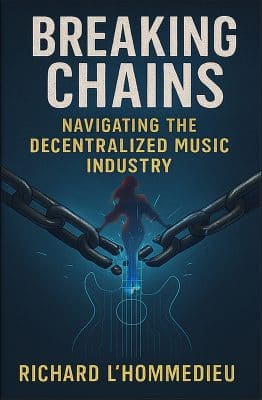
Breaking Chains is a groundbreaking guide for independent musicians ready to take control of their careers in the rapidly evolving world of decentralized music. From blockchain-powered royalties to NFTs, DAOs, and smart contracts, this book breaks down complex Web3 concepts into practical strategies that help artists earn more, connect directly with fans, and retain creative freedom. With real-world examples, platform recommendations, and step-by-step guidance, it empowers musicians to bypass traditional gatekeepers and build sustainable careers on their own terms.
More than just a tech manual, Breaking Chains explores the bigger picture—how decentralization can rebuild the music industry’s middle class, strengthen local economies, and transform fans into stakeholders in an artist’s journey. Whether you’re an emerging musician, a veteran indie artist, or a curious fan of the next music revolution, this book is your roadmap to the future of fair, transparent, and community-driven music.
Get your Limited Edition Signed and Numbered (Only 50 copies Available) Free Shipping Included
Discover more from Making A Scene!
Subscribe to get the latest posts sent to your email.


