
Suno Studio: A Deep Dive into the First True Generative Audio Workstation




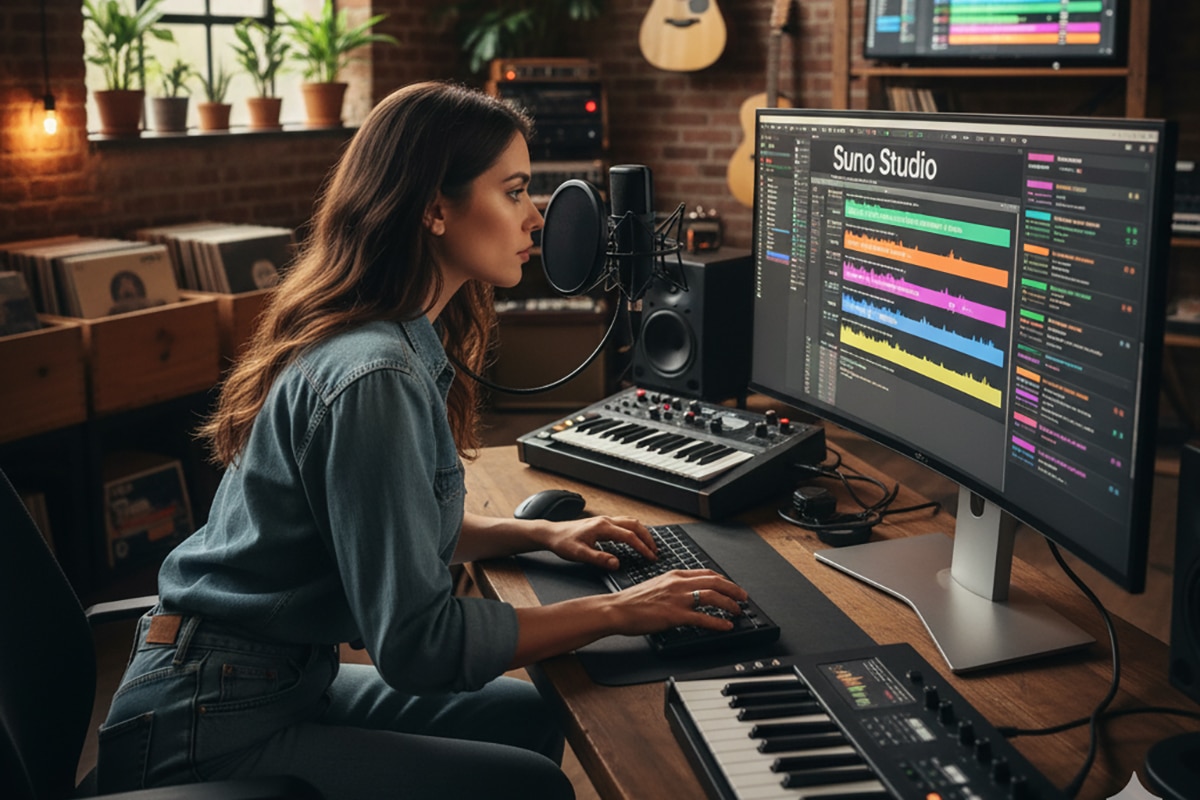
Making a Scene Presents Suno Studio: A Deep Dive into the First True Generative Audio Workstation
For an in depth discussion of Suno and the GAW revolution Listen to the podcast above!
The world of music production has always lived on the edge of technology. From the tape machines of the 1950s to the MIDI revolution of the 1980s and the digital audio workstations (DAWs) of the 2000s, each leap forward has reshaped how artists create. Now, in the mid-2020s, we’re entering a new era: the rise of the Generative Audio Workstation—a platform where artificial intelligence is not just an assistant but an active collaborator.
At the forefront of this movement is Suno Studio, a system designed from the ground up to merge traditional music production workflows with generative AI. Unlike plug-ins that bolt AI features onto existing DAWs, Suno Studio reimagines the recording environment itself. It asks a bold question: What if your studio could listen, learn, and create alongside you?
This is not just another piece of software—it’s a paradigm shift. Let’s explore it in detail.
From DAWs to GAWs: A Quick History
Before diving into Suno Studio itself, it helps to understand why this moment is so significant.
Digital Audio Workstations (DAWs)—like Pro Tools, Logic Pro, Cubase, Studio One Pro and Ableton Live—transformed the industry by making recording, editing, and mixing accessible on personal computers. They replaced massive consoles and tape machines with streamlined software, empowering both professional studios and bedroom producers.
But DAWs have a limitation: they are tools, not collaborators. You press record, you drag waveforms, you apply plug-ins. Creativity still rests entirely on the shoulders of the human user.
Enter Generative AI. Over the last few years, systems like ChatGPT, Stable Audio, Suno AI (in its early form), and Google’s MusicLM have shown that AI can generate lyrics, melodies, stems, and even full-fledged songs. Until recently, these tools were mostly web-based experiments. But the idea of weaving AI deeply into the fabric of production software—that’s what creates a Generative Audio Workstation (GAW).
Suno Studio is one of the first serious attempts to bring this vision to life.
First Impressions: The Interface
When you first open Suno Studio, you immediately notice how different it feels from a traditional DAW. Instead of being greeted with a blank grid of tracks and a transport bar, you’re welcomed by a Creative Canvas.
This canvas is less about linear timelines and more about ideas and flows. You can still work in the classic track-based view, but Suno’s default mode encourages you to think in musical prompts, motifs, and scenes.
-
On the left, you’ll see the Prompt Bar, where you can type natural-language descriptions like:
“Lo-fi hip-hop beat with vinyl crackle and a jazzy Rhodes, around 90 BPM.” -
In the center, the Idea Grid displays audio previews generated from your prompts.
-
On the right, you get a Session Mixer, which looks more familiar to DAW users, with volume, pan, and insert slots for plug-ins.
The beauty is in how seamlessly these parts integrate. You can start with text prompts, audition generated ideas, then drag the ones you like directly into your timeline to sculpt them further. It feels less like programming a machine and more like brainstorming with a bandmate who never runs out of ideas.
Generative Core Features
1. AI Song Blocks
At the heart of Suno Studio are Song Blocks—chunks of music generated by AI that can range from a single drum groove to an entire chorus with multiple instruments. Each block is editable: you can stretch it, regenerate variations, or convert it into MIDI for full manual control.
For example, if you’re stuck on a chorus, you can type:
“Big anthemic pop chorus with layered harmonies, soaring synths, and a driving kick.”
Suno generates three or four different options. You audition, pick your favorite, and drop it in.
Unlike other AI platforms that spit out finished songs, Suno emphasizes modularity. You’re not forced to accept an entire track—you can use the AI like a sample crate that never runs dry.
2. Intelligent Stems
One of the biggest frustrations with AI-generated audio is the “black box” problem—you get a file, but you can’t isolate instruments. Suno solves this with Intelligent Stems. Every generation is automatically separated into:
-
Drums
-
Bass
-
Harmonic instruments (guitars, keys, pads)
-
Vocals (if requested)
These stems can be exported, remixed, or re-processed with your own plug-ins. If you love the guitar line but hate the drums, no problem—replace or re-generate just the drums.
3. Style Morphing
Suno introduces something called Style Morphing, where you can take an existing block and morph it into another genre or mood. Imagine dragging your acoustic ballad into the morph engine and asking:
“Turn this into a synthwave track at 120 BPM.”
Within seconds, you’ve got a neon-drenched reimagining, but the core harmonic DNA stays intact.
This is a godsend for producers who want to explore multiple directions without starting from scratch.
Built-In Plug-Ins
Traditional DAWs rely heavily on third-party plug-ins for instruments and effects. Suno Studio includes a surprisingly deep set of built-ins, many of which are AI-enhanced.
1. AI Drummer
Think of it as EZDrummer meets GPT. You can type: “Tight funk groove, swung 16ths, 100 BPM, with ghost notes on snare.” Suno generates a playable MIDI pattern, locked to your project’s tempo. It even adapts dynamically if you change the vibe of your song later.
2. Smart EQ and Compressor
Mixing often intimidates beginners. Suno’s Smart EQ analyzes each track and suggests curves based on your intent: “brighten the vocals,” “make the kick punchier,” etc. The Smart Compressor works similarly, helping you avoid over-compression while teaching you what the parameters actually do.
These aren’t just automatic settings—they’re interactive. Hover over a suggestion, and Suno shows you the before/after spectrum, teaching you in real time.
3. Generative Synths
Instead of browsing through endless presets, Suno’s synths can be prompted directly: “Warm analog pad, evolving, with a hint of detune.” Each sound can be locked into a MIDI instrument, so you can play it with your controller while still retaining the generative flexibility.
4. Vocal Companion
This is one of the most groundbreaking features: you can input lyrics, and Suno will generate guide vocals in multiple voices, accents, or timbres. While not meant to replace real singers, it’s incredible for sketching demos or auditioning harmonies.
Collaboration and Cloud Features
Suno Studio isn’t just about working alone—it’s built for collaboration.
-
Shared Sessions: You can invite bandmates into your session, where they can see your Song Blocks, generate variations, or add their own prompts.
-
Version Control: Every change is saved as a branch, so you can experiment wildly without losing earlier ideas.
-
Export Options: Sessions export cleanly into standard DAWs like Logic, Pro Tools, or Ableton if you want to finish the mix in a traditional environment.
This bridges the gap between AI experimentation and professional workflows.
Real-World Applications
So how does this actually play out in a recording context? Let’s look at some scenarios.
Indie Artist Songwriting
An indie folk artist struggling with writer’s block could use Suno Studio to generate chord progressions and melodic fragments. Instead of staring at a blank page, they’re immediately bouncing ideas off the AI.
Film and Game Scoring
Because of its Style Morphing, Suno is fantastic for media composers. You can generate ambient tension cues, then instantly morph them into high-energy chase music—all while maintaining thematic coherence.
Beatmaking
Hip-hop and electronic producers can use AI Drummer and generative synths to build grooves in seconds. The Intelligent Stems feature means you can chop and resample your own AI material, just like crate digging—but infinite.
Education
For students learning production, Suno doubles as a teacher. The Smart EQ and Compressor don’t just fix your mix—they show you why a change works. It’s like having an engineer mentor built in.
The Learning Curve
One concern with AI-driven platforms is that they might overwhelm users with too much automation. Suno handles this by offering three levels of interaction:
-
Prompt-Only Mode – For total beginners, you can just type natural language and let the AI do the heavy lifting.
-
Hybrid Mode – More advanced users can edit MIDI, tweak plug-ins, and guide the AI.
-
Expert Mode – You can disable most automation and treat Suno like a traditional DAW, only calling on AI when you want.
This flexibility ensures it doesn’t alienate pros while still welcoming newcomers.
Recording Your Own Music in Suno Studio
It’s easy to assume Suno Studio is only about AI-generated tracks, but that would miss half the story. Beneath the futuristic features, it’s still a fully functional recording environment, meaning you can track your own vocals, guitars, keyboards, or any live instrument just like in a traditional DAW. What makes it different is how recording and AI actually complement each other.
Setting Up Your Session
When you open a new project, you’ll see two main options: Generate or Record. If you click Record, you’re dropped into a familiar timeline view with audio and MIDI tracks. Connect your interface, arm a track, and you’re ready to capture performances. Latency is low, comparable to Logic or Studio One, and the monitoring options are straightforward.
Recording with AI as Your Bandmate
Here’s where things get exciting. Say you’re a singer-songwriter laying down acoustic guitar and vocals. You can:
-
Record your guitar track live.
-
Highlight the empty space under it and type a prompt like: “Add upright bass and brushes on drums to follow this groove.”
-
Suno listens to your timing and dynamics, then generates supporting tracks that lock into your recording.
This makes solo recording sessions feel like you’re in the room with session players who instantly adapt to your style.
Vocal Tracking and Harmonies
If you’re recording vocals, Suno offers real-time pitch correction and AI-generated harmonies. You can sing your lead, then ask: “Add a three-part harmony, gospel style.” Instead of generating synthetic voices, Suno creates harmonies from your own vocal timbre, re-pitching and processing the take so it blends naturally.
Hybrid Workflows
One of Suno Studio’s strengths is the hybrid workflow. You might record a live drum kit, then use AI Drummer to generate percussion layers that complement it. Or you could record a raw bass line and have Suno morph it into synth bass variations while still keeping your original performance.
This means you don’t have to choose between “all AI” or “all human.” Suno is built for both.
Editing and Comping
Comping multiple takes works just like in traditional DAWs, but with an AI twist. You can select a few takes and ask the system to suggest the best performance. Instead of just stitching, it analyzes timing, pitch, and expression, then builds a comp that feels musical. You still have full manual control, but it speeds up the tedious parts.
Mixing Your Recordings
When it’s time to mix, Smart EQ and Smart Compression are just as useful on recorded tracks as on AI-generated stems. If your vocals need presence, you don’t have to scroll through presets—you can literally type: “Make my voice warmer and clearer, cut some low-mid mud.” The system suggests EQ moves, which you can accept, tweak, or reject.
The Bigger Picture: Why Suno Studio Matters
Suno Studio is more than a piece of software—it’s a statement about where music creation is heading.
Traditionalists may scoff, fearing that AI will dilute artistry. But history shows that every new tool—from drum machines to Auto-Tune—was once controversial. What matters is how musicians use the tool.
With Suno Studio, the power lies in its modularity and transparency. It doesn’t lock you into full AI compositions. It invites you to collaborate, curate, and refine. For indie musicians who don’t have access to big studios or endless session players, this is liberating.
Pricing and the Credit System
Suno Studio uses a credit-based subscription model rather than a one-time purchase. Instead of buying the software outright, you pay for a monthly or yearly plan that provides a set number of credits. Each time you ask the AI to generate a Song Block, create stems, or morph a style, it uses up credits. Recording your own tracks and using the built-in mixing tools don’t require credits—it’s the AI-powered features that draw from your balance. Free accounts include a small number of credits for testing the waters, but anyone looking to do serious production will need a Premium membership. Premium starts at about $30 per month, though if you create a free account first and upgrade to the yearly plan, the cost drops to around $18 per month. This tier unlocks high-resolution audio, faster rendering, commercial licensing rights, and 10,000 credits—enough to complete full songs rather than just rough sketches. For indie musicians, this setup is flexible: the free tier is great for experimenting, but Premium is essential if you want to generate stems, build full arrangements, and produce release-ready tracks.
Conclusion
Suno Studio isn’t just another DAW with a few AI features tacked on—it’s one of the first true Generative Audio Workstations. It reimagines what a studio can be: not just a place to record sound, but a partner in creativity.
By combining prompt-based generation, modular Song Blocks, intelligent stems, and AI-enhanced plug-ins, it lowers the barriers to entry while still offering depth for pros. Yes, there are concerns about originality and computing demands, but the potential is undeniable.
If DAWs democratized recording in the 2000s, Suno Studio may democratize co-creation in the 2020s. For musicians, producers, and songwriters willing to embrace the future, this is a tool worth exploring.
You need to be a premium user to gain access to Suno Studio, but it is about the same or less than most of the current subscription plans for the most popular DAWs.
 |  Spotify |  Deezer |  Breaker |
 Pocket Cast |  Radio Public |  Stitcher |  TuneIn |
 IHeart Radio |  Mixcloud |  PlayerFM |  Amazon |
 Jiosaavn |  Gaana |  Vurbl |  Audius |
 Reason.Fm | |||
Find our Podcasts on these outlets
Buy Us a Cup of Coffee!
Join the movement in supporting Making a Scene, the premier independent resource for both emerging musicians and the dedicated fans who champion them.
We showcase this vibrant community that celebrates the raw talent and creative spirit driving the music industry forward. From insightful articles and in-depth interviews to exclusive content and insider tips, Making a Scene empowers artists to thrive and fans to discover their next favorite sound.
Together, let’s amplify the voices of independent musicians and forge unforgettable connections through the power of music
Make a one-time donation
Make a monthly donation
Make a yearly donation
Buy us a cup of Coffee!
Or enter a custom amount
Your contribution is appreciated.
Your contribution is appreciated.
Your contribution is appreciated.
DonateDonate monthlyDonate yearlyYou can donate directly through Paypal!
Subscribe to Our Newsletter
Order the New Book From Making a Scene
Breaking Chains – Navigating the Decentralized Music Industry

Breaking Chains is a groundbreaking guide for independent musicians ready to take control of their careers in the rapidly evolving world of decentralized music. From blockchain-powered royalties to NFTs, DAOs, and smart contracts, this book breaks down complex Web3 concepts into practical strategies that help artists earn more, connect directly with fans, and retain creative freedom. With real-world examples, platform recommendations, and step-by-step guidance, it empowers musicians to bypass traditional gatekeepers and build sustainable careers on their own terms.
More than just a tech manual, Breaking Chains explores the bigger picture—how decentralization can rebuild the music industry’s middle class, strengthen local economies, and transform fans into stakeholders in an artist’s journey. Whether you’re an emerging musician, a veteran indie artist, or a curious fan of the next music revolution, this book is your roadmap to the future of fair, transparent, and community-driven music.
Get your Limited Edition Signed and Numbered (Only 50 copies Available) Free Shipping Included
Discover more from Making A Scene!
Subscribe to get the latest posts sent to your email.


