AI-Generated Videos & Visuals: Turning Your Songs into Scroll-Stopping Content




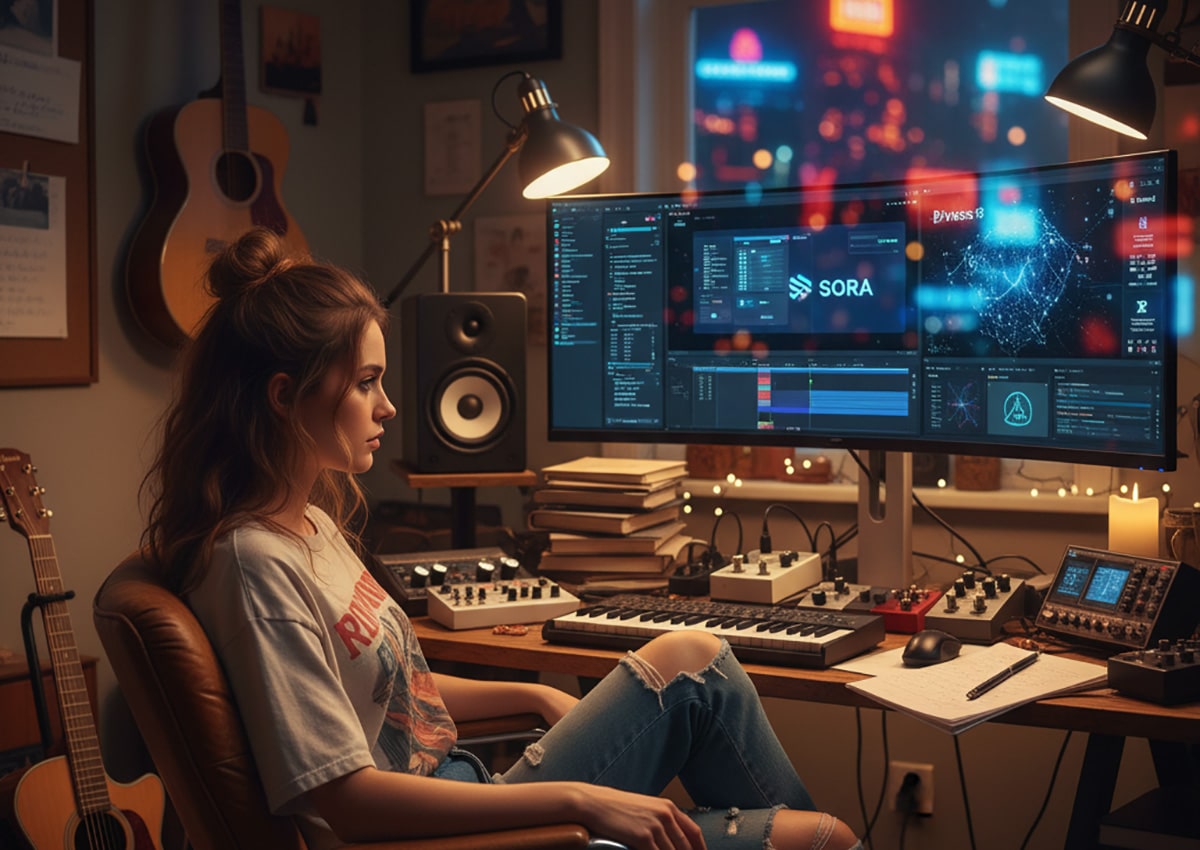
Making a Scene Presents – AI-Generated Videos & Visuals: Turning Your Songs into Scroll-Stopping Content
Listen to the podcast conversation to learn more about using AI video for content creation
F
AI-Generated Videos & Visuals: Turning Your Songs into Scroll-Stopping Content
For decades, video production has been one of the biggest hurdles for independent artists. Cameras, crews, editors, colorists, and motion-graphics specialists were luxuries reserved for labels with budgets to burn. For indie musicians, even a simple music video often meant calling in favors, borrowing gear, and learning to edit on the fly.
But the arrival of artificial intelligence has quietly rewritten those rules. In 2025, artists no longer need to rent a studio or hire a director to turn their songs into attention-grabbing visual content. With the rise of AI video generators like Sora, Kaiber, RunwayML, and Flow, a single laptop and a few creative prompts can produce professional-looking lyric videos, visualizers, or TikToks.
And perhaps more importantly, these tools are helping musicians bridge the gap between the worlds of sound and vision. They allow artists to tell stories that match the emotional core of their songs — all without emptying their wallets.
This is the story of how indie creators are using AI to turn their music into scroll-stopping content, how the traditional 3-to-5-second rhythm of video editing still shapes audience attention, and how creativity and storytelling remain the heart of visual production even in an automated age.
The Modern Video Language: Why Short Clips Rule the Screen
Anyone who’s studied film editing — or just watched a modern TV show — knows the invisible rhythm that holds attention: the three-to-five-second cut. A scene rarely stays static for longer than that. The camera angle changes, a new shot appears, or the lighting shifts. That constant motion keeps the brain engaged.
This editing rhythm didn’t come from social media; it came from decades of television and cinema. But platforms like TikTok, YouTube Shorts, and Instagram Reels amplified it into the cultural bloodstream. The modern viewer expects motion, transition, and visual variety.
For indie musicians, that pacing is a gift. It means a video doesn’t need to be shot in one continuous take or feature a perfect storyline. Instead, it can be built from dozens of short, emotionally resonant clips — small vignettes that together tell the song’s story.
AI tools, by nature, excel at creating short bursts of video. They generate five- to ten-second clips that can later be edited together into a cohesive narrative. Rather than seeing that as a limitation, indie filmmakers are embracing it as a new creative grammar. A single track might be represented by 20 mini-moments, stitched together to follow the song’s flow.
That shift aligns perfectly with the way modern audiences consume music videos: they don’t always watch from start to finish — they scroll, stop, rewind, and loop. Artists who understand that attention rhythm can design visuals that hook the eye within seconds.
How AI Tools Are Transforming the Creative Process
There are four names most musicians encounter when they begin exploring AI video generation: Sora, Kaiber, RunwayML, and Flow. Each represents a different approach to blending art, automation, and storytelling.
Sora, developed by OpenAI, is a text-to-video generator capable of turning a written prompt into a short, cinematic clip (openai.com/sora). Users can describe a scene — for example, “a foggy forest at sunrise with beams of light breaking through the trees” — and Sora renders it with striking realism. It can synchronize movement to sound cues, making it useful for moody ambient visualizers or emotional storytelling sequences. Its current sweet spot is short duration: clips between three and twenty seconds tend to look best. That fits how modern music visuals are built: multiple short clips strung together in post. Artists use it for cinematic inserts, texture shots, or background sequences that blend with real footage.
Kaiber takes a slightly different approach (kaiber.ai). Its Superstudio interface allows creators to input audio, reference images, and text prompts to generate animated scenes that respond dynamically to the beat. It’s ideal for lyric videos or audioreactive content — visuals that pulse, move, or evolve in rhythm with the song. Kaiber’s style leans artistic rather than photorealistic, offering dreamlike or painterly visuals that suit electronic, lo-fi, or indie pop. Because it can react to sound, musicians feed in tracks directly and watch the software sculpt color and motion around the music’s frequency spectrum.
RunwayML merges AI generation with professional editing and compositing tools (runwayml.com). It’s widely used in commercial and advertising environments because it supports masking, motion tracking, background removal, style transfer, and Gen-3/Gen-3 Alpha video models. Many artists use Runway to refine or blend clips generated in Sora or Kaiber, integrating them with live footage and adjusting mood and tone through color correction and effects.
Flow, Google’s emerging AI filmmaking framework, introduces a paradigm of story consistency across scenes (a good starting point is Google’s AI blog entries: blog.google). Flow is designed to help creators maintain continuity. A character introduced in one shot can reappear in another with the same outfit, lighting, and mood. That’s a breakthrough for narrative-based videos, where maintaining logic across multiple clips has historically been one of AI’s stumbling blocks.
Each tool has a niche, but together they form an ecosystem: Sora for realism, Kaiber for style and motion, Runway for refinement, and Flow for cohesion. When used strategically, they enable a single independent artist to act as writer, director, cinematographer, and editor — all from a home studio.
Storytelling Still Matters: Why Every Video Needs a Narrative
Even in a world of AI models and endless presets, storytelling remains the engine of engagement. Viewers might be impressed by flashy visuals, but they stay for emotional connection.
A good music video — even a fifteen-second teaser — has progression. There’s a beginning, middle, and end, even if those moments are abstract. The imagery might start with isolation and end with connection. It might begin dark and end glowing. The camera might pull closer as the song builds, creating a sense of intimacy.
Before generating a single frame, savvy creators map their story visually through storyboarding. It doesn’t need to be elaborate; rough boxes on paper do the job. Under each box, a few words describe what happens: “city skyline at dusk,” “close-up on eyes,” “crowd singing,” “fade to stars.” That structure translates musical emotion into visual motion. If a song builds slowly and then explodes at the chorus, the video might start with wide, slow shots and then cut rapidly between close-ups once the beat drops. By storyboarding first, the AI receives prompts with purpose, and the final cut feels cohesive and cinematic rather than random.
From Prompts to Pictures: The Art of AI Storyboarding
The process begins with careful listening. The artist marks the sections where emotion shifts — verse, build, chorus, bridge — then treats each section as a visual moment. For each moment, a detailed prompt is drafted, more like script direction than a vague idea. “Neon-lit Tokyo street in the rain, shallow depth of field, reflections on puddles, camera pans upward toward glowing signs, cinematic lighting” will reliably outperform a generic “city at night.”
These prompts act like micro-scripts that generate short sequences, usually three to ten seconds, that fit the song’s moments. The clips are organized into folders by section — Verse A, Chorus 1, Bridge — so the edit flows faster later.
Creators quickly learn to experiment with wording. A single phrase can change tone and pacing. Adding “slow motion,” “handheld camera,” or “drone perspective” nudges motion. Describing lighting — “backlit,” “golden hour,” “soft bloom” — defines mood. When a clip doesn’t land, iteration is the rule. The AI becomes a collaborator: tweak adjectives, try variations, and unexpected visuals often emerge that elevate the concept.
Many combine tools. Kaiber generates a stylized base; RunwayML cleans or composites; Sora supplies realistic transitional or atmospheric shots; DaVinci Resolve (blackmagicdesign.com/products/davinciresolve) brings it all together in color and timing. It’s a familiar production arc, except the “shooting” happens in digital imagination.
The Role of Editing: Stitching Imagination into Rhythm
Editing transforms fragments into flow. After collecting fifteen or twenty short AI clips, the next step is to cut them together along the song’s emotional and rhythmic arc. Free or low-cost editors like DaVinci Resolve, HitFilm Express (fxhome.com/product/hitfilm), CapCut (capcut.com), and even iMovie (apple.com/imovie) handle cutting, layering, and color correction with ease. The song is imported, beat points are marked, and clips are aligned to the storyboard.
Pacing is the heartbeat. Faster sections thrive on shorter clips; slower ones are allowed to breathe. Editors test different orders, swapping until energy feels right. Each visual idea should live just long enough to be felt, then yield to the next.
Transitions glue the moments. Fades, cross dissolves, white flashes, light leaks, or simple match cuts can smooth jumps between AI and real footage. Some embrace glitch motifs or overlays to mask rough edges; others prefer clean, cinematic cuts. Like mixing a track, editing is iterative and intuitive. The artist listens, adjusts, and follows feel over formula.
Blending the Virtual and the Real
AI conjures worlds. Authenticity connects them to people. The strongest independent videos increasingly blend AI-generated visuals with real-world clips — the band, the neighborhood, the session, the crowd. It’s personal and cinematic at once.
Simple, well-lit phone footage is enough: a performance against a plain wall, an acoustic take in a park, a late-night street walk. Compositing in RunwayML or DaVinci Resolve with masking or green screen places the artist inside an AI skyline or wraps them in light that pulses to the beat. Color grading ties it all together. If matching realism is hard, stylizing everything into a coherent palette is often the smoother path. The result feels like a dream with a heartbeat — music suspended between imagination and identity.
Lyric Videos and Visualizers: The Gateway to Storytelling
For artists not ready to mount a full shoot, AI-assisted lyric videos are a pragmatic starting point. VEED.io lets users upload a song, paste lyrics, and sync animated text to beats (veed.io/create/lyric-video-maker). LyricEdits.ai focuses specifically on timed lyric creation (lyricedits.ai). AI visuals from Kaiber or Sora serve as moving backdrops, layered under the text for a polished, professional effect.
Visualizers — looping animations that pulse to the beat — are even simpler. Kaiber’s audioreactive mode, as well as services like Renderforest (renderforest.com/music-visualizer) and Specterr (specterr.com), generate waveforms, particles, and shapes that move with the music. The three-to-five-second rule still applies: swap backgrounds or angles frequently to keep viewers engaged while the lyrics or motion carry the story.
From Concept to Completion: A Realistic Workflow for Indie Artists
A practical, repeatable workflow has emerged. First comes planning: define the concept, sketch a storyboard, map the song into moments, and write prompts. Next is generation: feed prompts into Sora, Kaiber, or Flow and create multiple short clips per moment, then export and organize. Finally, in postproduction, assemble everything in an editor, align with music, add transitions, grade color, and export for platforms such as YouTube, Instagram, and TikTok. What used to take a crew and a budget can now be accomplished in a focused weekend.
Creating a Music Video with InVideo: Turning AI Clips into a Finished Story
While models like Sora, Kaiber, and RunwayML shine at creating individual clips and signature looks, many artists need a simpler place to assemble everything into a cohesive, shareable video. InVideo fills that gap beautifully for musicians who want professional-looking results without a steep learning curve (invideo.io).
InVideo is a browser-based video creation platform that sits between the power of DaVinci Resolve and the simplicity of Canva. It’s designed for creators who value speed and structure: hundreds of music-friendly templates, AI-assisted beat-aware editing, drag-and-drop compositing, auto-captioning and lyric timing, and easy exports in multiple aspect ratios. Because it runs in the browser, artists can build a video on a modest laptop without installing heavy software.
Musicians often use InVideo as the “assembly stage” of an AI video pipeline. AI-generated snippets from Kaiber, Sora, or RunwayML — typically three to five seconds each — arrive like puzzle pieces. InVideo becomes the table where those pieces are arranged into a story. Artists upload clips, select a template that fits the vibe, drop in the mastered song, and let InVideo’s beat detection suggest cut points and transitions. The artist still makes the creative calls, but the platform handles the time-consuming mechanics.
Because lyric videos remain a staple of indie releases, InVideo’s text animation and auto-captioning tools are practical. Pasting in lyrics yields a rough timing pass that can be refined by ear. For hybrid footage, InVideo’s layers, masking, and blend modes make it straightforward to place a performance over a dreamscape, to nest AI landscapes behind a singer, or to overlay light leaks and film grain that unify disparate sources. Color filters and LUTs help harmonize the look when AI clips and phone footage don’t naturally match.
From a budget standpoint, InVideo’s free tier is enough to prototype ideas; the paid tier removes watermarking and unlocks higher export quality. The stock overlays and effect library are useful for transitions and texture, though most musicians will lean on their own AI clips to avoid generic visuals. The real advantage is speed. InVideo functions as a creative sketchpad: swapping in a different Kaiber loop for the chorus, trying a new typeface for the lyrics, or testing a vertical cut for Reels takes minutes rather than hours.
In short, InVideo doesn’t replace Sora, Kaiber, or RunwayML — it completes them. It’s the pragmatic bridge from imaginative fragments to a polished, platform-ready music video.
Mini Case Study: How Krista Rivers Made a Lyric Video Using Kaiber, Sora, and InVideo
To see the process in action, consider a realistic example. Krista Rivers is an indie pop-folk artist who records in a small Asheville apartment. Her single “Runaway Lights” is a lush song about chasing dreams and losing yourself along the way. She wanted a lyric video that felt cinematic but had only a weekend, a laptop, and about fifty dollars to spend.
The creative direction emerged from emotion first. She wanted the video to feel like a dream road trip: glowing cities in rain, passing headlights, long highways, and the quiet stretch before dawn. She sketched a simple storyboard, labeling sections by the song: a gliding nighttime city for the intro; intimate car-window reflections for the verses; neon motion bursts for the choruses; a softer pause before sunrise in the bridge; a final skyward drift for the outro. No fancy drawings, just shorthand cues that translated music into motion.
She then generated key visuals. In Kaiber (kaiber.ai/superstudio), she created stylized, audioreactive loops for her intro and chorus using prompts like “a car drives through a neon-lit city at night, gentle rain, reflections on the windshield, slow zoom forward, cinematic lighting.” Kaiber’s audio-reactive mode allowed her to upload a snippet of the song so motion ebbed and pulsed with the beat. For realistic connective tissue, she turned to Sora (openai.com/sora), requesting “highway at night, headlights reflecting on wet asphalt, car window close-up, gentle camera shake.” Sora produced several eight-second clips that felt convincingly cinematic; she downloaded three that matched the tempo and mood.
To keep the piece personal, she shot a handful of iPhone snippets: a close-up of her singing in warm lamplight, a slow pan across her guitar on a stand, and a reflective shot in a car window. These would anchor the AI dreamy spaces to a human presence.
Assembly happened in InVideo (invideo.io). She started a 16:9 project, imported the mastered song, and dropped all clips into the media bin. InVideo’s beat-aware editing gave her suggested cut points; she refined them by ear. The intro was a slow glide through Kaiber’s neon city. The first verse introduced her iPhone performance against the soft light. The chorus exploded into quick three-second bursts of color from Kaiber, intercut with a lyric line that drifted upward. The bridge slowed over a Sora sunrise clip, with her silhouette composited as if looking out at the first light. For lyrics, she pasted the text into InVideo’s captioning tool, nudged each phrase into place, and gave it a subtle glow.
Color unification was the final touch. The AI clips were high-contrast and glossy; the iPhone footage was warm and gentle. A teal-and-orange LUT across all tracks created cohesion, and a whisper of film grain stitched textures together. Light-leak overlays provided musical transitions that landed on downbeats. In about five hours, she exported a 4K MP4 for YouTube and used InVideo’s auto-resize to spin vertical and square versions for TikTok and Instagram. A fifteen-second teaser of neon rain and chorus lyric pulled thousands of organic views in the first week. The comments called it “cinematic” and asked which production company she’d hired.
The result worked because she played to each tool’s strengths. Kaiber handled stylized emotion and beat-synced motion; Sora delivered realistic connective imagery; InVideo made assembly, lyric timing, and finishing painless; the phone footage supplied authenticity. The blend of AI imagination and human presence created a video that matched the song’s heart without a crew or a big budget.
Prompt Craft: Speaking the Language of the Machine
The most valuable soft skill in this landscape is prompt craft. AI video models respond best to language that mixes cinematic precision with artistic nuance. Lighting, motion, lens behavior, palette, atmosphere, and mood all belong in the sentence. “Soft morning rim light on a backlit silhouette, slow dolly back, shallow depth of field, fine mist in the air, hopeful tone” conveys more than “person in a field at sunrise.”
Constraints matter, too. Phrases like “minimal background,” “single subject,” or “no on-screen text” prevent clutter. Negative prompts are as useful as positive ones. Over time, artists build a library of reliable phrases, much like producers build chains and templates. Communities on Discord, Reddit, and X swap recipes daily. The magic is that small wording changes can spin entirely new looks — happy accidents that end up defining a visual identity.
Editing with Emotion: The Invisible Performance
Editors often say editing is invisible when done right. Viewers don’t notice cuts; they feel rhythm. The same is true here. The timing of a cut can amplify a lyric, echo a snare crack, or mirror a breath. A slow fade during the bridge evokes longing; a quick burst of images in the breakdown signals release. AI provides the raw visual orchestra; editing conducts it into a performance. Emotion often emerges as much from choosing which clips to keep as from the generation itself. Editing becomes curation.
Common Challenges and How Artists Overcome Them
AI video isn’t perfect. Distortions, odd perspectives, or temporal wobble can appear. Cutting before problem frames, masking over artifacts, or using overlays can conceal issues. Lighting mismatches are solved with color grading and subtle grain. When styles clash — say, a photoreal scene next to a painterly loop — a deliberate transition, a shared color motif, or a unified LUT can make contrast feel intentional. Rhythm sometimes needs coaxing; retiming a clip or slipping a cut by a few frames brings picture and pulse into alignment. Tools like DaVinci Resolve’s speed controls or lightweight utilities for frame interpolation can help smooth motion when clips are just a hair off.
Ethics, Rights, and Transparency
As AI generation becomes mainstream, authorship and rights questions follow. Some platforms embed AI-origin metadata or watermarks; others simply recommend disclosure. Transparency tends to build trust: a caption such as “Visuals created with Kaiber and RunwayML” both informs and celebrates the craft. Creators should avoid prompting specific copyrighted characters, logos, or protected likenesses without permission. Used responsibly, AI doesn’t replace artists — it augments their reach.
Putting It All Together: A Sample From Start to Finish
Imagine a one-minute lyric-plus-visual piece. Preproduction begins with the emotional map of the song: calm intro, rising verse, explosive chorus, reflective bridge, closing release. A simple storyboard labels each section and drafts prompts. Generation produces multiple variations for each moment in Sora and Kaiber; the strongest versions are kept and trimmed to three-to-five-second beats. Postproduction imports AI clips, phone footage, and stills into an editor like DaVinci Resolve, HitFilm, CapCut, or InVideo. The timeline follows the storyboard; transitions are placed onto downbeats; color grading harmonizes sources; lyrics animate with a gentle glow; and final exports are rendered for YouTube (16:9), Reels/TikTok (9:16), and square feeds. A short teaser is cut for social testing, and iteration follows audience response.
The Bottom Line
The new reality is simple and empowering. AI gives independent musicians superpowers, but the craft still lives in story, pacing, and feel. Short clips, strong prompts, thoughtful editing, and a blend of AI dreamscapes with human presence create videos that feel cinematic on tiny screens. Sora, Kaiber, RunwayML, and Flow open creative doors; InVideo makes finishing and shipping fast. The gear list is short; the imagination list is long. For the first time, an indie artist doesn’t have to choose between ambition and budget. They can choose both — and they can choose them today.
Links
Sora (OpenAI): https://openai.com/sora
Kaiber Superstudio: https://www.kaiber.ai/superstudio
RunwayML: https://runwayml.com
Google AI Blog (Flow updates): https://blog.google/technology/ai/
DaVinci Resolve: https://www.blackmagicdesign.com/products/davinciresolve
HitFilm Express: https://fxhome.com/product/hitfilm
CapCut: https://www.capcut.com
iMovie: https://www.apple.com/imovie
InVideo: https://invideo.io
VEED Lyric Maker: https://www.veed.io/create/lyric-video-maker
LyricEdits.ai: https://lyricedits.ai
Renderforest Visualizer: https://www.renderforest.com/music-visualizer
Specterr Visualizer: https://specterr.com
 |  Spotify |  Deezer |  Breaker |
 Pocket Cast |  Radio Public |  Stitcher |  TuneIn |
 IHeart Radio |  Mixcloud |  PlayerFM |  Amazon |
 Jiosaavn |  Gaana |  Vurbl |  Audius |
 Reason.Fm | |||
Find our Podcasts on these outlets
Buy Us a Cup of Coffee!
Join the movement in supporting Making a Scene, the premier independent resource for both emerging musicians and the dedicated fans who champion them.
We showcase this vibrant community that celebrates the raw talent and creative spirit driving the music industry forward. From insightful articles and in-depth interviews to exclusive content and insider tips, Making a Scene empowers artists to thrive and fans to discover their next favorite sound.
Together, let’s amplify the voices of independent musicians and forge unforgettable connections through the power of music
Make a one-time donation
Make a monthly donation
Make a yearly donation
Buy us a cup of Coffee!
Or enter a custom amount
Your contribution is appreciated.
Your contribution is appreciated.
Your contribution is appreciated.
DonateDonate monthlyDonate yearlyYou can donate directly through Paypal!
Subscribe to Our Newsletter
Order the New Book From Making a Scene
Breaking Chains – Navigating the Decentralized Music Industry
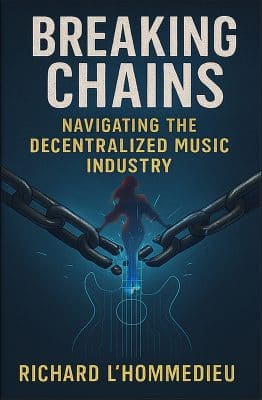
Breaking Chains is a groundbreaking guide for independent musicians ready to take control of their careers in the rapidly evolving world of decentralized music. From blockchain-powered royalties to NFTs, DAOs, and smart contracts, this book breaks down complex Web3 concepts into practical strategies that help artists earn more, connect directly with fans, and retain creative freedom. With real-world examples, platform recommendations, and step-by-step guidance, it empowers musicians to bypass traditional gatekeepers and build sustainable careers on their own terms.
More than just a tech manual, Breaking Chains explores the bigger picture—how decentralization can rebuild the music industry’s middle class, strengthen local economies, and transform fans into stakeholders in an artist’s journey. Whether you’re an emerging musician, a veteran indie artist, or a curious fan of the next music revolution, this book is your roadmap to the future of fair, transparent, and community-driven music.
Get your Limited Edition Signed and Numbered (Only 50 copies Available) Free Shipping Included
Share this:
- Share on Pinterest (Opens in new window) Pinterest
- Email a link to a friend (Opens in new window) Email
- Share on X (Opens in new window) X
- Share on LinkedIn (Opens in new window) LinkedIn
- Share on Facebook (Opens in new window) Facebook
- Share on Tumblr (Opens in new window) Tumblr
- Share on Reddit (Opens in new window) Reddit
- Share on Telegram (Opens in new window) Telegram
- Print (Opens in new window) Print
- Share on WhatsApp (Opens in new window) WhatsApp
- Share on Mastodon (Opens in new window) Mastodon
Related
Discover more from Making A Scene!
Subscribe to get the latest posts sent to your email.


