

AI in the Recording Studio: Your New Assistant and Teacher, Not Your Replacement




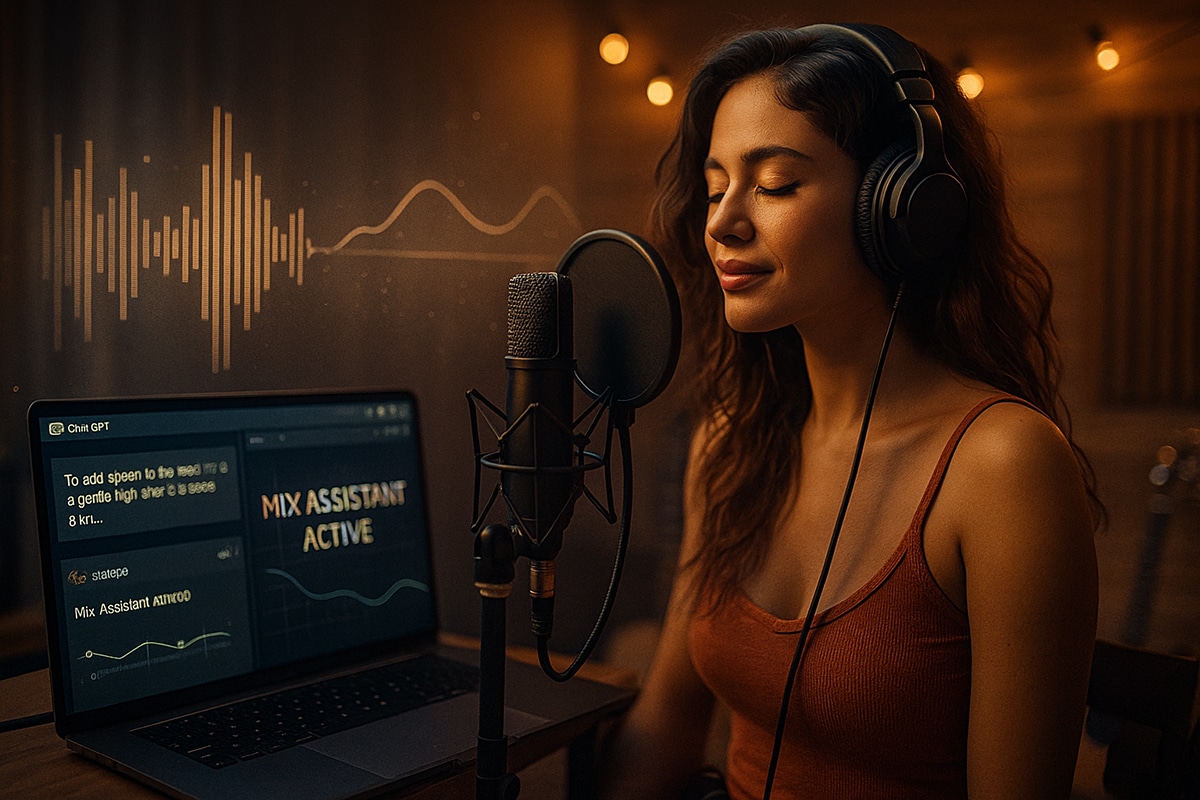
Making a Scene Presents – AI in the Recording Studio: Your New Assistant and Teacher, Not Your Replacement
Make sure you check out the podcast above for an in depth discussion of Using AI Mixing Assistance as a learning tool
Recording music has never been more accessible. What once required a massive studio full of expensive gear can now be done in a spare bedroom with an affordable DAW, a good mic, and a decent computer. Programs like Studio One (https://www.presonus.com/studioone), Cubase (https://new.steinberg.net/cubase/), Logic Pro (https://www.apple.com/logic-pro/), and BandLab (https://www.bandlab.com/) give indie artists powerful tools for multitrack recording, editing, and mixing—often for a fraction of what a single day in a commercial studio used to cost. But there’s one thing you can’t buy: experience. That deep, intuitive sense of how to balance a mix, shape a vocal, or make a kick drum sit perfectly in the pocket comes from years of trial, error, and critical listening.
That’s where AI steps in—not as a replacement for human skill, but as a teacher and assistant that helps you get there faster.
AI as the Modern Assistant Engineer
Back in the day, big studios had assistant engineers whose job was to set levels, organize sessions, and get mixes ready for the main engineer. Today, AI tools can do a lot of that heavy lifting automatically. Plugins like iZotope Neutron 4 (https://www.izotope.com/en/products/neutron.html) and Waves StudioVerse (https://www.waves.com/studioverse) analyze your mix and automatically set rough levels, EQs, and compression settings for each track. This first “AI pass” is like having an experienced assistant engineer who knows what to do before you even start fine-tuning.
You can open a session, hit the “Mix Assistant” button in Neutron, and watch it set levels based on your song’s genre and frequency balance. It’s not perfect, but it gets you close—saving hours of guesswork and helping you focus on creative decisions instead of tedious technical ones.
The same thing is happening in vocal processing. Waves Clarity VX (https://www.waves.com/plugins/clarity-vx) uses machine learning to remove background noise while keeping your voice natural and smooth. It can clean up a home-recorded vocal in seconds—something that used to take an engineer years of practice with EQs and gates to pull off.
AI Mixing and Mastering: Decades of Experience, Bottled Up
AI tools have learned from decades of professionally mixed and mastered recordings. When you upload a track to LANDR (https://www.landr.com), iZotope Ozone 12 (https://www.izotope.com/en/products/ozone.html), or BandLab Mastering (https://www.bandlab.com/mastering), the AI analyzes it the same way a human mastering engineer would—looking at frequency balance, dynamic range, and stereo width—and then applies processing that mimics the styles of top-tier engineers.
The goal isn’t to replace mastering engineers, but to give indie artists an affordable way to learn what a finished, polished track should sound like. You can even A/B your AI master with your own mix and start to understand why certain EQ curves or compression settings make a song “pop.” Over time, this becomes a learning tool—helping you hear like an engineer would.
Learning by Example
One of the best ways to grow as a producer or engineer is to compare your work to great mixes. AI-driven analysis tools like Reference 2 by Mastering the Mix (https://www.masteringthemix.com/products/reference) and Metric AB by ADPTR Audio (https://www.plugin-alliance.com/en/products/adptr_metricab.html) help you do exactly that. You can load up your favorite tracks, and the software shows you real-time comparisons of loudness, EQ balance, and dynamics.
By studying those visuals—and listening critically—you start to understand how professional mixes are built. Over time, you develop instincts that no plugin can automate.
AI in Microphone Modeling and Instrument Capture
Even the sound of microphones and amps has gone digital. Tools like Slate Digital’s Virtual Microphone System (https://slatedigital.com/vms/) and IK Multimedia’s TONEX (https://www.ikmultimedia.com/products/tonex/) use AI to model the sound of high-end microphones and guitar amps. That means your $200 mic can sound like a $3,000 vintage Neumann, or your bedroom guitar track can have the tone of a cranked Marshall stack recorded in a pro studio.
These tools give indie musicians access to sonic textures that were once out of reach. But again, the key is understanding what you’re hearing. The AI can give you the sound, but learning why it sounds that way—that’s where your ear training comes in.
Using Suno to Learn Studio Production
One of the most exciting ways AI is teaching recording techniques right now is through Suno (https://www.suno.com). Suno is an AI music creation platform that lets you generate full songs with vocals, instruments, and professional production in minutes. It’s like having a virtual band and producer rolled into one.
Here’s where things get interesting: if you’re a Premium member (which starts around $30/month or $18/month with a yearly plan), you can export the stem tracks from your AI-generated song. Each stem—vocals, drums, bass, guitars, keys—comes separated, just like in a real studio session.
Once you have those stems, you can import them into your DAW—whether that’s Studio One, Cubase, or Logic—and start analyzing how the AI arranged, mixed, and processed the elements. You’ll see how levels are balanced, where reverbs sit, and how instruments fit together in the stereo field.
But here’s where it gets really powerful: Studio One Professional has a built-in stem separation feature that uses AI to extract stems from any song. That means if there’s a track you admire—the kind of mix you dream of achieving—you can pull it into Studio One and instantly separate it into drums, bass, vocals, and instruments. You can then compare those stems side by side with your own productions or Suno-generated tracks.
Now you’re not just guessing how your favorite producers achieve their sound—you’re seeing it firsthand. You can analyze how loud the vocals sit, how compressed the snare is, or how the bass interacts with the kick.
But you can go even deeper with ChatGPT. By uploading information from your stems (like track names, effects used, or frequency ranges) or even describing what you hear, you can ask ChatGPT to help you analyze and recreate the production techniques inside your DAW.
For example, you could say:
“I exported stems from a Suno song. The drums sound punchy and warm, the bass is fat but controlled, and the vocals sit clearly on top. How can I recreate this mix using iZotope Neutron 4 and Ozone 12 in Studio One?”
ChatGPT can then walk you through EQ settings, compression ratios, panning strategies, and even reverb choices to match the sound you’re hearing. This turns AI-generated music into a powerful classroom—one where you can reverse-engineer professional-level mixes and learn, step by step, how to build them yourself.
It’s a hands-on way to study production that was never possible before. Instead of guessing what a producer did, you can see it in action, deconstruct it in your DAW, and rebuild it with your own creative twist.
Phil Speiser’s The Strip 2: AI That Explains Itself
A new generation of AI tools is taking things even further, like Phil Speiser’s The Strip 2 (https://philspeiser.com/the-strip-2/). This plugin acts as an intelligent channel strip that listens to your track and automatically applies processing based on AI analysis—but what makes it special is that it tells you what it’s doing.
When you drop The Strip 2 on a vocal, guitar, or drum stem, the plugin scans the audio and applies compression, EQ, saturation, and spatial effects tailored to that source. But instead of hiding its moves, it generates a written breakdown explaining the processing choices it made—almost like reading an engineer’s session notes.
Here’s where it gets exciting for indie musicians who want to learn: you can actually create your own AI profiles inside The Strip 2 by feeding it prerecorded stems from your favorite songs or professionally mixed sessions. The plugin studies those stems and builds a custom “sound signature” profile based on them. Then, when you apply that profile to your own recording, The Strip 2 not only matches the tonal balance and dynamic shape—it also provides a detailed write-up of the EQ bands, compression ratios, and spatial effects it used to get there.
Imagine loading in a vocal stem from an artist you admire—say, a clean pop vocal or a gritty blues performance—then letting The Strip 2 learn from that sound. When you use that same learned profile on your own vocal, the plugin adapts it to your track while showing you the exact reasoning behind each change. It’s like having a top-tier mix engineer standing next to you, explaining why they cut 3dB at 400Hz or added harmonic saturation on the upper mids.
This kind of transparent AI doesn’t just improve your mix—it teaches you mixing logic in real time. Over time, you start recognizing those same patterns and can make similar moves manually in your DAW. The Strip 2 turns AI into an educational experience, not just an automation tool.
Using AI as a Teacher
AI isn’t just about doing the work for you—it can show you how it’s done. Many DAWs are now building interactive AI tutorials right into their workflows. BandLab’s SongStarter (https://www.bandlab.com/songstarter) helps you create chord progressions and melodies, but it also shows you how those chords fit together musically. RipX DAW Pro (https://hitnmix.com/ripx-pro/) can separate full songs into stems and let you study the production choices behind professional mixes.
Imagine loading up your favorite track, muting the vocals, and hearing just the drums and bass to analyze the groove. That kind of ear training used to be impossible for the average artist. Now, AI makes it a hands-on learning experience.
Keeping the Human Touch
The biggest mistake an artist can make is thinking AI will make them a better producer overnight. It won’t. AI gives you shortcuts to understanding, but true skill comes from listening, experimenting, and developing taste. The more you use AI to understand why a plugin makes a certain choice, the better your own judgment becomes.
Think of it like learning guitar with a teacher. The teacher can show you scales and chords, but you still have to practice until your fingers remember where to go. AI is the same way—it can demonstrate the logic behind great mixes, but you still have to train your ears and instincts.
The Future of the Smart Studio
We’re entering an era where studios will feel more like collaborators than tools. DAWs are starting to integrate AI assistants that can label tracks automatically, fix timing errors, and even suggest arrangement ideas. Ableton Live 12 (https://www.ableton.com/en/live/) and FL Studio 21 (https://www.image-line.com/fl-studio/) are already experimenting with AI features that help you write melodies, clean up performances, and optimize your mix balance in real time.
But at the end of the day, creativity and emotion still come from you. The AI might know the frequency of a kick drum, but it doesn’t know the heartbreak behind your lyrics or the story your song is trying to tell. That’s your magic—the part that can’t be coded.
Wrapping It Up
AI in the recording studio isn’t the enemy of the engineer—it’s the new mentor. It brings decades of accumulated wisdom into your hands, helping you learn faster, mix smarter, and focus on making great art instead of fighting with knobs and meters.
So don’t be afraid of it. Use it. Study it. Learn from it. Let the algorithms show you how the pros do it, then make it your own. Because the future of music isn’t AI replacing musicians—it’s AI empowering them to sound their best, faster than ever before.
 |  Spotify |  Deezer |  Breaker |
 Pocket Cast |  Radio Public |  Stitcher |  TuneIn |
 IHeart Radio |  Mixcloud |  PlayerFM |  Amazon |
 Jiosaavn |  Gaana |  Vurbl |  Audius |
 Reason.Fm | |||
Find our Podcasts on these outlets
Subscribe to Our Newsletter
Discover more from Making A Scene!
Subscribe to get the latest posts sent to your email.


