

RipXDaw and RipXDaw Pro: The AI-Powered Future of Music Production




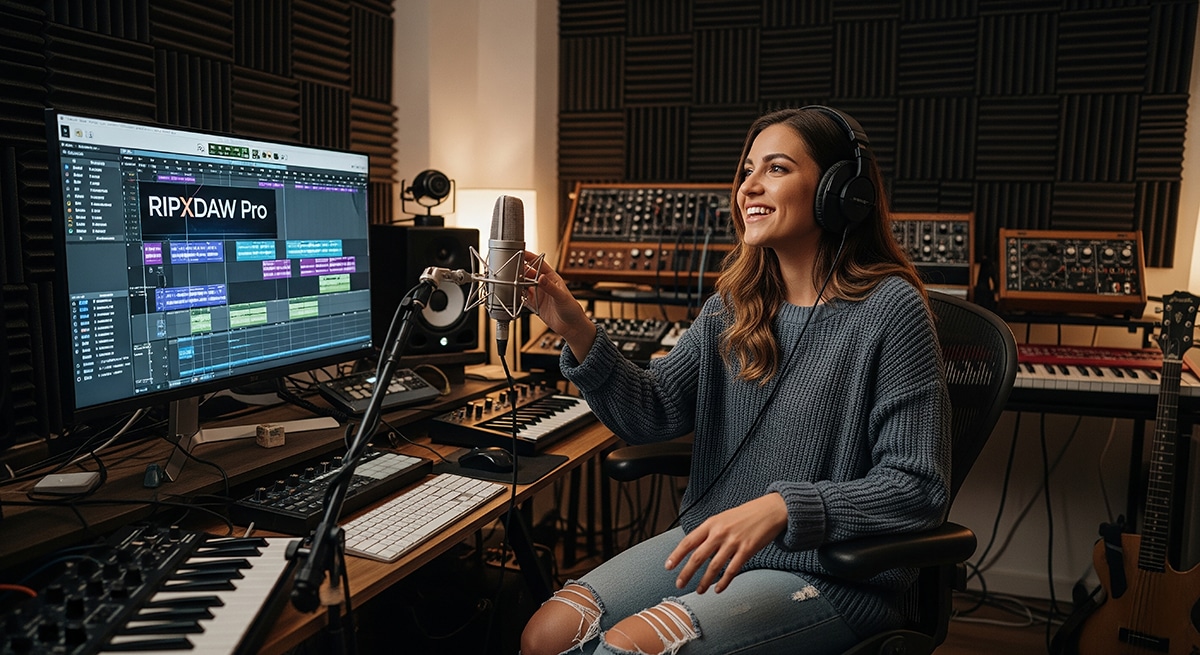
Making a Scene Presents – RipXDaw and RipXDaw Pro: The AI-Powered Future of Music Production
If you’ve been around music production, you know the names of the usual suspects: Pro Tools, Logic, Ableton, FL Studio. These digital audio workstations, or DAWs, have been the backbone of recording studios and bedroom setups for decades. They let you record tracks, edit sounds, add effects, and shape a mix into a finished song. But every so often, a new piece of software comes along that shakes things up. RipXDaw is one of those programs.
What makes RipXDaw stand out is how deeply it integrates Artificial Intelligence into the process. Instead of adding a few AI plugins here and there, the whole platform is built around it. And what’s even more interesting is that RipXDaw comes in two flavors: a standard version for anyone who wants to get started quickly, and RipXDaw Pro for those who want deeper control, smarter processing, and professional-grade results. Both versions point toward the same future, but they serve different needs. Let’s take a deep dive into how they work, what they offer, and why they matter.
From Words to Music: AI Idea Generation
Every musician knows the hardest part of songwriting can be just starting. RipXDaw tackles that problem with a feature that turns text prompts into music. In the standard version, you can type something like “moody indie rock verse with soft drums” or “bright pop chorus with synths and layered vocals,” and the AI generates a short sketch. You’ll hear a chord progression, a rhythm, and sometimes even a melodic hook. It’s like having a brainstorming buddy who can pick up an instrument instantly and play back your ideas.
RipXDaw Pro takes this further. Instead of just handing you a loop, Pro can build full song structures—verses, choruses, bridges—based on your instructions. You can set the tempo, key, and even describe the emotional arc you want, like “start calm and end with an explosive finale.” Pro can generate longer passages, giving you a rough draft of an entire song rather than just a fragment. This difference means the basic version is great for quick inspiration, while Pro is powerful enough to help map out whole arrangements.
Recording and Cleanup: Keeping the Magic, Fixing the Mess
Once you’ve got an idea, the next step is recording. This is where all the little imperfections creep in: background noise, off-timing, or pitch slips. RipXDaw makes recording easier by letting AI handle much of the cleanup automatically. In the standard version, you can record vocals in a noisy room and the AI clears the hum. If your guitar strums rush ahead of the beat, it nudges them back in time. If your singing goes sharp or flat, it gently centers the notes without crushing the emotion.
RipXDaw Pro, however, doesn’t stop at basic fixes. It lets you zoom in and edit with surgical precision. You can separate an instrument’s performance into individual notes and retune or reshape them. You can even pull apart a stereo mix into stems—vocals, drums, bass, guitars—so you can remix or clean them individually. That means you can take a rough phone demo and rebuild it into something polished. For producers who often work with less-than-perfect recordings, Pro is a serious game changer.
Mixing: From Good to Adaptive
Mixing is often where beginners struggle most. Balancing levels, EQ, compression, and effects can be overwhelming. In RipXDaw, the AI gives you a huge head start. You can choose a style—folk, rock, pop, hip hop—and the AI balances the tracks accordingly. Vocals come forward, drums get punchy, bass is leveled, and guitars are placed in stereo space. It’s a solid starting point that teaches you how different genres are typically mixed.
RipXDaw Pro goes further with what’s called adaptive mixing. Instead of just setting levels once, the Pro AI keeps listening as you build your track. Add a synth line to your chorus? Pro makes space in the EQ so it doesn’t clash with vocals. Replace your snare with a punchier sample? Pro adjusts compression and rebalances the groove automatically. It’s more like working with a real mixing engineer who stays with you through the whole session. Pro also includes AI mastering, tailoring your finished track for different platforms—Spotify, YouTube, Bandcamp, or even vinyl. With the base version, you get a polished demo. With Pro, you get a release-ready master.
Transforming Styles and Instruments
One of the most futuristic features in both versions is AI style and instrument transformation. Say you’ve recorded a guitar riff. In the standard RipXDaw, you can quickly hear what it would sound like as a piano or a synth. You can also reshape a vocal into another style, like hearing how a folk performance might sit in an R&B arrangement.
RipXDaw Pro gives you far more control. Instead of just swapping instruments, you can stack transformations, blend multiple timbres, and adjust the realism of the sound. You might turn your guitar into a string quartet with subtle synth backing, or reshape a vocal into layered harmonies automatically. This turns Pro into more than a DAW—it’s a sound design playground where you can build textures that wouldn’t exist otherwise.
How the AI Learns
None of this works by magic. RipXDaw’s AI models were trained on massive libraries of music. The software studied professional mixes to learn how balance and EQ vary across genres. It compared noisy and clean recordings to learn how to remove hum and hiss. It analyzed instruments and styles so it could translate a guitar riff into a piano line without losing the musical intent.
The difference between the standard version and Pro is the depth of this training. The base RipXDaw can handle general genres and common instruments well. Pro has been trained more deeply, with more detailed models that recognize subtle differences—like how a 70s rock mix differs from a 2000s rock mix, or how a soulful vocal feels compared to a polished pop performance. That deeper training makes Pro’s results more nuanced, giving professionals the accuracy they need.
RipXDaw vs. RipXDaw Pro in Real Workflows
To really see the difference, let’s walk through some scenarios.
Imagine you’re writing a song from scratch. With RipXDaw, you type “dreamy synth-pop ballad,” and get a short sketch—some chords, a beat, maybe a melody. You hum over it, record your vocal, and let the AI clean it up. In an hour, you’ve got a demo. With RipXDaw Pro, you can ask for a full structure at a set tempo and key, with verses, choruses, and a bridge. You record your vocal, then Pro generates harmonies, isolates notes for retuning, and builds an arrangement that feels like a nearly finished single.
Or let’s say you’ve recorded your band rehearsal on a phone. In RipXDaw, the AI clears up noise and balances the audio a little, making it listenable. In Pro, you can actually separate the recording into stems—vocals, drums, bass, guitar—and remix each one individually. That rough recording becomes a usable demo.
Now picture mixing. With RipXDaw, you select “indie rock,” and the AI balances your levels, brightens your vocals, and adds punch to your drums. With Pro, the mix keeps evolving. Add backing vocals, and the AI makes room for them. Replace a kick drum, and the AI rebalances the bass to lock in the groove. When you’re done, Pro masters the track for multiple platforms.
Finally, think about experimenting with style. With RipXDaw, you can turn a guitar riff into a piano. With Pro, you can layer that piano with strings and synths, adjust how realistic or synthetic it sounds, and create a hybrid instrument no one’s ever heard before.
The takeaway is simple: RipXDaw feels like a creative buddy who helps you get ideas down and tidy them up quickly. RipXDaw Pro feels like a full production team—songwriter, engineer, mixer, and mastering house—working alongside you.
It’s one thing to list features, but it’s another to see how they play out when you’re actually working on a song. Let’s imagine a few studio scenarios and compare how the same project might unfold in RipXDaw and RipXDaw Pro.
Writing a Song from Scratch
You’ve got a lyric line in your head—“under neon lights, I’m finding my way home.” In RipXDaw, you type “dreamy synth-pop ballad with warm vocals,” and the AI gives you a simple chord loop with a synth pad and light drums. You hum along, record your vocal, and let the AI clean up noise and pitch. In under an hour, you’ve got a demo that feels surprisingly polished.
In RipXDaw Pro, the same process goes further. Instead of just generating a short loop, you can ask the AI to build a full structure: verse, chorus, bridge, and outro at a set tempo and key. You can even guide the emotional arc, telling it to start mellow and build to an explosive final chorus. Once you record your vocal, the Pro version lets you tweak every note individually, fix harmonies separately, and even generate a second harmony track automatically. By the end of the session, you’re holding something that feels more like a finished single than a sketch.
Cleaning Up a Rough Demo
Suppose you’ve recorded your band’s rehearsal on a phone. In RipXDaw, you can import the audio and let the AI reduce noise, brighten the vocal, and balance the volume a bit. It’s still a single stereo track, but at least it’s listenable enough to share privately.
RipXDaw Pro changes the game. You can drop that same messy recording into the software and actually separate it into stems: vocals, drums, guitar, bass. Each stem can then be cleaned, EQ’d, and remixed individually. Suddenly, that sloppy phone recording becomes a usable demo, and you can even rebuild it into a polished arrangement. That’s a massive difference in how far you can push raw material.
Mixing a Multi-Track Session
In RipXDaw, you select “indie rock mix,” and the AI balances your guitars, pushes the vocals forward, and gives your drums some punch. It’s a strong starting point that sounds way better than an unprocessed mix, and you can tweak it by hand if you want.
In RipXDaw Pro, mixing doesn’t stop there. As you add overdubs—maybe a keyboard line or backing vocals—the AI keeps adjusting. It automatically carves space in the EQ for your new parts, rebalances the stereo field, and fine-tunes compression so the groove stays solid. When you’re done, you can choose to master the track for Spotify, Bandcamp, or CD, and the AI shapes the final sound for that exact platform. With Pro, it feels less like you’re using a preset and more like you’re working alongside an experienced mixing engineer.
Exploring Styles and Sounds
Say you want to hear your acoustic guitar riff as a piano line. In RipXDaw, you can do that instantly. It’s quick, fun, and a great way to audition ideas.
RipXDaw Pro lets you go deeper. Instead of just swapping guitar for piano, you can stack transformations—turn it into strings and then blend in a synth texture underneath, all while adjusting how realistic or electronic each layer feels. You can build a hybrid sound that wouldn’t exist otherwise, almost like creating a new instrument. That kind of depth makes Pro a playground for producers who like to experiment with genre-blending or sound design.
Final Delivery
With RipXDaw, when you’re happy with your mix, you can bounce out a finished file. It’ll sound good and work for sharing on most platforms, but you may need extra mastering if you want commercial-level polish.
With RipXDaw Pro, you can let the AI mastering engine prepare multiple versions at once: one optimized for Spotify’s loudness standards, one with more dynamic range for YouTube, and one mastered for physical formats like CD or vinyl. That means you don’t just have a song—you’ve got a release-ready product tailored for each outlet.
The Takeaway
Both RipXDaw and RipXDaw Pro are powerful, but they serve different needs. The base version feels like a songwriting buddy who helps you create and clean up ideas quickly. It’s perfect for beginners, hobbyists, or artists who want to sketch songs without getting bogged down. Pro, on the other hand, feels like a full production team—songwriter, engineer, mixer, and mastering house—wrapped into one. It’s designed for artists who want professional-grade results, flexible sound design, and a smoother path from raw idea to release-ready track.
Why It Matters
When you step back, the significance of RipXDaw becomes clear. The base version lowers the barrier to entry. It gives anyone the ability to make polished music quickly, even without technical skills. That’s huge for hobbyists, songwriters, and indie artists who just want to get their ideas out.
RipXDaw Pro, meanwhile, gives professionals a serious time-saver. It doesn’t replace skills, but it speeds up the technical work, teaches along the way, and leaves more room for creativity. It can turn a rough recording into a polished demo, adapt mixes as you go, and create masters ready for release. For pros, that means more efficiency. For learners, it’s like having a teacher built into the software.
Of course, there are cautions. If everyone leans on the same AI presets, music could start to sound uniform. If training data is biased toward mainstream genres, underrepresented styles might not shine as well. And questions about copyright and ownership will continue to swirl around AI-generated melodies. But those are challenges the whole industry is facing, not just RipXDaw.
Wrapping It Up
RipXDaw represents a turning point in how we think about music software. The standard version is perfect for quick creation and learning, while RipXDaw Pro provides the depth and polish professionals expect. Together, they show us a future where making music is faster, easier, and more accessible without sacrificing creativity.
Whether you’re a teenager writing your first song in your bedroom or a producer juggling multiple projects in a studio, RipXDaw gives you a partner that helps you move ideas from your head into the world. It doesn’t take away the human touch—your emotion, your taste, your story—but it does give you more power to express them. And in the end, that’s what makes this software so exciting: it doesn’t replace musicians, it amplifies them.
 |  Spotify |  Deezer |  Breaker |
 Pocket Cast |  Radio Public |  Stitcher |  TuneIn |
 IHeart Radio |  Mixcloud |  PlayerFM |  Amazon |
 Jiosaavn |  Gaana |  Vurbl |  Audius |
 Reason.Fm | |||
Find our Podcasts on these outlets

Subscribe to Our Newsletter
Discover more from Making A Scene!
Subscribe to get the latest posts sent to your email.


