


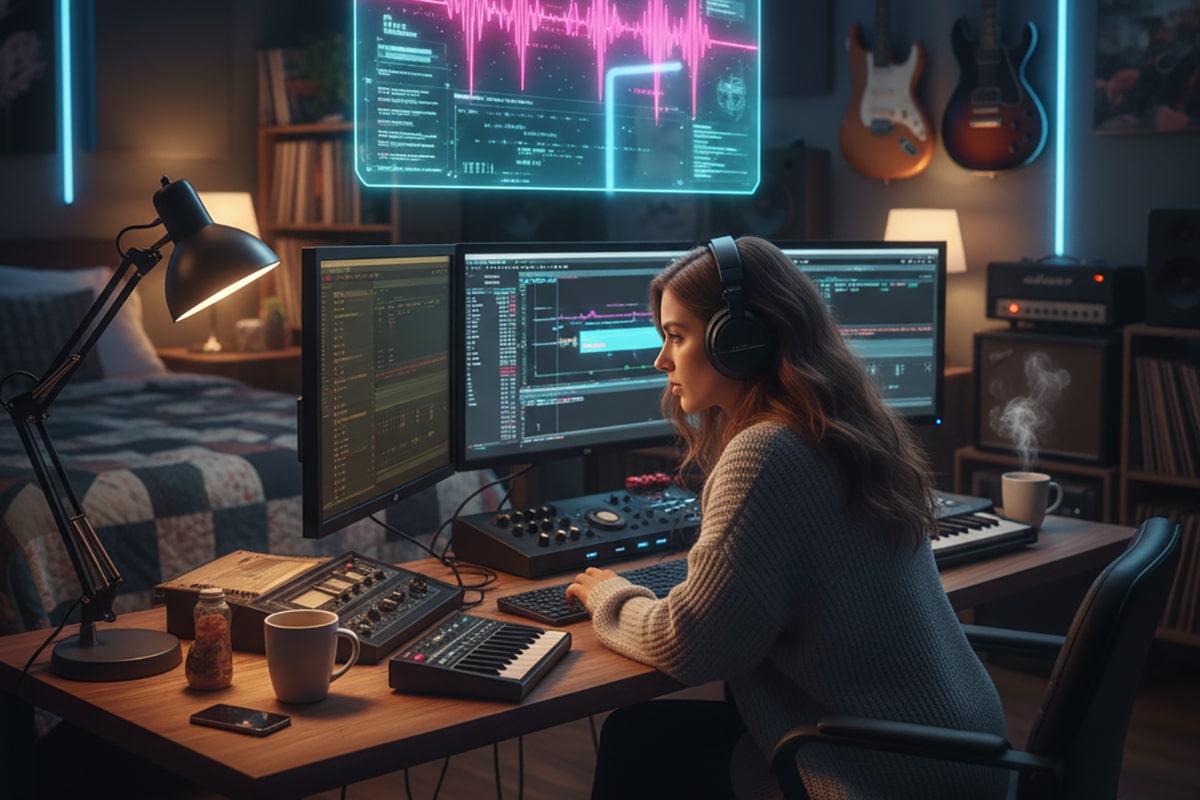
HOME STUDIO POWER: THE ULTIMATE GUIDE TO PRO-QUALITY RECORDING ANYWHERE
A complete handbook for indie artists who want major-label sound without major-label money.
INTRODUCTION: THE ERA OF THE INDIE ENGINEER
There has never been a better time to make music from home.
Not ten years ago.
Not five years ago.
Not even last year.
Right now.
Why?
Because the three forces reshaping the recording world—AI, acoustics, and affordable gear—have collided into a perfect storm of opportunity.
A bedroom musician in 2025 can produce:
-
Radio-ready vocals
-
Billboard-level mixes
-
Cinematic masters
-
Professional acoustic recordings
-
Label-grade production
…with a laptop, a decent mic, and the right knowledge.
The gatekeepers are gone.
The $300-an-hour studios no longer control the sound.
And the “home studio stigma” is officially dead.
Today’s artists create:
Charting songs from spare bedrooms.
Grammy-winning albums from home studios.
Festival-ready productions from apartments.
If you understand the new tools—and how to use them—nothing can stop you.
This guide makes you dangerous.
CHAPTER 1: THE TRUTH ABOUT MODERN HOME RECORDING
Let’s start with a myth-shattering reality:
Your room is lying to you more than your gear ever will.
Most beginners rush for:
New mics
New preamps
New plugins
New monitors
But none of that matters until your room stops lying.
Your room creates:
Standing waves
Harsh reflections
Phase issues
Low-frequency traps
Flutter echo
Smearing
Stereo distortion
In other words:
Your room is the real enemy.
Not your microphone.
Not your plugins.
Not your skills.
The good news?
You don’t need a perfect room.
You just need control.
And modern tools give you that control for cheap.
CHAPTER 2: THE THREE PILLARS OF A PRO HOME STUDIO
A real recording studio—home or commercial—is built on only three fundamentals:
1. Acoustics
How sound behaves in your room.
2. Monitoring
How accurately you can judge the sound.
3. Capture
How well your mic captures the source.
Everything else—plugins, effects, DAWs—is secondary.
Master these three pillars and your home studio becomes a weapon.
CHAPTER 3: ACOUSTICS — THE INVISIBLE MISTAKE THAT DESTROYS MIXES
If your mixes don’t translate:
It’s your room.
If your vocals sound weird:
It’s your room.
If your low end is muddy:
It’s your room.
If your EQ moves feel random:
It’s your room.
**You cannot fix a bad room with more plugins.
You fix a bad room with knowledge.**
Let’s break it all down—simply, clearly, and powerfully.
How Sound Behaves In Your Room
Your room has three enemies:
1. Reflections
Sound bounces off walls → smears your clarity.
2. Standing Waves
Low frequencies build up → muddy, boomy bass.
3. Flutter Echo
High frequencies bounce → sharp, metallic ringing.
These issues exist in EVERY room.
Even expensive studios have them—they just fix them scientifically.
Room Treatment Doesn’t Have to Be Ugly or Expensive
You don’t need $1,000 acoustic panels.
You don’t need a perfectly symmetrical room.
You don’t need to “dead” the space.
Affordable solutions:
Moving blankets
DIY absorption panels
Rugs
Bookshelves
Mattresses
Thick curtains
Corner bass traps
And with AI acoustic tools, even a “pretty bad” room becomes mixable.
CHAPTER 4: AI-ASSISTED ACOUSTIC CORRECTION — MODERN STUDIO MAGIC
This is where today’s home studio revolution hits full speed.
You can now fix your room acoustics using intelligent tools like:
-
Sonarworks SoundID Reference
-
IK Multimedia ARC
-
Slate VSX immersive headphones
-
Genelec GLM (if using their monitors)
These tools do what acoustic consultants used to charge thousands for.
They:
Analyze your room
Measure frequency issues
Correct dips and peaks
Fix stereo imaging
Compensate for reflections
Flatten your monitoring environment
The result:
⚡ Your mixes translate
⚡ Your EQ decisions become accurate
⚡ Your low end stops lying
⚡ Your vocals finally sit right
⚡ Your headphones become “real studio monitors”
This is one of the biggest breakthroughs in recording history.
You can now:
Record anywhere
Mix anywhere
Trust your ears everywhere
CHAPTER 5: THE MONITORING REVOLUTION — MIXING THAT FINALLY TRANSLATES
Monitoring used to be expensive as hell.
Perfect rooms
Perfect speakers
Perfect positioning
Perfect treatment
Now?
You can get a world-class control room inside a pair of headphones.
Slate Digital VSX
A game-changing system that gives you:
-
NRG (LA)
-
Archon
-
Howie Weinberg Mastering
-
Sonoma
-
Electric Lady
-
Car test
-
Club simulation
-
Multiple headphone models
-
New VSX immersive environments
With VSX, you can mix:
Anywhere
Anytime
Any volume
Any room
This eliminates one of the biggest barriers to indie artists—
you no longer need a perfect space to produce perfect work.
CHAPTER 6: YOUR HOME RECORDING SIGNAL CHAIN — SIMPLIFIED
Let’s strip away all confusion.
There are only four components in your recording chain:
1. The Source
The singer, instrument, amp, etc.
2. The Microphone
Dynamic
Condenser
Ribbon
3. The Preamp / Interface
Focusrite, Motu, UA, Audient, SSL, etc.
4. The Room
Your acoustic environment.
If your source is great, your mic is clean, your preamp is solid, and your room is controlled—you’re ready to record professional audio.
You do NOT need:
Expensive preamps
Boutique cables
Vintage mics
Multiple interfaces
Outboard racks
Those are luxuries.
Not necessities.
CHAPTER 7: THE MODERN VOCAL CHAIN — PRO RESULTS FROM HOME
Vocals make or break indie records.
Here’s the simplified modern approach:
Step 1: Capture Clean
Use:
-
A solid condenser (AT4040, WA-47jr, OC-16, SE2300, NT1)
-
Close mic technique
-
A reflection filter or blanket booth
-
Light room treatment
Clean > flashy.
Step 2: Correct Intelligently
Use AI tools:
iZotope Nectar
Pitch correction
De-essing
Denoising
EQ shaping
Compression
RX Voice De-noise
Kill background noise instantly.
Step 3: Sculpt Tastefully
Use:
Parallel compression
Subtle saturation
Dynamic EQ
Reverb + delay sends
Modern vocals rely on clarity + punch, not heavy processing.
Step 4: Mix in a Virtual Studio
Slate VSX
SoundID Reference
ARC
Now your vocals sit where they belong, every time.
CHAPTER 8: THE MODERN GUITAR & BASS SETUP — NO AMP REQUIRED
Guitarists and bassists used to be limited by:
Amps
Miking skills
Room acoustics
Volume restrictions
Today?
All gone.
Use:
Neural DSP
Line 6 Helix Native
IK Amplitube
Strymon Iridium
Fractal
UAD guitar plugins
You get:
Cabs
Amps
Mics
Rooms
Pedals
IRs
Custom tones
All silently, all cleanly, all perfectly.
You no longer need:
A treated room
A loud amp
A perfect mic
A perfect placement
This democratizes rock, blues, Americana, metal, jazz—everything.
CHAPTER 9: DRUMS IN A HOME STUDIO — YOUR REAL OPTIONS
You have three pro-grade paths:
1. Acoustic drums (if your room allows)
Close mics + overheads + room mics
Use SoundID or ARC to treat the space
AI cleanup in RX
2. Hybrid drums
Record shells or cymbals
Layer with:
Superior Drummer
GetGood Drums
Steven Slate Drums
Addictive Drums
3. Fully virtual drums
You can now get:
Human feel
Velocity variation
Room ambiance
Mic bleed
Real mixing control
Indie artists now produce album-quality drums without ever hitting a real kit.
You choose based on your room and workflow.
There is no wrong answer.
CHAPTER 10: THE AI MIXING WORKFLOW — FASTER, SMARTER, CLEANER
Modern mixing uses AI as an assistant, not a replacement.
Your new co-engineers:
iZotope Neutron 5
Masking detection
EQ matching
Smart compression
AI mix assistant
Sonible smart:EQ 4
Track balancing
Resonance cleanup
Spectral shaping
Gullfoss
Restores clarity and balance
Soothe 2
Dynamic resonance removal
These tools no longer feel like “cheats.”
They are the expected modern workflow.
They remove:
Hours of guesswork
Bad EQ decisions
Mud
Harshness
Frequency build-ups
Phase mess
Over-compression
You mix faster.
You mix cleaner.
You mix smarter.
You mix with confidence.
CHAPTER 11: THE COMPLETE MIXING WALKTHROUGH (MODERN AI-ASSISTED METHOD)
Let’s break down a full, modern mixing workflow — the same approach used in professional studios, adapted for home environments with AI enhancements.
This is the no-BS, real-world process that actually works for indie artists.
STEP 1: Organize Your Session
Before you mix a single note, your DAW must be clean.
Label every track
Color code groups
Place drums → bass → guitars → keys → vocals
Create busses (drum bus, vocal bus, guitar bus)
Route everything forward
A messy session = a messy mix.
A clean session = a fast mix.
STEP 2: Start With Static Balance
Before touching EQ, compression, or plugins, you do one thing:
Get the levels right.
This includes:
Faders
Panning
Basic rough balance
Volume relationships
This is 80% of the mix.
If your static balance is solid, the rest is refinement.
STEP 3: Fix Problems First (AI Tools Save Hours)
Now the cleanup stage.
Use:
iZotope RX for noise
Nectar for vocal cleanup
SmartEQ for resonance
Soothe for harshness
Gate/tighten drums
Mute unnecessary bleed
This step removes mud, noise, hum, hiss, plosives, sibilance — all the ugly stuff.
A clean mix = a better mix.
STEP 4: Add EQ (The Right Way)
This is where most home mixers go wrong.
The goal of EQ is NOT to “make things sound pretty.”
The goal is separation.
Carve space for:
Kick vs bass
Vocal vs guitars
Snare vs overheads
Keys vs pads
Rules of thumb:
Low end: clear space for kick + bass
Midrange: clear space for vocals
High end: remove harshness
Use subtractive EQ before additive.
STEP 5: Compression (Controlled, Not Crushed)
Compression shapes:
Punch
Tightness
Energy
Consistency
Use parallel compression for:
Vocals
Drums
Bass
Guitars occasionally
Parallel compression gives fullness without destroying dynamics.
STEP 6: Add Character (The Fun Part)
Use:
Saturation
Tape emulation
Analog-modeled EQ
Tube warmth
Console-style coloring
This adds:
Depth
Glue
Body
Presence
Analog realism
Do not overdo it.
Less is more.
STEP 7: Time-Based FX (Reverb + Delay)
Rule:
Short delays for thickness.
Long delays for space.
Reverb for environment.
Most home mixes drown the vocal in reverb to cover imperfections.
Stop doing that.
Use:
Short plates
Small rooms
Slap delay
Quarter + eighth note delays
Dark, subtle reverbs
The vocal should always sound forward, not “wet.”
STEP 8: Mix Buss Processing
Modern mixes use mix buss processing carefully:
Gentle compression
Very mild EQ
Subtle saturation
Low-end tightening
High-end polishing
Keep it subtle.
Do NOTHING that ruins headroom for mastering.
STEP 9: Use AI Mix Assistants (The Correct Way)
Neutron 5
Ozone
SmartEQ
Gullfoss
These tools:
Detect problems
Suggest corrections
Show masking
Balance your mix
Highlight clashes
Provide genre references
AI doesn’t replace your ears —
it supercharges them.
STEP 10: Check Your Mix Everywhere
VSX (virtual studios)
Car test
Laptop speakers
Phone speakers
Bluetooth speaker
Earbuds
If your mix translates everywhere, you’re done.
If it doesn’t:
Your low end is lying
Your midrange is unclear
Your vocal is too buried
Your room has tricked you
Use SoundID Reference or ARC to flatten your monitoring.
This is the secret weapon modern mixers rely on.
CHAPTER 12: HOME MASTERING — THE MODERN DIY APPROACH
Mastering used to require:
A treated room
$10,000 monitors
Years of training
Now?
AI + intelligent mastering tools bring mastering to the home studio.
Let’s map out a modern mastering workflow.
STEP 1: Prepare Your Mix
Leave headroom
Peaks around -6 dB
No clipping
No limiter on the mix buss
Mastering begins with a healthy mix.
STEP 2: Use Ozone Master Assistant
Ozone (iZotope) analyzes your mix and creates a starting chain:
EQ
Compression
Maximizer
Exciters
Imagers
It builds a mastering chain based on genre + loudness targets.
This will usually get you 70–80% of the way there.
STEP 3: Fine-Tune
Adjust:
EQ curves
Stereo width
Limiter ceiling
Low-end response
High-end sheen
Taste > loudness.
STEP 4: Loudness Targets
Spotify: -14 LUFS
Apple Music: -16 LUFS
YouTube: -14 LUFS
CD/digital downloads: -9 to -11 LUFS
Ignore “loud wars.”
Focus on clarity.
STEP 5: Translation Testing
Check on:
Small speakers
Headphones
Phone
Car
Earbuds
Mastering is translation, not volume.
CHAPTER 13: INTELLIGENT ROOM SIMULATION (DEEP DIVE)
We touched on this earlier.
Now we go deeper.
Slate VSX + SoundID Reference + ARC is the future of home mixing.
VSX gives you:
Multiple high-end studios
Mastering rooms
Nightclubs
Cars
Headphone references
Immersive environments
This solves:
Room problems
Monitoring issues
Poor acoustics
Bad speaker placement
VSX is NOT a gimmick.
It’s the most important headphone invention since the HD600.
SoundID Reference gives you:
Flat frequency response
Speaker + headphone correction
Accurate monitoring
Consistent mixes
Trustworthy decisions
ARC gives you:
Room measurements
Correction curves
3D mapping of reflections
Phase alignment
Together, these tools make ANY room usable.
Even the worst bedroom becomes:
A mastering-level environment
A reliable control room
A clean-frequency space
This is the great equalizer.
CHAPTER 14: BUILDING YOUR HOME STUDIO — STEP-BY-STEP
Forget the blogs that recommend $10,000 setups.
Here is a realistic, affordable, high-impact path for indie musicians.
STEP 1: Fix Your Room
Blankets
Curtains
DIY panels
Rugs
Bookshelves
Bass traps
VSX for mixing
STEP 2: Get a Solid Interface
Budget: Focusrite, Motu M2, SSL2
Midrange: Audient iD14, Apollo Solo
Pro: Apollo Twin X, Motu 828es
STEP 3: Choose the Right Mic
Dynamic for untreated rooms
Condenser for treated rooms
Best budget condenser: Audio-Technica AT4040
Best budget dynamic: Shure SM7B or SE DynaCaster
Best value: Austrian Audio OC16
Best pro: Neumann TLM 103, WA-47
STEP 4: Choose Monitoring
Beginners: VSX headphones
Intermediate: Kali LP6, Yamaha HS8
Pro: Focal, Neumann KH310, Genelec
With SoundID Reference ALWAYS.
STEP 5: Pick Your DAW
Studio One (best all-around)
Cubase
Logic
Pro Tools
Reaper (budget king)
BandLab (free + solid)
STEP 6: Essential Plugins
Ozone
Neutron
Nectar
SmartEQ
Soothe
FabFilter Pro-Q
Waves Vocal Rider
Gullfoss
STEP 7: Recording Workflow Setup
Templates
Routed busses
Color coding
Tuned room
Proper gain staging
Your studio is now elite.
CHAPTER 15: HOW TO FIX ANY MIX PROBLEM (THE MATRIX)
Here is a simple breakdown.
Muddy Mix
Too much 200–500 Hz
Room issues
Kick + bass masking
Fix with: subtractive EQ, smartEQ, VSX translation.
Harsh Vocals
4–8 kHz peaks
Cheap mic issues
Fix with: Soothe, dynamic EQ, mic technique.
Weak Low End
Room nulls
Phase issues
Too much sub
Fix with: VSX, SoundID Reference, low-end EQ.
Vocals Buried in the Mix
Too much midrange clutter
Reverb masking
Fix with: subtractive EQ on guitars, delays instead of reverb.
Mix Sounds Flat
No depth
No saturation
Fix with: tape, console emulation, parallel compression.
Mix Doesn’t Translate
Room lies to you
Fix with: VSX + SoundID Reference.
CHAPTER 16: RECORDING CHECKLISTS
Here is your vocal checklist:
Warmup
De-noise environment
Check gain staging
Record at -12 to -6 dB
Use pop filter
Monitor lightly
Your acoustic guitar checklist:
Mic at 12th fret
Avoid soundhole
Use HPF
Use two mics if possible
Your electric guitar DI checklist:
Record DI clean
Use amp sim
Layer IRs
Parallel saturation
Your drum checklist:
Tune drums
Use overheads as the main sound
Gate toms
Blend samples if needed
Your mix checklist:
Static balance
EQ cleanup
Compression
FX
Bus processing
Automation
Mastering
CHAPTER 17: PROFESSIONAL HOME STUDIO WORKFLOW — THE SYSTEM THAT MAKES YOU CONSISTENT
Great mixes don’t come from plugins.
They come from workflow.
Here’s how professionals stay fast, clean, and creative at home.
STEP 1: Use Recording Templates
Every DAW you use should have:
A vocal template
A guitar template
A full-band template
A mix template
A mastering template
Each template should have:
Color-coded tracks
Pre-routed busses
FX sends ready
Gain staging markers
Track naming conventions
Folders for organization
This saves you HOURS.
You stop “setting up.”
You start creating.
STEP 2: Build Session Rituals
Before recording:
Turn off fans/AC
Check input gain
Create markers
Name the session properly
Turn on low-latency monitoring
Before mixing:
Disable all FX
Start with volume only
Save new mix version
Listen in multiple studios (VSX)
Before mastering:
Bounce mix without clipping
Start fresh in new session
Follow loudness standards
Work like a professional, even in a bedroom.
STEP 3: Organize Your Files
Inside your project folder:
Audio Files
Stems
Project Files
Exports
Alternate Mixes
Samples
Presets
Session Notes
Lyrics
No confusion → no lost work → no stress.
STEP 4: Calibrate Your Monitoring Daily
Open VSX
Open SoundID Reference
Reset your listening environment
This keeps mixes consistent.
STEP 5: Use Versioning
MySong_v1
MySong_v2
MySong_v3_mix
MySong_v4_mastertest
You should NEVER overwrite a session.
STEP 6: Build a “Creative Corner”
Your gear should be:
Always plugged in
Always powered
Always ready
If you have to “set up,” you stop creating.
CHAPTER 18: MULTI-STAGE VOCAL COMPRESSION — THE SECRET OF RADIO-READY VOCALS
This is the #1 technique separating amateur vocals from professional ones.
You do NOT slam one compressor.
You use multiple compressors doing small jobs.
Here is the exact chain:
Stage 1 — Leveling (Smooth the performance)
Use: LA-2A, WA-2A, Nectar Leveler
Goal:
Catch big peaks
Smooth performance
Reduction:
2–3 dB
Stage 2 — Control (Harder, faster compression)
Use: 1176-style (WA76, CLA-76)
Goal:
Tame fast transients
Add excitement
Add punch
Reduction:
1–4 dB
Fast attack, fast release
Stage 3 — Tone (Optical or Vari-Mu)
Use: Tube comp, Vari-Mu, Nectar Vintage
Goal:
Warmth
Size
Roundness
Reduction:
1–2 dB
Stage 4 — Parallel Compression (Power without mud)
Blend in crushed signal:
Attack: Fast
Release: Medium
Ratio: 8:1 or 12:1
Your vocals become:
Louder
Fuller
More forward
More consistent
…without sounding over-compressed.
This is how modern pop, country, rock, blues, and Americana vocals cut through mixes.
CHAPTER 19: ADVANCED PARALLEL PROCESSING — PRO MIXING TRICKS ANYONE CAN USE
Parallel chains create energy without distortion.
Use them for:
Vocals
Drums
Bass
Guitars
Keys
Let’s break down pro techniques.
Parallel Aggression (Vocals / Snare)
Crush the signal with:
1176 all-buttons
Saturation
EQ boost highs
Blend 5–15%.
Adds excitement and definition.
Parallel Warmth (Bass / Vocals)
Use:
Tube saturation
Tape emulation
Soft compression
Blend for thickness and warmth.
Parallel Width (Guitars / Keys)
Use:
Stereo widening
Mid/Side EQ
Gentle reverb
Blend for space without muddying the center.
Parallel Clarity (Mix Buss)
Use Gullfoss or SmartEQ on a duplicate mix buss
Blend in lightly
Adds polish while keeping dynamics.
CHAPTER 20: HOME STUDIO PRODUCTIVITY — HOW TO CREATE CONSISTENTLY
Home studios come with distractions:
Noise
Roommates
Family
Interruptions
Tech issues
Overwhelm
Here are proven systems to stay productive.
Create “Go Times”
Three 90-minute windows a week
No phone
No emails
No notifications
Just recording or mixing
Most great records are built in focused blocks, not long sessions.
Keep Two Sessions: Creative + Technical
Don’t mix while you’re inspired.
Don’t write while you’re in technical mode.
Split:
Writing / Recording
Editing / Mixing
This multiplies productivity.
Use Checklists
Before recording
Before mixing
Before mastering
Checklists eliminate guesswork.
Automate What You Can
Templates
Plugins
Presets
VSX
SoundID
Let the machine handle setup.
You handle creation.
CHAPTER 21: REAL-WORLD HOME STUDIO CASE STUDIES
These stories show how indie musicians achieve pro results in imperfect spaces.
Case Study 1 — The Bedroom Folk Singer With a Number-One Americana Track
A simple chain:
AT4040
Audient iD14
DIY acoustic panels
Nectar + SmartEQ
VSX for mixing
Her mix was so clean it landed editorial playlists — recorded in a 10×12 bedroom.
Case Study 2 — The Blues Guitarist Recording Killer Tones at 2 AM
Chain:
Direct DI
Neural DSP
Two IR layers
Tube saturation
Parallel compression on the buss
Neighbors? Zero complaints.
Tones? Better than his tube amps.
Case Study 3 — The Indie Rock Band Mixing in a Garage With Horrible Acoustics
Solution:
Slate VSX
SoundID Reference
Heavy bass trapping
Minimal reverb usage
Gullfoss for clarity
Their LP hit 100k streams in the first month — mixed in a garage.
Case Study 4 — The Producer Who Mastered Entire EPs on Headphones
Using:
VSX mastering room
Ozone
SmartEQ
Meters + references
Clients thought he was in a $20k room.
He wasn’t.
He was in a rented apartment.
CHAPTER 22: MASTERING TEMPLATES (COPY & PASTE)
Here are ready-to-use templates for Ozone or manual mastering.
Template 1 — Pop / Rock / Indie
EQ: low-end tighten, air boost
Compressor: 1–2 dB, slow attack
Exciter: subtle tube
Stereo Wider: mild
Limiter: -10 to -11 LUFS
Template 2 — Blues / Americana
EQ: warmth boost @ 200 Hz
Tube saturation
Gentle tape compression
Limiter: -13 to -14 LUFS
Template 3 — Hip-Hop / R&B
EQ: sub boost, 6–10k sparkle
Punchy compression
Maximizer: pump slightly
Limiter: -8 to -10 LUFS
Template 4 — Acoustic / Singer-Songwriter
EQ: remove mud
Light multiband compression
Minimal limiting
Limiter: -14 to -16 LUFS
CHAPTER 23: TROUBLESHOOTING GUIDE — IF SOMETHING SOUNDS BAD, HERE’S WHY
Vocals sound thin
Mic too far
Too much top-end boost
Poor gain staging
Mix sounds dull
No harmonic saturation
Over-EQ’d
Bad reference tracks
Mix sounds harsh
Cheap mic
Room reflections
Wrong EQ boosts
Bass is weak
Room canceling
Phase imbalance
Poor referencing
Everything sounds “small”
No reverb depth
No stereo spread
No parallel compression
Mix collapses on phone speakers
Bad midrange balance
Too much sub
Vocal buried
Everything has a solution.
Nothing is unfixable.
CHAPTER 24: STUDIO ORGANIZATION FOR HIGH-LEVEL CREATORS
Here is how full-time creators keep everything tight.
The “Producer’s Triangle”
Your three essentials form a triangle:
Mic → Interface → Headphones
Everything within arm’s length.
Cable Management
Velcro strips
Labeling
Wall hooks
Power conditioners
Eliminate clutter = eliminate stress.
Creative Zone vs Technical Zone
Creative Zone: Instruments
Technical Zone: Computer
Your brain switches modes easily.
Backups
Cloud drive + External SSD
Back up every session nightly.
A crash should never erase ideas.
CHAPTER 25: THE MODERN HOME STUDIO BLUEPRINT (YOUR COMPLETE VISUAL MODEL)
This is the model every indie artist should follow in 2025.
Think of this as your “recording ecosystem.”
Everything supports everything else.
THE FOUNDATION (LEVEL 1)
Room → Monitoring → Capture
This is the core of everything.
Your room’s acoustics
Your monitoring system (VSX/SoundID)
Your microphone + interface chain
If these three work, you can produce radio-ready audio anywhere.
THE ENGINE (LEVEL 2)
DAW Templates → Workflow → Gain Staging
This is where speed and quality come from.
You need:
A vocal recording template
A guitar DI template
A drum template
A mixing template
A mastering template
When your DAW is preset, your creativity flows.
THE REAL MAGIC (LEVEL 3)
AI-Assisted Production
Nectar → vocal cleanup
Neutron 5 → mix assistant
SmartEQ 4 → resonance removal
Soothe 2 → harshness control
Gullfoss → polish
Ozone → home mastering
These tools flatten the learning curve and boost your precision.
THE PRO TOUCH (LEVEL 4)
Saturation → Parallel Chains → Multi-Stage Compression
This is how you achieve:
Warmth
Punch
Clarity
Consistency
“Big budget” gloss
This level converts your home studio mixes into commercial-grade productions.
THE TRANSLATION LAYER (LEVEL 5)
VSX → SoundID → Car Test → Phone Test
This is where all the pros live.
A mix that sounds good everywhere = a professional mix.
This is the “make-or-break” level.
THE CREATOR ZONE (LEVEL 6)
Organization → Productivity → Daily Rituals
If you want to create consistently:
Your workspace must stay clean
Your gear must remain plugged in
Your workflow must be streamlined
Your sessions must be versioned
Your creativity must stay protected
Here is where longevity comes from.
CHAPTER 26: THE BEGINNER → PRO HOME STUDIO UPGRADE PATH
Not everyone starts with a big budget.
Here’s the real path musicians actually take.
LEVEL 1 — The Bare Minimum ($150–$300)
LDC condenser or dynamic mic
Cheap interface (Behringer / M-Audio)
Closed-back headphones
Blanket booth
Free plugins + BandLab/Studio One Prime
You can make clean, usable recordings.
LEVEL 2 — The Home Studio Starter ($300–$700)
AT4040 / OC16 / SM7B
Focusrite 2i2 or Motu M2
VSX headphones
DIY acoustic treatment
Studio One Artist
Suddenly, your mixes translate.
LEVEL 3 — The Creator’s Rig ($700–$1,500)
Audient or SSL interface
VSX + SoundID
Better mic (AT4050 / WA-47jr)
SmartEQ + Nectar + Neutron
Minimal speakers (HS8 / Kali LP6)
Now you’re competing with professional mixes.
LEVEL 4 — The Indie Pro Studio ($1,500–$5,000)
Apollo Twin X
VSX + ARC system
High-end mic (TLM103 / AA OC18 / WA-47)
Room treatment
Pro plugins (FabFilter, Soothe, Gullfoss)
You’re delivering label-quality audio daily.
LEVEL 5 — The Boutique Home Facility ($5,000–$15,000)
Multiple mic choices
Hybrid analog chain
Mastering-grade monitors
Dedicated treated room
Full plugin suite
Premium headphone collection
You’ve crossed into full-independent-studio territory.
CHAPTER 27: THE 30-DAY HOME STUDIO IMPROVEMENT ROADMAP
This is the fastest way to transform your recordings—without spending thousands.
WEEK 1 — Fix the Room
Hang blankets
Install DIY absorbers
Add rug
Calibrate VSX
Add bass traps
Improve mic positioning
Room improvements = instant sonic upgrades.
WEEK 2 — Fix Your Capture
Find the right mic distance
Use consistent gain staging
Record hotter signals without clipping
Use HPF correctly
Stop recording in untreated corners
Your recordings become cleaner immediately.
WEEK 3 — Fix Your Monitoring
SoundID Reference setup
VSX translation between rooms
Learn your headphone sound
Reference commercial mixes
This is where your mixes finally translate.
WEEK 4 — Fix Your Workflow
Build templates
Build parallel chains
Create mix buss presets
Automate your mastering chain
Organize sample libraries
Optimize your DAW performance
Now you’re unstoppable.
Share this:
- Share on Pinterest (Opens in new window) Pinterest
- Email a link to a friend (Opens in new window) Email
- Share on X (Opens in new window) X
- Share on LinkedIn (Opens in new window) LinkedIn
- Share on Facebook (Opens in new window) Facebook
- Share on Tumblr (Opens in new window) Tumblr
- Share on Reddit (Opens in new window) Reddit
- Share on Telegram (Opens in new window) Telegram
- Print (Opens in new window) Print
- Share on WhatsApp (Opens in new window) WhatsApp
- Share on Mastodon (Opens in new window) Mastodon