
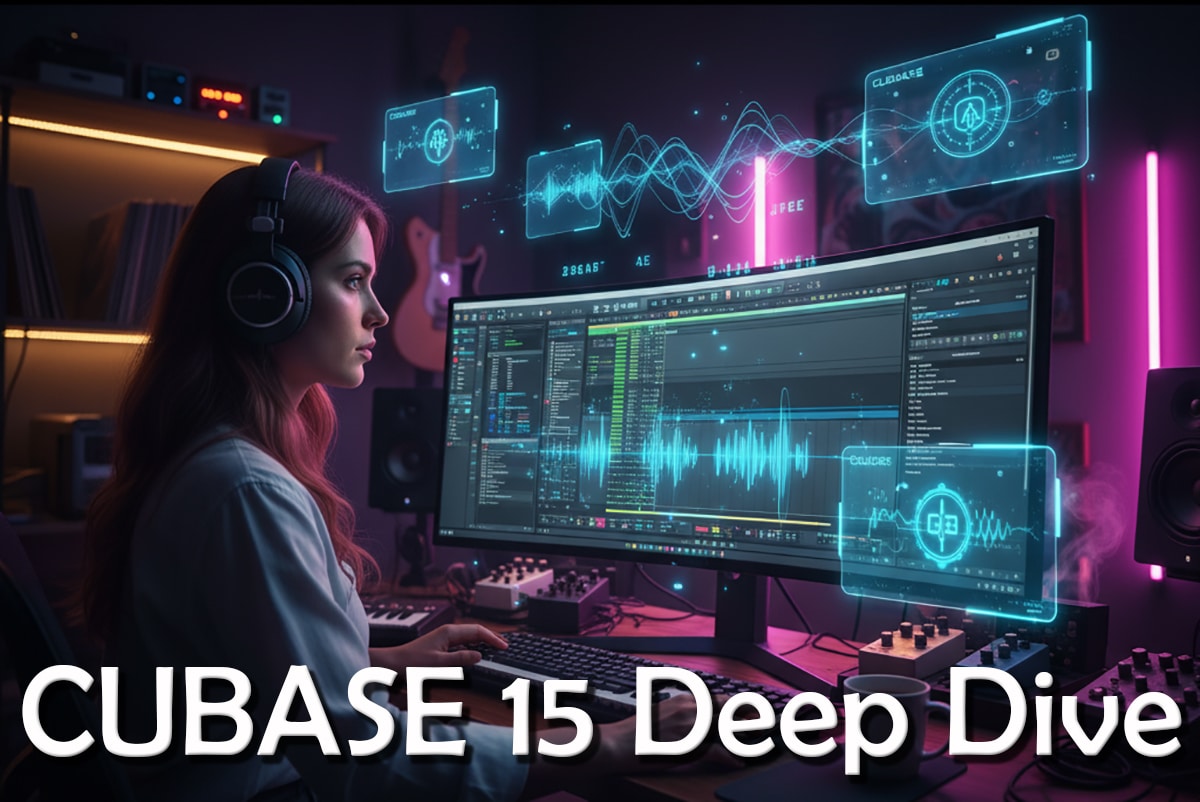
Deep Dive into Cubase 15




Making a Scene Presents a Deep Dive into Cubase 15
Listen to the Podcast Discussion to get more insight into Cubase 15!
Early Days — Where Cubase Began
Picture this: it’s the late 1980s. Computers are clunky, floppy disks are king, and the idea of recording full songs on a computer feels like science fiction. Most musicians are still running tape decks and analog gear, but a few forward-thinkers are experimenting with something new — MIDI sequencing. That’s when a company called Steinberg Media Technologies, based in Hamburg, Germany, releases a piece of software that quietly changes everything. They call it Cubase.
When Cubase first appeared in April 1989 on the Atari ST, it wasn’t about recording live audio or building massive multitrack sessions. It was all about MIDI — programming notes, triggering drum machines, controlling keyboards, and arranging ideas digitally. For its time, that was revolutionary. You could connect your gear, edit your sequences, and actually visualize your music on screen — something that blew minds back then.
As the years rolled on, Steinberg kept pushing forward. In the early 1990s, Cubase made the jump from being just a MIDI sequencer to handling actual audio recording and waveform editing. That was the moment it started transforming into a true digital audio workstation, or DAW. Then, in 1996, Steinberg introduced VST (Virtual Studio Technology) — a format that would change the music industry forever. Suddenly, you could load real-time effects and virtual instruments right inside Cubase. Reverbs, delays, synths — all happening in software. Every major DAW that came after would follow that model.
By the time Cubase SX landed in 2002, Steinberg had completely rewritten the program from the ground up, giving it a modern audio engine and cleaner workflow. From there, things just kept evolving. Over the years, Cubase added advanced MIDI editing, time-stretching, VariAudio pitch correction, scoring tools, VCA faders, complex modulation systems, and powerful mixing consoles. What started as a simple MIDI editor had grown into a professional-grade studio inside your computer.
Today, Cubase stands as one of the most respected names in music production. It’s known for its precision, depth, and flexibility. Sure, it can feel a little intimidating when you first open it — there are menus within menus — but once you get comfortable, you start to realize just how much it can do. It’s the reason so many producers, engineers, and indie artists rely on it to craft everything from demo ideas to finished albums.
So when we talk about Cubase 15, we’re not just talking about another update. We’re talking about the latest chapter in a story that’s been unfolding for more than three decades. It’s a mix of everything that’s made Cubase great — the audio and MIDI workflow, the deep editing tools, the mixing power — combined with something completely new: AI-assisted features that hint at where music production is heading next.
Why Cubase Still Matters for Indie Artists
Now, let’s bring this home to the indie world — because Cubase isn’t just for high-end studios anymore. It’s a tool that fits perfectly into the modern independent artist’s workflow.
For starters, Cubase gives you everything in one place. You can record, edit, mix, master, and even score music without ever leaving the software. The audio engine runs at 64-bit floating-point resolution, which basically means you’re getting pristine sound quality, even when you’re layering tons of tracks.
It’s also incredibly mature software. After decades of development, almost every workflow you can imagine has been thought through. There’s a massive user community, countless tutorials, and thousands of compatible plug-ins and virtual instruments out there. You’re stepping into a well-established ecosystem that’s constantly growing.
And the depth is what makes it really shine. You can use Cubase to simply record a song idea and export it, or you can go full studio-engineer mode with advanced routing, automation, and mastering chains. It scales with you.
Then there’s versatility. Whether you’re writing songs, recording a band, programming beats, or mixing film music, Cubase adapts to how you work. You don’t have to jump between apps — it’s all under one roof.
And because Cubase has been around so long, there’s longevity and collaboration baked in. Most session musicians, engineers, and producers you’ll meet have used it or at least can navigate it, which makes file sharing and collaboration a whole lot easier.
For an indie musician trying to stay in control of their music and career, that combination — power, flexibility, and staying power — is huge. And now, with Cubase 15 diving into the world of AI-assisted tools, things are getting even more exciting. Tasks that used to take hours can now be done in minutes. Creative experiments that used to require third-party plug-ins are built right in. It’s faster, smarter, and more inspiring.
In short, Cubase isn’t just keeping up with the times — it’s shaping the future of how independent artists produce music. And as we dig into what’s new in version 15, you’ll see why this release feels like both a celebration of Cubase’s long legacy and a bold look forward at what’s coming next.
What’s New in Cubase 15: A Deep Dive
Now let’s roll up our sleeves and go deep into the new version—Cubase 15. We’ll focus especially on the AI features, because that’s a big frontier. But we’ll also cover other enhancements: workflow improvements, instruments/plug-ins, modulation, pattern generation, expression maps, audio-to-MIDI, stems, etc. Many of these are incremental, but when added together they change how an indie musician might work.
So yes — this is a major update, not just a bug-fix release.
Big New Features – The AI/Assistive Tools
Because you’re focused on how AI + DAW will empower indie musicians, let’s look carefully at the AI-driven features:
Stem Separation (AI Powered)
One of the standout additions: the ability to perform stem separation on mixed audio. That means you can take a final (or near-final) mix or track and extract components—vocals, drums, bass, etc.—using AI inside Cubase. The article states: “AI-powered stem separation tools… enable the quick extraction of stems from mixed audio.”
Why this matters for indie artists:
-
Remixing: Suppose you get an old recording, or a friend’s track, or you want to rework something. You can isolate vocals or drums for creative reuse.
-
Sampling / Creative reuse: Instead of needing separate tracks, you can pull usable stems from mixed audio.
-
Collaboration: If you’re working with other musicians who only send you a mix, you still have more flexibility to manipulate parts.
-
Repair / Remaster: Maybe you want to re-balance one part in a mix and you don’t have the original session. Stem separation gives you more options than before.
Melodic Pattern Generator
Another major tool: a melodic pattern generator that supports monophonic and polyphonic modes, step input, custom scales, shape generators, deep randomization.
What that allows:
-
Quickly generate melodic or harmonic ideas, leads, bass lines, arpeggios.
-
Indie songwriters can overcome “writer’s block” by getting fresh patterns and then modifying them.
-
With custom scales, you can target unusual or exotic modes/harmonies, which is great for creative indie songs.
-
Step input + shape generators = you can sketch something rapidly, then tweak.
Upgraded Modulators + Automation Shortcuts
In version 14 Cubase introduced a modulation system. In v15, that system is improved: six new modules (random generator, sample & hold, wavefold LFO, etc.).
Also: Automation tools are enhanced—e.g., “last-touched parameter” is prioritized for faster access.
For indie artists, what that means:
-
More creative modulation possibilities without needing external plug-ins. You can automate creatively: e.g., randomize filter cutoff, wave-fold some synthesis parameter, create evolving textures.
-
Workflow speed: Less hunting for the parameter you just tweaked, faster editing.
-
Expressiveness: Modulation adds movement, life to productions; indie artists often create with limited budget/time, so built-in options help.
Expression Maps Revamped & Articulation Attack Compensation
Version 15 introduces “next-generation articulation with a redesigned Expression Maps system” and “pre-articulation attack compensation” to give more realism for VST instruments.
This is especially important for composers, orchestral work, or any track using sampled instruments where you want realistic articulation (e.g., strings, brass, wind) rather than mechanical playback.
For indie artists: Even if you’re not scoring film, you may use virtual instruments for ambient backgrounds, cinematic touches, or textured layers. This makes those parts sound more human, less quantised.
Audio → MIDI Conversion (AI/Assistive)
While not always flagged as pure “AI,” an industry expectation (and in some forum feature lists) is that Cubase will offer an audio-to-MIDI tool: convert monophonic or polyphonic audio to MIDI notes. (Forum speculation: “Audio to MIDI tool: A tool powered by AI that converts audio to MIDI notes accurately.”)
If Cubase 15 includes this or will soon include this, it means: you can take a vocal melody (or guitar riff) and convert it to MIDI to control a synth or instrument. That opens creative reuse, transformation, remixing.
Library/Loop/Media-Bay AI Enhancements
Also from the forums: “Media Bay: Upgraded … with AI tools to simplify library analysis, auto-tagging, filtering, and pitching to a specific note, similar to third-party services like Splice, Loopcloud.”
For indie musicians: managing large collections of loops/samples is time-consuming. If Cubase helps tag/filter/pitch samples automatically, you spend less time digging and more time creating.
Other Notable Workflow & Feature Enhancements
Beyond the headline AI-tools, Cubase 15 brings lots of “small to medium” upgrades which together add up:
-
Pattern bank presets: Included in the melodic pattern generator (bass lines, leads, chords, arpeggios). Plug-in library improvements: The article mentions updated instruments/plug-ins: “The Cubase Drum Machine now features 40 fresh drum kits spanning hip-hop-trap, electronic and more… redesigned Groove Agent SE 6…”
-
Mac full-screen support, compatibility with “DAWproject” exchange standard.
-
Audio engine & format tweaks: In the release notes: e.g., filter option “Show Plug-Ins Used in Active Project.”
-
Enhanced Expression Maps (discussed above) for articulations in VST instruments.
-
Improved UI/workflow: e.g., automation shortcuts, improved modulators, etc.
-
Other fixes and quality-of-life enhancements.
Feature List Summary
Here is a more structured list of many of the new features in Cubase 15 (some AI/assistive, some workflow, some instruments). I’ll list the feature, then a short explanation and significance for indie artists.
| Feature | Explanation | Why it matters for indie artists |
|---|---|---|
| AI-powered Stem Separation | Extract components (vocals, drums, etc) from audio mix automatically. | Helps remixing, re-using older recordings, creative sampling without access to original multitracks. |
| Melodic Pattern Generator (mono & poly) | Generate melodic/harmonic patterns with step input, custom scales, randomization. | Jump-starts songwriting, especially useful when you need ideas fast. |
| Upgraded Modulators + automation tools | New modules: random, sample-&-hold, wavefold LFO; faster last-touched parameter access. | Adds expressive movement to tracks; boosts creativity without third-party tools. |
| Expression Maps revamp + attack compensation | Improved articulation control for instruments. | Better realism for layered or virtual instrumentation; enhances production quality. |
| MediaBay/Loop Library AI enhancements | Auto-tagging, analysis of samples/loops, pitching. | Saves time organising sample libraries; makes inspiration easier to find. |
| Expanded Plug-in/Instrument Content | e.g., 40 new drum kits, Groove Agent SE 6 redesign. | More built-in tools mean less need to spend on extras; good for indie budgets. |
| Workflow/Engine Enhancements | e.g., filter for “Plug-Ins Used in Active Project”. | Improves session clarity, speeds up project management. |
| Compatibility & Standards | Mac fullscreen, exchange standard support, etc. | Good for cross-platform collaboration; future-proofing. |
The AI Story in Context
Let’s talk more about the “AI in the DAW” angle, because that’s especially relevant to your work (indie musicians, decentralized models, new tools).
The arrival of AI-powered features in a major DAW indicates a couple of broader things:
-
Accessibility of advanced processing: Stem separation used to require third-party specialised tools. Now a mainstream DAW is integrating it. For indie artists, that means less reliance on niche tools or spending big.
-
Speed & ideation: Melody/pattern generation is a sign that DAWs are shifting from “tool to make what you already planned” to “tool which also helps you plan”. For indie musicians trying to write more, faster, or stand out, having the DAW generate sketches can spark creativity.
-
Workflow automation: AI tagging of loops, easier filtering, audio→MIDI conversion—all reduce friction. For indie artists who wear many hats (writing, recording, editing, mixing), reducing technical overhead means more time for music and fan engagement.
-
Future positioning: As you often write about decentralized music business, token-gating, DAO models, etc., you can anticipate that DAWs will increasingly provide features that integrate with “smart” workflows: generative audio, algorithmic accompaniment, adaptive mastering, maybe even blockchain integration in future. Cubase 15 gives a peek at that future.
Here’s a short projection: As DAWs adopt more AI features, indie artists might see tools for automatic selection of fan-favorite loops, algorithmic remix generation, dynamic tokenised stems (for NFT ownership of stems), co-creative generation with fans, and so on. Cubase 15 is one step on that path.
Deep Dive: Feature-By-Feature for Indie Musicians
Let’s unpack some of the major features in more detail, with an eye toward how you as an indie artist (or teaching indie artists) could use them.
4.1 Stem Separation: What, How, Use Cases
What it is: Inside Cubase 15, you can select an audio file (or portion) and apply the stem-separation algorithm—a process where the software identifies components (vocals, drums, bass, guitars, etc) and splits them into separate tracks. As reported: “AI stem separation … quick extraction of stems from mixed audio.”
How you’d use it:
-
Suppose you have a stereo mix (someone sent you a WAV). You want the vocal isolated to remix or re-arrange. You run stem separation, get separate stems, bring the vocal into your session, re-arrange around it.
-
You want to sample a drum loop from a full mix. You can extract the drum stem and process it further.
-
You have an old recording, you don’t have multitrack sessions, but you want to re-release or re-mix. Stem separation gives you more flexibility.
-
Collaborative work: A collaborator sends you a part, you separate stems and share just the part you need.
-
Educational: You can study the parts of a professionally mixed track by separating stems and reverse engineer the mix.
Tips & caveats:
-
While AI has improved, it’s not perfect: separation may introduce artefacts, bleed, or phase issues—especially for complex mixes. So treat results as starting point, not final.
-
Quality of input matters: higher bitrate/quality audio will yield better stem separation.
-
Use the separated stems creatively: you might still process/filter them, align timing, adjust phase, etc.
-
Save your separated stems as part of your session with metadata so you know where they came from.
Why this matters: For indie musicians, accessibility to this kind of tool means you no longer need expensive external software or services, which is good when budgets and time are limited. It opens remixing possibilities, repurposing old content, creative sample-reuse, which aligns with your mission around giving indie artists more tools & more control.
Melodic Pattern Generator: Creative Writing-Buddy
What it is: A new tool inside Cubase 15 (Pro & Artist versions) that allows generation of melodic patterns. Supports monophonic and polyphonic modes, step input, custom scales, randomization, shape generation, and comes with pattern bank presets (bass, leads, chords, arps). S
How you’d use it:
-
You’re stuck: you start a session, the creative well is dry. Use the pattern generator to produce a melodic idea, then modify/arrange it.
-
You want to explore a new scale or mode. Set the custom scale (e.g., Phrygian, Dorian, Lydian-#4), generate patterns in that mode, and then craft your song around it.
-
You record a chord progression, but you need a matching lead line or bass line—generate patterns using the same scale, then choose the one you like and tighten it.
-
For ambient or cinematic parts: Use randomization and shape generators to create evolving patterns, then loop, reverse, stretch, resample—turn them into textures.
Tips & caveats:
-
Treat the generator as a starting point, not a finished lead. You’ll still want to humanise, adjust rhythm, dynamics, articulation.
-
Use the custom scale feature to stay in key — very helpful if you’re collaborating with other musicians or using vocalists.
-
Explore the preset bank: it can save time. But don’t rely solely on presets—modify them to keep originality.
-
Remember that patterns are generated: you might want to vary velocity, timing (groove), articulation to make them feel alive.
Why this matters: Indie artists often juggle songwriting, production, marketing, etc. Cannot spend hours just generating ideas. A tool like this shortens the ideation process, helps overcome creative blocks, and lets you focus earlier on arrangement, lyrics, performance, fan growth—areas you emphasize. Also good for educational purposes: teach artists that generative tools can augment creativity rather than replace it.
Modulators & Automation Enhancements
What it is: In Cubase 15 the modulator system (introduced in version 14) is upgraded: six new modules (random generator, sample & hold, wave-fold LFO, etc). New automation shortcuts: the “last touched parameter” appears for quick access; volume & pan can be added directly to Track Controls area.
How you’d use it:
-
Sound design: Suppose you have a pad or synth and you want evolving movement on filter cutoff or oscillator pitch. Use one of the new modulators to drive the parameter—e.g., sample & hold for random jumps, wave-fold LFO for complex shape.
-
Tempo-synced effects: Use modulation to swing effects like delay, reverb send, filter modulation for rhythmic textures.
-
Automation speed: You just tweaked a parameter during playback—use the “last touched” shortcut to open automation instantly. Saves time.
-
Track controls: Instead of diving into menus to add volume/pan automation, add them directly to the Track Controls area for quick access.
Tips & caveats:
-
Over-modulation can be distracting: make sure modulation serves the musical idea, not just “hey it moves”.
-
Use dotted-time or synced LFOs when you need rhythmic modulation; use random or sample & hold for generative/ambient movement.
-
For vocals or guitars, subtle modulation (e.g., slight pitch, slight filter sweeps) can bring life; major modulation may distract from the performance.
-
Use automation clearing/cleanup—when you’re done, tidy up your automation lanes so your session remains manageable (especially important in indie workflows where you might self-mix).
Why this matters: More creative tools built-into the DAW means less need for external plugins or extra purchasing. For indie producers working solo, this is a productivity win. Also ties into your theme of empowerment: giving artists more tools inside their main workflow reduces barrier to high-level production quality.
Expression Maps & Articulation Workflow
What it is: Cubase 15 enhances Expression Maps (a way to manage articulations/instrument articulations for VST instruments) and adds “pre-articulation attack compensation” for greater realism.
How you’d use it:
-
If you’re using a virtual orchestral library (strings, brass), you can map articulations (legato, staccato, spiccato, etc) more easily. With pre-attack compensation, transitions feel more natural.
-
If you’re working on hybrid/ambient tracks with sampled instruments and layering, you can craft realistic instrument performances without needing a live player.
-
For indie songwriters who may not have access to live session players, this makes virtual players more convincing.
Tips & caveats:
-
Even with great tools, humanisation still helps: vary velocity, timing, increase subtle performance variations.
-
Make sure to check for latency or CPU load when using heavy libraries; sometimes articulation mapping increases resource usage.
-
If you’re not using orchestral libraries, you might not feel this feature directly—but knowing it’s improved matters for future productions or collaborations.
Why this matters: For indie artists, writing, recording, and producing on a budget is the norm. Better built-in virtual instrument handling reduces dependence on hiring session players or spending large amounts on third-party articulation systems. It aligns with your goal of giving indie artists powerful tools so they can make at-home high-quality productions.
MediaBay, Libraries, Sample/Loop Management
What it is: According to forum posts and early feature-lists, Cubase’s MediaBay (library browser) will receive AI-tools: automatic tagging, analysis, ability to filter and pitch loops to specific notes.
How you’d use it:
-
You have a large sample/loop library: you search for “drum loop around 120 bpm, trap-hi-hat feel”. The MediaBay helps you find loops that match via tags and pitch filters.
-
You bring in a loop, want it pitched to a specific key (your song is in F # minor): the system filters loops that match or can be pitched.
-
You want to categorize your own recordings and edits: use the tagging to speed up later search.
-
For teaching artists: you can show how good sample organisation and search speeds up workflow and keeps the creative flow.
Tips & caveats:
-
Automatic tagging may mis-tag: after import, check tags and correct mis-matches.
-
Pitching loops can introduce artefacts; always check before using loops in a final mix.
-
Organize your own naming/metadata system so future self finds stuff easily.
Why this matters: Time is one of the biggest constraints for indie artists. The less time you spend hunting for a loop, the more you spend writing, arranging, connecting, marketing. This kind of speed tool is well aligned with your focus on empowering indie musicians.
Expanded Plug-In / Instrument Content
What it is: The release includes enhancements to instruments and kits. For example: “The Cubase Drum Machine now features 40 fresh drum kits … Groove Agent SE 6 redesigned…” Also pattern bank presets are included.
How you’d use it:
-
You start a track in hip-hop/trap style: open the Drum Machine, select one of the 40 fresh kits, start composing drums quickly.
-
You use a vintage-synth lead: Writing Room Synths collection provides ready-to-use vintage synth recreations.
-
You want to quickly sketch a song: using built-in content reduces setup time and spending.
-
Teaching context: You can show artists how to use bundled content effectively before purchasing large external libraries.
Tips & caveats:
-
Bundled content can be great—but if you rely only on it, your sound risks being generic. Use it as base, modify it to your signature.
-
Check CPU/memory load when loading big instruments—some older laptops may struggle.
-
Use the kits as starting points; then tweak parameters (velocity, pitch, effects) to fit your arrangement.
Why this matters: Budget matters. Many indie artists cannot spend big on sample packs or instrument plugins. Bundled high-quality content means the DAW gives you more “out of the box” power. That supports your advocacy of enabling sustainable indie workflows.
Workflow, Engine & Project Management Enhancements
What it is: Smaller but meaningful updates: e.g., from the Release Notes: new filter “Show Plug-Ins Used in Active Project”. Also compatibility enhancements (Mac fullscreen, DAWproject standard).
How you’d use it:
-
Before exporting, you check your session: you can filter to “only plug-ins used” to clean up unnecessary ones or check for CPU hogs.
-
Full-screen Mac support helps when you’re working on a laptop and want distraction-free view.
-
Projects become more portable: if you exchange projects with collaborators on different platforms/settings, DAWproject support helps.
Tips & caveats:
-
Regularly clean up sessions: remove unused tracks/instruments, archive old versions. A DAW update helps with management but good habits still matter.
-
When collaborating, always freeze or consolidate heavy tracks to prevent performance issues on less powerful machines.
-
Make backups. Even though workflow improves, data loss remains a big risk for indie musicians operating solo—always have external backup.
Why this matters: Workflow optimisation means you spend less time wrestling software and more time making music or building fan relationships—which aligns with your emphasis on empowering indie artists with efficient, professional workflows.
Putting It All Together: A Day in the Life of an Indie Artist with Cubase 15
Let’s illustrate how an indie musician might use Cubase 15 in a real-life scenario. This helps turn the features into action, showing how the technology supports creative and business goals.
Morning: Songwriting + Idea Generation
-
You open Cubase 15 and launch the melodic pattern generator. You select polyphonic mode, choose a custom scale in Dorian mode, hit “Generate”. You get a chord/arpeggio pattern you like.
-
You decide to use one of the new drum-kits in the Drum Machine with a trap-hi-hat feel. You load a kit from the 40 fresh drum kits.
-
You quickly sketch a loop: drum pattern + generated melody. You save it as “Idea_-_Dorian_loop”.
Mid-day: Recording + Sampling Old Material
-
You remember you have an old stereo mix of a song you recorded in 2018. You import it into Cubase 15.
-
You use the new stem-separation tool to extract the vocal and drums stems. You isolate the vocal and decide to reuse it as a hook for a new version.
-
You drag the vocal stem into your project, adjust tempo/key as needed, using the library/loop tagging system to find a complementary bass line quickly.
Afternoon: Production + Sound Design
-
You pick a virtual instrument for a pad and use the upgraded Expression Maps to map articulations for a string section. You use pre-attack compensation so when the pad transitions to lead, it flows naturally.
-
You decide you want evolving filter movement on the pad, so you assign a new modulator: a wave-fold LFO from Cubase 15’s new modulators. You set it to slow cycle, subtle effect.
-
You automate volume and pan using the Track Controls area shortcut (added in v15) instead of diving menus—saving time.
Evening: Mixing + Export
-
You finish the arrangement, move to mixing. You use the “filter: show plug-ins used in active project” to check that you’re not using any unused or CPU-heavy plug-ins.
-
You make sure all tracks are named/labeled properly (good for future remixing, especially since you separated stems earlier).
-
You export stems for the track (vocal, drums, bass, pad, etc) so you can upload them to your token-gated fan-platform or archive them for future remix contests.
-
You back up the entire project (settings, presets, hotkeys) as recommended—this year Cubase increasingly supports single-click backup export of settings. (Forum suggestion for version 15: “Easy total backup: A one-click solution to prepare and export all settings, presets, hotkeys, and paths into a single file.”)
Reflection: Benefits and Constraints
From this day: you benefitted from AI tools (pattern generator, stem separation), workflow improvements (modulators, shortcuts), built-in content (drum kits, virtual instruments), management tools (plug-in filter). You achieved a credible production with relatively fast turnaround.
But you also stayed engaged with creative choices: you picked which patterns to keep, you customized modulation, you recorded your vocals/guitars, you mixed and exported. The tool augmented you—it didn’t replace you. That balance is key for indie artists—empowerment, not automation takeover.
How Cubase 15 Reflects Broader Trends & What Comes Next
Given your interest in how blockchain, DAOs, AI and decentralized models are reshaping music, it’s worth stepping back and seeing how Cubase 15 fits into larger shifts—and what the “what’s next” might be.
Trend: AI Moves Into the DAW
Until recently, many “AI” music tools were separate: specialised software, cloud services, plug-ins. With Cubase 15 we see a major DAW integrating them natively (stem separation, pattern generation, library tagging). This means AI is becoming part of the core production environment.
For indie artists this means fewer barrier-tools: you won’t have to hop between dozens of apps; your DAW is becoming smarter. This supports your argument that independent musicians can level the playing field with major-label studios by leveraging these integrated tools.
Trend: Speed + Ideation = Competitive Edge
As music production becomes easier and more accessible, the differentiator is idea speed and originality. The pattern generator, sample-loop tagging, quick modulation workflows all serve that speed. For indie artists, that means you can generate more ideas, release more often, experiment, iterate. Your message about “music industry middle class” fits: indie artists using these tools can build sustainable output without huge budgets.
Trend: Ownership, Remixing, Re-use
Stem separation opens remixing, sampling, repurposing old assets. This dovetails with decentralized music business: you could release stems as NFTs, invite fan remixes, create DAO-governed remix competitions, token-gate remix packs. The technology in Cubase 15 allows artists to extract assets and re-use them, increasing monetization pathways and fan engagement.
Trend: Workflow Integration + Portability
Cubase 15’s support of standards (DAWproject), improved backup, easier library management all signal workflow maturity. For indie artists who may work on multiple machines, collaborate remotely, or part-time, these features matter. Combined with your focus on decentralized tools and fan engagement platforms, the DAW becomes a hub in the ecosystem.
What Might Come Next?
Given the direction of Cubase 15 and broader industry, here are some predictions (which you might incorporate in your book/article):
-
Generative songwriting co-pilot: A DAW might in the future propose chord progressions, lyrics, melodies, then you pick/modify, and the DAW suggests production elements (drum groove, bassline) and then you export stems/tokenise them.
-
Smart mastering + distribution integration: Native AI mastering inside DAW + direct upload/distribution to decentralized platforms (web3).
-
Fan-collaboration modules: Real-time co-creation inside the DAW with fans or token-holders; maybe modular track parts that fans can remix inside their own Cubase copies.
-
Blockchain-verified stems/assets: When you export stems, metadata auto-links to token ownership/licensing; your DAW could embed smart-contract metadata.
-
Adaptive mixing/analytics: The DAW might suggest mix changes based on streaming trend data, genre-specific standards, or fan-behavior metrics (your article theme “data to dollars” touches this).
-
Cross-DAW/Platform interoperability: Enhanced standards so you can move projects between DAWs, blockchain-based lock-in minimised.
Cubase 15 doesn’t yet include all of these, but its feature set is a foundational step. For your audience (indie artists), this means: “get aligned now, learn the tools, build workflows that incorporate these capabilities early, so you’re ready for wave 2 of AI + decentralized music production.”
What Are the Limitations? What to Watch Out For
No software is perfect, and indie artists must navigate trade-offs. Let’s outline some things to be aware of in Cubase 15.
-
Learning curve: Cubase has many features and power. For a musician with less engineering background, the depth can be daunting. The new features add complexity. So you’ll still need to learn, practice, perhaps watch tutorials.
-
Hardware demands: AI features (stem separation, pattern generation, etc) may require more CPU/RAM. If you’re using a modest laptop, you might hit limits.
-
AI isn’t magic: Stem separation may be good, but not perfect. Melody generators are ideas, still need your human input. Don’t expect “set it and forget it”.
-
Originality risk: When many use the same built-in presets and kits, there’s risk of sounding generic. It’s important for indie artists to customise and inject personal style.
-
Cost & Versions: Cubase versions vary (Pro, Artist, Elements) and not all features may be in lower tiers. Make sure you check edition differences (via Steinberg comparison) before investing.
-
Workflow vs creativity tension: Faster tools can encourage speed—but you still need to ensure the musical/artistic quality, storytelling, fan connection remains central. Your advocacy (indie control, transparency, community) reminds us that tools serve values, not vice-versa.
Recommendation & Verdict for Indie Musicians
After going through all this, what’s the verdict?
Who Should Consider Upgrading/Buying Cubase 15?
-
If you’re already using Cubase (v12, v13, v14) and you want to tap into the new AI features (stem separation, pattern generation, modulators) then upgrading makes sense.
-
If you’re an indie artist who handles most of your songwriting, production, mixing, and want a DAW that gives you high-end tools plus future-proof features, Cubase 15 is a compelling choice.
-
If you’re teaching indie artists, building a studio workflow, or creating course content: learning the new features gives you a talking point and value.
-
If you collaborate often, work remotely, exchange sessions, or remix old tracks: the stem separation and workflow improvements matter a lot.
Who Might Wait or Consider Alternatives?
-
If your hardware is very old or modest and may struggle with new features—check system requirements.
-
If you’re new to DAWs and prefer something simpler/leaner: there might be lower-complexity options.
-
If your workflow is locked into another DAW and switching cost is high, you might wait until a key project demands one of the new features.
-
If you focus mainly on live recording and minimal production editing, some of the AI features might be less immediately useful.
Value for Money & Indie-Friendly Aspects
-
The bundled content (drum kits, instrument updates) means less external spend.
-
Built-in AI-tools reduce need for third-party services.
-
Workflow improvements save time—which is money for indie artists who may be self-funded.
-
The future-proofing element means you’re investing in a tool that will stay relevant for the next few years, which is important for building a sustainable “music business middle class”.
Final Verdict
Cubase 15 is a strong step forward. It balances continuity (you get the trusted Cubase engine, mixer, instruments) with innovation (AI stem separation, pattern generator, modulation enhancements). For indie musicians who want serious production capabilities and are willing to learn and invest, it’s an excellent choice.
Because you are working on empowering independent artists, my advice is: start adopting these features in your educational content. Show artists how to integrate them into their workflow, not just technically, but strategically: how to turn faster workflows and creative tools into fan-growth, tokenization, remix culture, and revenue generation. Cubase 15 is more than a software update—it’s a signal of the next era of music production for indie artists.
How to Get Started with Cubase 15 (Practical Steps for Indie Artists)
Here are some actionable steps you can share with indie artists (or do yourself) to make the most of Cubase 15.
-
Check your system: Ensure your computer meets the system requirements for v15. Update OS, drivers, audio interface firmware.
-
Install/Upgrade: If you’re upgrading, backup your current projects/settings. Use Cubase’s backup features.
-
Explore the new features:
-
Load the pattern generator and experiment with custom scales and randomization.
-
Import an old stereo mix and try stem-separation: examine the stems, experiment.
-
Load the new Drum Machine kit, play with built-in content.
-
Experiment with the new modulators: pick a synth or pad, assign a sample-&-hold modulator, listen.
-
Check MediaBay: import a loop library, let the tagging/pitch functions help you filter loops.
-
-
Build a new project template: Create a session template that uses the new features you’ll use most often, so next time you open Cubase you’re ready.
-
Set a workflow habit: For example:
-
First 30 minutes: idea generation (pattern generator + drum kit).
-
Next 30: import audio or record your own performance.
-
Next: production & sound design (modulators, articulation maps).
-
Final: mix cleanup (plug-in used filter, stem export).
-
-
Create fan-engagement assets: Because you can now export stems more easily, think: “I’ll export vocal + drum stems and offer a fan remix pack or token-gated stem pack”.
-
Teach/Share: If you’re teaching other indie artists, film or write tutorials that focus on how (not just what) these features help you finish more songs, reduce friction, and connect with fans.
-
Archive & version-control: Because your production matters over time, set up external backups (cloud/hard-drive) and use naming conventions. The easier workflow in v15 helps you keep things tidy.
-
Stay curious: The AI/assistive features are new; keep watching for updates, third-party tutorials, community best practices. The more you explore, the more you’ll leverage them fully.
Conclusion
To wrap it up: Cubase 15 represents a meaningful evolution in the DAW world. It honors the long legacy of Cubase—from the first MIDI sequencer to today’s full-sized production environment—while embracing the future of AI-assisted creativity. For independent musicians, especially those who are self-producing, collaborating remotely, releasing music on their own terms, and engaging fans directly, these tools matter.
The big idea: Tools alone don’t make great artists—but great tools empower artists to do more, faster, better. And when those tools include AI, smart workflows, built-in content, the barrier to professional-level output goes down—and the opportunity for creative and business innovation goes up.
As you continue your work—whether writing, teaching, empowering indie musicians—Cubase 15 is a live example of where music production is heading. Use it as a case study: how a legacy DAW adapts to the decentralised, AI-augmented music business, how indie musicians can exploit the new era, how new workflows open new monetisation and engagement strategies.
Cubase 14 vs. Cubase 15 — What actually changed
| Area | Cubase 14 | Cubase 15 | Why it matters |
|---|---|---|---|
| Release timing | 2024–2025 cycle (14.0 → 14.0.20 etc.). | Released November 2025. | Confirms this is the current flagship with active development and fixes ahead. |
| Big picture | Introduced the Modulators system; numerous workflow tweaks (Score/Pattern Editor, Audio Export, Event Volume curves); Windows-on-ARM support in 14.0.20. | Pushes assistive/AI and composition features: AI stem separation, Melodic Pattern Sequencer, updated Modulators, Expression Maps overhaul, DAWproject improvements, proper Mac fullscreen, and a batch of plug-in/content updates. | 14 laid the groundwork (modulation + workflow). 15 doubles down on idea generation, faster editing, and portability/collab. |
| AI / Assistive tools | N/A (no native stems/AI generators). | AI Stem Separation to pull vocals/drums/bass/etc. from a stereo mix. | Huge for remixes, re-releases, sampling, and cleaning up old projects when you don’t have multitracks. |
| Idea generation | Pattern Editor refinements; no native melodic generator. | Melodic Pattern Sequencer (mono/poly), scales, step input, randomize, shape tools; preset pattern banks. | Gets you out of writer’s block fast; great for quick hooks/bass lines/arps you can humanize later. |
| Modulators | Introduced in v14 with parameter-agnostic modulation across tracks/channels. | Expanded Modulators (e.g., random/S&H/wavefold LFO, better hookup), plus nicer automation access to last-touched parameter. | More movement without buying third-party tools; quicker automation setup. |
| Expression Maps / Articulations | Existing system; functional but older UI/flow. | Redesigned Expression Maps with deeper Key Editor integration and pre-articulation attack compensation. | More realistic performances with sampled instruments; faster articulation switching. |
| Library / MediaBay | Traditional tagging/browsing. | Early cycle talking points highlight smarter tagging/filtering/pitching; Steinberg’s new-features page emphasizes faster inspiration workflows. | Less time digging through loops/samples; more time creating. (Expect this to evolve during 15.x.) |
| Plug-ins / Instruments | Regular set; 14.0.x brought editor/Pattern/Drum Machine sync/layout improvements. | Refreshed bundled content (e.g., new drum kits, plug-in/library tweaks), plus workflow polish in the Hub/startup and automation. | More usable sounds out of the box; nicer first-run experience. |
| Inter-DAW interchange | DAWproject was present but rough in early 14.x for some users. | DAWproject elevated and called out alongside full-screen Mac and other collab niceties. | Easier hand-off with Bitwig/Studio One/Reaper users; better for remote collabs. |
| Editions & price (USD) | Pro/Artist/Elements; typical Steinberg pricing tiers. | Pro $579.99, Artist $329.00, Elements $99.99; upgrades/crossgrades available; grace-period updates from Oct 8, 2025. | Clear path to pick a tier (and upgrade later) based on needs/budget. |
The Upgrade Justification Guide (Indie-artist friendly)
Upgrade to Cubase 15 if you want native AI stems, fast melodic sketching, smoother articulations, and cleaner automation/workflow. Stick with 14 if your machine is borderline or your current projects don’t benefit from those headline changes.
Who should upgrade right now
Remixers, re-issuers, and content creators
-
You have old stereo mixes or only two-track beats and need vocal/drum/bass extraction in-DAW for remixes, edits, or live sets. The AI Stem Separation alone can pay for the upgrade in time saved and creative doors opened.
Songwriters who value speed
-
You hit blocks and want a trustworthy idea buddy. The Melodic Pattern Sequencer feeds you usable lines in your chosen scale (mono or poly) so you can keep momentum and then humanize.
Composers / hybrid producers using virtual instruments
-
The Expression Maps revamp + pre-attack compensation make library instruments feel more alive with less fuss. Great for cinematic pads, strings, and detailed articulation work.
Sound designers / electronic producers
-
Expanded Modulators and better automation shortcuts mean more motion and fewer menu dives. If you loved what 14 started, 15 is the “now it’s really fun” release.
Remote collaborators
-
DAWproject improvements and Mac fullscreen quality-of-life upgrades smooth cross-DAW exchanges and laptop workflows.
Who might wait
Stable studio rigs mid-album
-
If you’re mid-cycle on a tight deadline and 14 is rock solid, finish first, then move. (You can still test 15 on a clone drive or second machine.)
Ultra-lean laptops
-
AI stems and dense modulation can spike CPU/RAM. Check the 15 trial on your rig first and watch load on your largest project. (Pricing/editions if you’re considering a secondary Elements/Artist license: see Steinberg’s compare page.)
Edition pick (quick guidance)
-
Pro: You want the full feature set (stems, full Expression Maps editing, deep mix tools) and plan to collaborate widely. Price: $579.99. The Upgrade price from Cubase 14 Pro is $99!
-
Artist: You’re writing/producing regularly and want the Melodic Pattern Sequencer and strong mixing features without every post-pro tool. Price: $329.00.
-
Elements: You need a budget entry into the ecosystem; check the features list carefully before assuming stems/advanced articulation are included. Price: $99.99.
(Grace-period upgrades and crossgrades are active for recent 14 activations; cite this when advising students/artists.)
Practical upgrade checklist
-
Back up 14 projects and preferences.
Export user presets, key commands, and make a clone of your content drive. (Use Steinberg’s release-notes links to spot any gotchas before migrating.) -
Install 15 alongside 14 (if your workflow allows).
Open a copy of a heavy project in 15. Check CPU, instruments, and any plug-ins you rely on. -
Test the headliners on your own material.
-
Run AI stem separation on a real two-track you care about.
-
Build a beat with the Melodic Pattern Sequencer locked to your preferred scale.
-
Map a string part with Expression Maps and try pre-attack compensation for realism.
-
Kick the tires on collaboration.
Exchange a small session with a Studio One/Bitwig/Reaper collaborator via DAWproject and note any translation quirks (still improving vs. 14).
-
Decide on the edition and lock in pricing.
Use the official Compare Editions page to avoid over- or under-buying.
Talking points for your article/newsletter
-
“Cubase 15 brings native AI inside a legacy DAW: stems for remixes and a pattern engine for fast ideas. This is the shape of DAWs to come.”
-
“Expression Maps finally feel modern and tightly integrated with the Key Editor — less programming, more playing.”
-
“DAWproject is getting real — better interchange means more painless collabs across DAWs.” (Note: still not perfect, but improved over early 14 reports.)
Bottom line
If your work touches remixing, rapid songwriting, sample-driven production, or library-based arranging, Cubase 15 is an easy recommendation over 14. If you’re deep in a stable 14 album mix and don’t need stems or the melodic sequencer yet, you can wait — but pencil in the upgrade when you’re between projects.
 |  Spotify |  Deezer |  Breaker |
 Pocket Cast |  Radio Public |  Stitcher |  TuneIn |
 IHeart Radio |  Mixcloud |  PlayerFM |  Amazon |
 Jiosaavn |  Gaana |  Vurbl |  Audius |
 Reason.Fm | |||
Find our Podcasts on these outlets
Buy Us a Cup of Coffee!
Join the movement in supporting Making a Scene, the premier independent resource for both emerging musicians and the dedicated fans who champion them.
We showcase this vibrant community that celebrates the raw talent and creative spirit driving the music industry forward. From insightful articles and in-depth interviews to exclusive content and insider tips, Making a Scene empowers artists to thrive and fans to discover their next favorite sound.
Together, let’s amplify the voices of independent musicians and forge unforgettable connections through the power of music
Make a one-time donation
Make a monthly donation
Make a yearly donation
Buy us a cup of Coffee!
Or enter a custom amount
Your contribution is appreciated.
Your contribution is appreciated.
Your contribution is appreciated.
DonateDonate monthlyDonate yearlyYou can donate directly through Paypal!
Subscribe to Our Newsletter
Order the New Book From Making a Scene
Breaking Chains – Navigating the Decentralized Music Industry
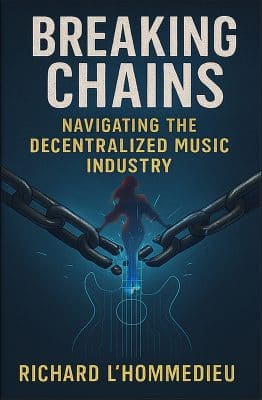
Breaking Chains is a groundbreaking guide for independent musicians ready to take control of their careers in the rapidly evolving world of decentralized music. From blockchain-powered royalties to NFTs, DAOs, and smart contracts, this book breaks down complex Web3 concepts into practical strategies that help artists earn more, connect directly with fans, and retain creative freedom. With real-world examples, platform recommendations, and step-by-step guidance, it empowers musicians to bypass traditional gatekeepers and build sustainable careers on their own terms.
More than just a tech manual, Breaking Chains explores the bigger picture—how decentralization can rebuild the music industry’s middle class, strengthen local economies, and transform fans into stakeholders in an artist’s journey. Whether you’re an emerging musician, a veteran indie artist, or a curious fan of the next music revolution, this book is your roadmap to the future of fair, transparent, and community-driven music.
Get your Limited Edition Signed and Numbered (Only 50 copies Available) Free Shipping Included
Share this:
- Share on Pinterest (Opens in new window) Pinterest
- Email a link to a friend (Opens in new window) Email
- Share on X (Opens in new window) X
- Share on LinkedIn (Opens in new window) LinkedIn
- Share on Facebook (Opens in new window) Facebook
- Share on Tumblr (Opens in new window) Tumblr
- Share on Reddit (Opens in new window) Reddit
- Share on Telegram (Opens in new window) Telegram
- Print (Opens in new window) Print
- Share on WhatsApp (Opens in new window) WhatsApp
- Share on Mastodon (Opens in new window) Mastodon
Related
Discover more from Making A Scene!
Subscribe to get the latest posts sent to your email.


