

Neutron 5: A Friendly, Deep Dive Review For Real-World Mixing




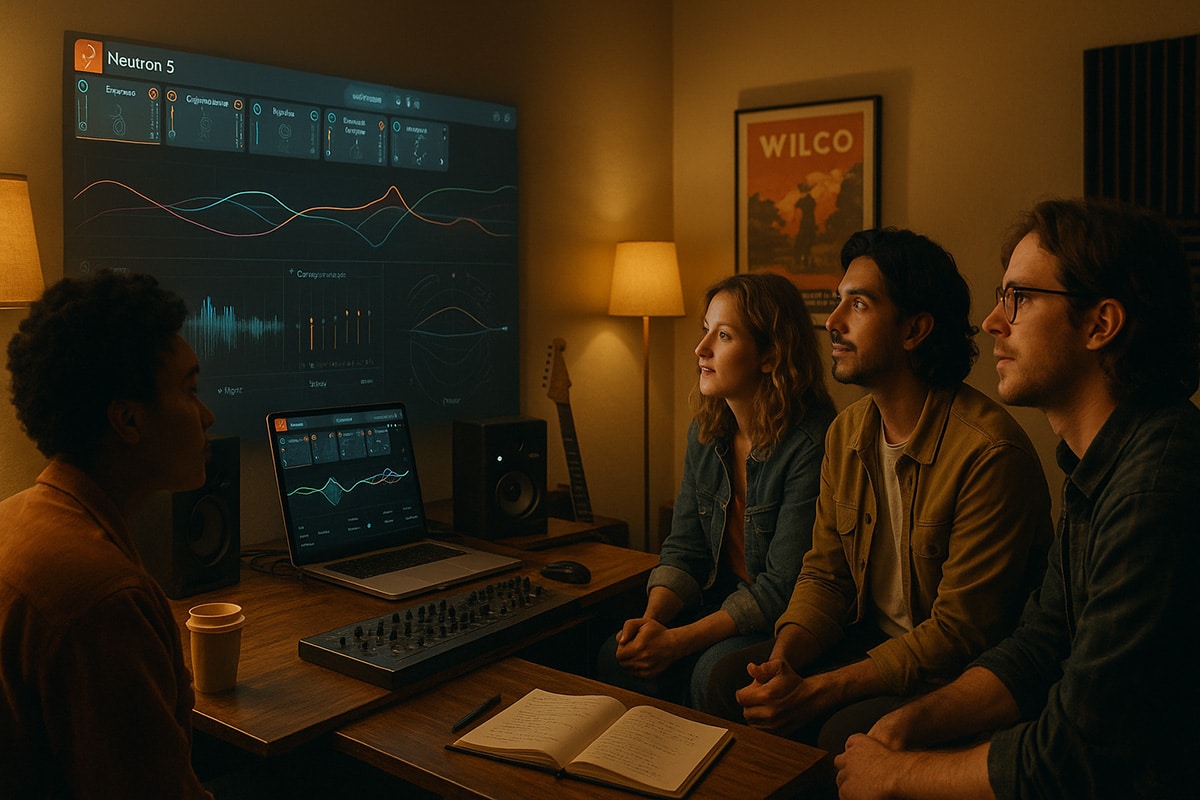
Making a Scene Presents – Neutron 5: A Deep Dive Review For Real-World Mixing
Listen to the Podcast discussion to get more Insight into Izotopes Neutron 5!
If you make music at home or in a small studio, you already know the hardest part usually isn’t the songwriting. It’s the mix. Tracks pile up. Levels fight. Vocals hide behind guitars. Drums either feel weak or way too loud. That’s where iZotope’s Neutron 5 steps in. Think of it like a modern, all-in-one mixing toolkit that combines powerful modules with smart, AI-assisted workflows. You can drop it on individual tracks, stack the modules you need in any order, and even let it listen to your song so it can give you an honest first pass at balance and tone. You still make the creative calls, but it gets you to a clean starting point fast.
Let’s walk through what Neutron 5 actually is, what each module does, and how to apply those tools to real tracks. Then we’ll dig into the AI features, the Target Library for reference matching, and the Relay and Visual Mixer workflow that helps you build an initial mix without chasing faders all day. By the end, you’ll know exactly how to use Neutron 5 to get a strong rough mix and how to refine it into something release-ready.
What Neutron 5 Actually Is
Neutron 5 is a “mothership” plug-in that hosts multiple mix modules inside one window. You can load only what you need, arrange the order however you want, and save chains per track. If you don’t want the whole mothership, you can also use each module as a separate plug-in. In practice, that means you can build a chain like Gate into EQ into Transient Shaper into Compressor into Sculptor into Exciter into Clipper, or something simpler if the part doesn’t need much. The software also connects to companion tools like Relay and the Visual Mixer so your tracks can “talk” to each other for balancing and unmasking. It’s modern, it’s deep, and it’s designed to be fast.
Now let’s tour the modules and talk about how you’d actually use them on real parts.
The Modules, In Plain Language
Start with the Gate when you’ve got noise or bleed you don’t want. On a snare top mic that picks up loud hats and cymbals between hits, set the gate to open only when the snare actually sounds. On a guitar amp track with a hissy pause between chords, a light gate will keep the silence actually silent. You don’t have to smash it shut; slow the release so it feels natural and musical.
The EQ is your everyday tone shaper. On vocals, roll off low junk to clear the mud, trim any harsh bite in the upper mids, and add a little air if the singer needs shine. On electric guitars, scoop a bit of low-mid buildup so they don’t cloud the bass and kick. On pianos or synths, carve out the space where the vocal is supposed to sit so the singer stays in front. Neutron’s EQ can work in Mid/Side if you want to treat the center differently than the sides, and it can operate in clever modes like transient vs sustain so you can shape the initial hit differently from the ring-out.
Compression is where you level out dynamics. Neutron lets you run two compressors in one chain, which is handy because gentle serial compression often sounds smoother than one heavy pass. On bass, try a slow attack and medium release to keep the front of each note alive and the tail controlled. On vocals, a first compressor can ride the performance lightly, while a second one reins in the peaks the singer throws when they get excited. The idea is to keep things consistent without sucking the life out of the part.
Exciter adds harmonics and character. On vocal tracks, a tiny bit of tasteful saturation can make the voice feel closer to the listener, like you can almost touch it. On guitars or keyboards, a touch of excitement brightens the sound without just turning up the treble. You can run it in multiband, which means you can warm the lows while keeping the highs clean, or the other way around if you want more bite up top.
Transient Shaper is for sculpting the attack and sustain of a sound. On drums, add attack to kicks and snares if you want them to punch through the mix, or reduce sustain if the room ring is getting messy. On pianos or acoustic guitars, add a dose of sustain if you want more body and bloom, or trim it if things are smearing together in busy sections. Because it can be multiband, you might tighten the low end of a tom while letting the top ring naturally.
Sculptor is the “smart” tone smoother. Choose a target type, like vocal, guitar, or drums, and it nudges the spectrum of your track toward a balanced curve for that instrument. You’re still in control of how hard it pushes, but it’s a great way to bring a sound into a familiar, mix-friendly pocket without manually EQ-ing every single bump.
Unmask helps when two parts fight for the same space. Imagine a dense rhythm guitar competing with a wide synth pad in the same midrange. If you put Unmask on the pad and sidechain it to the guitar, the pad gently gets out of the way when the guitar is active. The result is clarity without harsh EQ cuts. It’s like crowd control for your frequencies so your main idea stays audible.
Density is upward compression that brings up quieter details instead of shoving peaks down. On background vocals, it keeps whispers and soft syllables present so stacks feel consistent. On room mics or ambient mics, it pulls subtle details into the light so your mix feels full, even at lower playback volumes.
Clipper adds controlled edge and loudness without the harsh artifacts of hard clipping. On a drum bus, a touch of soft clipping gives weight and excitement without destroying transients. On aggressive guitars or parallel buses, it can deliver that modern density that helps your mix feel loud and confident before any mastering.
Phase is your fixer when multiple mics or layered sources cancel each other out. You can rotate phase and line things up so overheads and close mics work together instead of fighting. If your stereo image is collapsing or your low end feels thin when two similar tracks play together, check phase and timing. A tiny nudge can bring the body back instantly.
One more thing worth mentioning is Neutron’s Delta listening. This lets you hear only what the module is changing, which is a great reality check. If you flip Delta on and you hear a bunch of fizz or weird scoops, you know you’re doing too much. If you hear clean, helpful moves, you’re probably on the right track.
Putting Modules On Real Tracks
Let’s say you’re working on a vocal. You might start with a high-pass in the EQ to remove rumble. If there’s room or headphone bleed between phrases, use a gentle gate to clean up the spaces. If the first consonants are getting lost, add a hint of transient attack or a quick compressor with a slower attack to let that front edge through. Use a main compressor to even out the body of the performance, then maybe Density to bring up those softer syllables so every word is easy to understand. If the tone needs help, try Sculptor on a vocal target at a modest amount. Add just a little Exciter to give it intimacy and polish. If it’s sitting behind guitars, use Unmask to carve a lane through the midrange so the voice tells the story. Save the Clipper for buses or more aggressive genres; many lead vocals won’t need it unless you’re after a gritty vibe.
On drums, start with the snare. Clean up with Gate if bleed is a problem. Shape the crack with Transient Shaper. Use the EQ to get rid of boxiness and add a touch of top for snap. Compress to keep hits consistent, and maybe add a hint of Exciter for presence. If phase between the snare top and bottom mics feels off, use the Phase module to correct it until the drum sounds bigger instead of thinner. On drum bus, a little Clipper can lock the kit together.
On bass, compression is king for steadiness. Use the EQ to tame mud and bring out the note. If your low end is disappearing when the kick hits, Unmask the bass with the kick as the sidechain so the two don’t trample each other. A tiny bit of Exciter helps bass speak on smaller speakers without just turning it up.
Guitars and keys often pile up in the same midrange. This is where Sculptor and Unmask really shine. Use Sculptor to tuck the guitar into a balanced shape, then Unmask it against the vocal so the words remain clear. If the guitar attacks are too pokey, trim a little attack with Transient Shaper. If the keys feel dull, wake them up with a touch of Exciter in the top band.
You get the idea. You’re not forced to use every module. Pick what solves the problem in front of you, and remember to keep checking in context. If it sounds great soloed but breaks the song when everything’s playing, adjust.
How The AI “Assistant” Actually Helps
Neutron 5 has an Assistant View that listens to your track and suggests a reasonable starting chain. You tell it what kind of source it is—like a vocal, a guitar, or drums—and then you let it analyze a bit of the audio. When it’s done, it builds a signal chain, sets some initial parameters, and gives you simple macro controls to steer the overall vibe. You can make it warmer or brighter, tighter or looser, wider or more focused, all from one place. When you like the direction, you jump into the detailed view and fine-tune each module. It’s not trying to replace your taste. It’s trying to get you past the blank-page moment so you spend your time listening and making musical decisions.
Inside individual modules, the Learn buttons are like little shortcuts. If you’re setting up multiband processing, Learn can choose sensible crossover points so you’re not guessing where to split the spectrum. In the Phase module, Learn can get you close on alignment, and then you finish by ear. The goal is speed with control. You stay in charge, but you don’t have to start from zero every time.
Reference Tracks And The Target Library
One of the smartest ways to mix faster is to compare your work to something you love and trust. Neutron 5 lets you bring that idea right into the plug-in. You can import a reference song or a stem as a custom target in the Target Library. Once it’s there, you can tell Neutron, “Please guide my track toward this kind of tonal balance.”
Imagine you’re mixing a clean indie vocal and you want that open, present top end you hear on a favorite record. Import that record into the Target Library, set it as the target for your vocal, run the Assistant, and then refine. You’re not cloning the exact sound; you’re aiming your tone toward a proven balance that works on many speakers. It’s like having a map, not a GPS that drives for you.
This works for buses and full mixes, too. If your mix often ends up too dark or too thick in the low mids, choose a reference with a tight bottom and a clear midrange. Compare, adjust, and check a few times while you work. The more you do it, the more your ear learns what “balanced” looks and sounds like.
A quick word of advice: pick references that match your genre and arrangement. If your song is a soft folk ballad, a hyper-compressed EDM banger won’t be a helpful target. Keep it relevant and your results will make sense.
Relay And The Visual Mixer: Building A Mix Without Chasing Faders
Relay is a tiny utility plug-in that you place on your tracks so Neutron and the Visual Mixer can “see” them. It handles basic things like gain, pan, and width, and it passes information along to the bigger system. When you load the Visual Mixer on your mix bus, you suddenly get a bird’s-eye view of your whole session. Every track with Relay shows up as a node you can drag around. Up and down changes level. Left and right changes pan. Pulling a node wider increases stereo width. It’s like mixing with a map.
This is where Balance Assistant comes into play. Let it listen to your session with Relay in place, and it will propose sensible starting levels so everything is audible. You can accept the settings, or you can use them as a reference and make quick tweaks by dragging nodes in the Visual Mixer. It’s amazing how fast you can get from “messy rough” to “solid starting point” without touching a single DAW fader.
Once you’ve got a rough balance, switch back to your individual Neutron instances and shape each track. You’re no longer guessing about levels while you EQ and compress, because the mix already feels organized. If something moves while you process, hop back into the Visual Mixer and nudge it. The whole experience is simple and visual, but still deep when you need it to be.
If you like the idea of an alternate mixing starting point, you can also put Neutron 5 on your mix bus and run the Mix Assistant across the whole song. It will analyze your full two-bus and suggest tone and dynamics moves. Treat that as a quick “get me into the ballpark” pass. After that, refine on buses and tracks. Many people love this for speed when a client needs a rough mix today, or when you want to hear your arrangement with sensible balances before you commit to detailed edits.
A Practical Session Walkthrough
Let’s imagine a band session with drums, bass, two guitars, a piano, a lead vocal, and two harmony stacks. First, clean up the session names and routing. Drop Relay at the start of each channel so the Visual Mixer can track everything. On the mix bus, insert the Visual Mixer or the Neutron mothership to run balance tasks.
Hit play and let Balance Assistant listen. When it presents a starting plan, accept it and listen. Most times you’ll hear a balanced but plain version of your song where nothing is buried. From here, open the lead vocal Neutron and run the Assistant. Choose a vocal target in Sculptor, cut the rumble in the EQ, and use a main compressor to ride the performance. If soft syllables still fall back, add a little Density so the quiet parts catch up. A touch of Exciter on the upper band brings the voice forward without making it harsh. If guitars are crowding the vocal in the midrange, put Unmask on the guitars and sidechain the vocal so the guitars politely step aside when the singer is active.
Move to the drum bus. If the overheads and close mics feel hollow together, pop open the Phase module and rotate until the kit sounds fuller. Use a little Transient Shaper on the snare to make the crack speak, and EQ out any cardboard ring. If the kit as a whole needs more impact, try a bit of Clipper on the drum bus for weight. Keep it tasteful. You still want the transients to feel alive.
On the bass, set a compressor with a slower attack so the note front stays clear and a release that breathes with the tempo. Carve a tiny slot in the low mids so the kick can poke through, and if the two still push against each other, Unmask the bass with the kick sidechained so the bass ducks where the kick needs to speak. A tiny bit of upper-band Exciter can help the bass translate on small speakers without turning the whole low end up.
On guitars and piano, let Sculptor do a gentle “tidy” pass. Then shape them with EQ so they don’t trample the vocal. If the attacks are too sharp and distract from the singer, trim a little attack with Transient Shaper. If the parts feel dull once you’ve made room for the vocal, add a hint of Exciter in the top band to restore sparkle.
Check the harmonies. Use Density to keep soft words up front so the stack feels even. Roll off lows with EQ so they don’t muddy the mix. If the harmonies push into the same space as the lead, Unmask them against the lead vocal so the story stays clear.
Pop back to the Visual Mixer and nudge any tracks that drifted after processing. Maybe the piano got louder when you added excitement. Pull it down a touch and narrow it so it doesn’t crowd the sides. Maybe the lead vocal needs a half dB more level now that the band is cleaner. Little moves like that finish the picture quickly.
If you want to audition a different overall direction, try the Mix Assistant on the two-bus. Listen to what it proposes. Sometimes it nails a vibe you didn’t expect, like a tighter, more forward midrange that makes the song feel energetic. If you like it, keep it. If not, bypass and go with your original tone. Either way, you’ve learned something about how your mix reads.
When you’re close, turn on Delta in any module and ask yourself, “Is this move still helping?” If the difference sounds like fizz or mush, pull back. If it sounds like clarity and intention, keep it. That little habit keeps your mix clean and musical.
Tips, Caveats, And Real-World Wisdom
Use the Assistant to beat the blank page, not to finish your mix. Let it sketch the outline, then paint it your way. Keep an eye on CPU if you’re loading Neutron everywhere in a giant session. If things slow down, freeze tracks you’re not actively tweaking or use only the modules you need as components. Be careful with references that don’t match your style. A bright pop reference will trick you into carving too much low end out of a warm folk song. Choose wisely and your targets will help, not confuse.
When something sounds small or phasey, check phase before you start EQ’ing. Fixing time and polarity issues often brings back the body you thought you had to “add” with processing. And always return to the mix bus after working in solo. Solo is great for finding problems. The mix is where you make decisions.
So, Is Neutron 5 Worth It?
If you want a single mixing suite that feels modern and actually speeds you up, Neutron 5 is a strong yes. The modules sound good, the AI help is practical, and the Relay plus Visual Mixer workflow is genuinely useful for building an initial balance. You can go as deep as you like, but you never have to start from scratch. The new tools like Density, Clipper, and Phase make tough, everyday problems easier to solve. And the Target Library turns reference mixing from a guess into a guided process.
If you already own a drawer full of favorite EQs and compressors and you mix entirely by ear, you’ll still find value in Unmask, Density, Phase, and the Visual Mixer. If you’re newer to mixing or you just want to move faster without losing quality, Neutron 5 gives you power and training wheels at the same time. You’ll get more done, your balances will improve, and your tracks will sit together in a way that feels intentional.
The bottom line is simple. Neutron 5 doesn’t replace your taste. It amplifies it. Use it to clean up the heavy lifting, and spend your saved time on the creative choices that make your record yours. That’s how this kind of tool earns its place in your studio: by helping you finish more music that sounds the way you hear it in your head.
 |  Spotify |  Deezer |  Breaker |
 Pocket Cast |  Radio Public |  Stitcher |  TuneIn |
 IHeart Radio |  Mixcloud |  PlayerFM |  Amazon |
 Jiosaavn |  Gaana |  Vurbl |  Audius |
 Reason.Fm | |||
Find our Podcasts on these outlets

Subscribe to Our Newsletter
Discover more from Making A Scene!
Subscribe to get the latest posts sent to your email.


