

Slate Digital VSX Headphone System: A Deep Dive Review




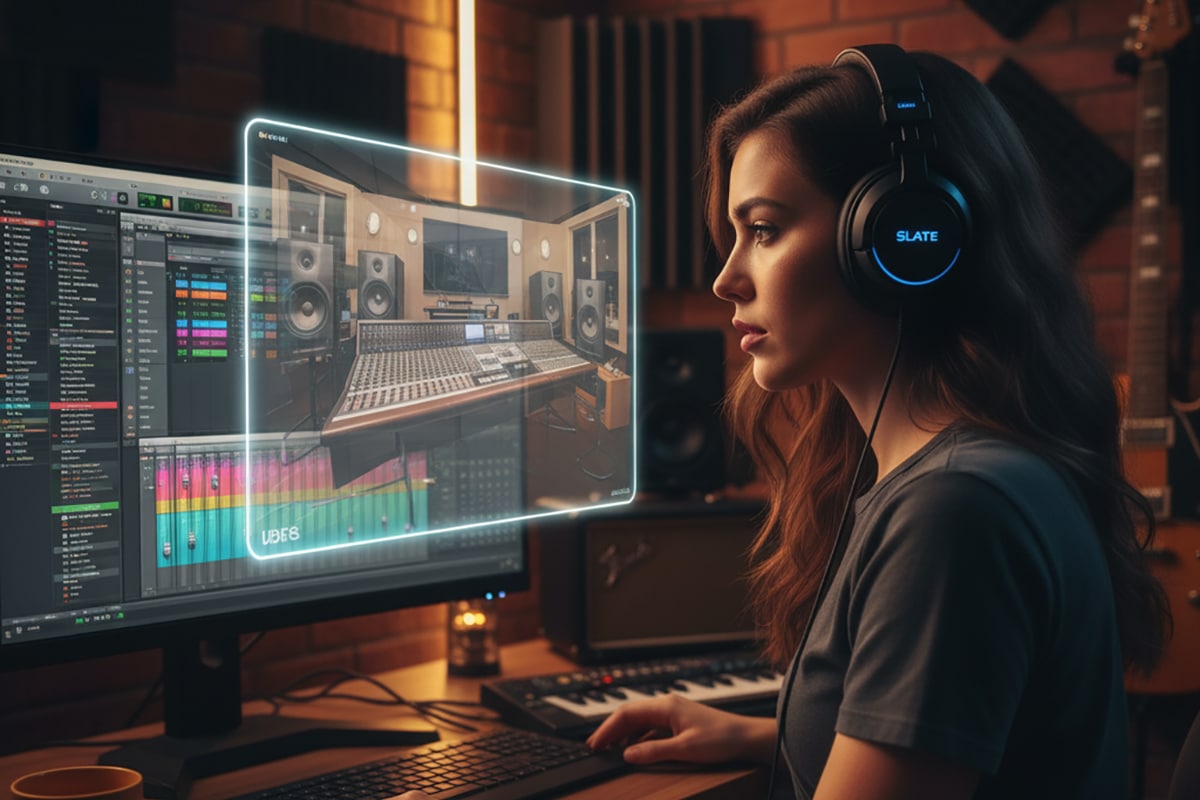
Making a Scene Presents Slate Digital VSX Headphone System: A Deep Dive Review
Listen to the podcast for a more detailed in depth discussion of the Slate VSX system
I want to start this review with something important: I bought these headphones myself. I didn’t get an endorsement, a discount, or a sponsorship. This review is based on my own money, my own time, and my own ears. That matters because when you’re spending hundreds of dollars on a piece of gear, you need an honest perspective—not marketing fluff.
So why did I buy the Slate Digital VSX system? Because like many of you, I’ve wrestled with the age-old problem of mixing music in less-than-ideal rooms. Maybe you’ve been there too: you mix a track that sounds amazing in your headphones or your small studio, but when you take it to the car or play it on your friend’s Bluetooth speaker, everything falls apart. The kick is too loud, the vocals vanish, or the bass rattles in a way you didn’t notice before. That’s what engineers call “translation,” and it’s one of the hardest parts of audio production.
Steven Slate and his team designed the VSX system to solve exactly that problem. They wanted to give producers, engineers, and indie musicians access to some of the world’s best listening rooms and speaker setups—without having to rent expensive studio time or spend thousands on acoustic treatment. The result is a hybrid system: carefully engineered headphones paired with a powerful piece of software that lets you “step inside” different mix environments at the push of a button.
Let’s take a deep dive into what makes the VSX unique, from the build quality of the headphones to the magic of the software.
Why Mixing on Headphones Is Hard
Before we dig into specs, it’s worth understanding the challenge VSX is trying to fix.
Most of us don’t have the luxury of working in million-dollar studios with tuned acoustics. Instead, we record and mix in bedrooms, basements, garages, or rented spaces. These rooms are full of problems: reflections from walls, bass buildup in corners, or just plain bad speaker placement. Even if you buy good monitors, the room itself can color the sound in ways that are hard to fight.
Headphones seem like the easy solution, right? Put them on, and you bypass the room completely. But headphones come with their own issues. For one, they feed each ear separately, while real speakers mix sound in the air before it reaches you. That’s why headphones often feel “in your head” instead of in front of you. Also, many consumer headphones aren’t flat. They boost bass or treble to make music sound exciting, which is fun for listening but misleading for mixing.
So engineers are stuck: use monitors in a bad room, or use headphones that don’t tell the truth. VSX tries to bridge that gap by giving you neutral, reference-grade headphones plus software that simulates real-world listening environments.
The Headphones: Design and Specs
Let’s start with the physical product. The VSX headphones are closed-back, over-ear headphones. That design is key because it prevents sound from leaking in or out. You don’t want your mic picking up bleed while tracking, and you don’t want outside noise breaking the illusion of the software.
The build is sturdy but lightweight. The headband uses a flexible frame that fits snugly without clamping too hard. The earcups are padded with soft cushions that create a good seal without overheating your ears. I’ve worn heavy studio headphones before that felt like bricks after an hour; VSX avoids that problem.
The drivers—the little speakers inside—are custom-designed for this system. Slate Digital tuned them to be as flat and transparent as possible. No hyped bass, no boosted highs, just a clear and accurate foundation. The idea is that the drivers act as a blank canvas, so the software can paint the room environments onto them.
Specs-wise, they cover the full human hearing range (20Hz to 20kHz), with low distortion and fast response. That means they can handle both deep sub-bass and crisp high frequencies without smearing details. For mixing, that accuracy is everything.
Comfort and Build Quality
Comfort is underrated, but anyone who’s mixed for more than two hours straight knows how crucial it is. The VSX headphones manage to be light without feeling flimsy. The headband adjustment is smooth, and the earcups pivot enough to fit different head shapes.
Another bonus is the durability. Slate didn’t design these as delicate boutique cans you’re afraid to touch. They’re built for daily studio use—plugging, unplugging, tossing in a bag, wearing for long sessions. I wouldn’t throw them against a wall, but they don’t feel fragile either.
When you’re working in the studio, sometimes small details matter. For example, the ear cushions don’t just provide comfort—they also help with isolation. That seal keeps outside sounds from messing with the virtual environments. If the seal breaks, the illusion doesn’t work as well, so the design here is functional, not just cosmetic.
The VSX Plugin: The Real Magic
Now let’s talk about the software, because this is where VSX 5.0 becomes more than “just another pair of headphones.”
The VSX 5 plugin installs into your DAW just like any other effect, but instead of adding EQ or reverb, it reshapes the sound of your entire mix by simulating real-world listening environments. Each option is a precisely modeled acoustic space paired with specific speaker setups. The best way to use it is on a dedicated “monitor bus” rather than the main output, since you don’t want the plugin to be printed into your final mix.
When you activate the plugin and put on the headphones, it feels like you’ve been teleported into that room. Suddenly, the sound isn’t inside your head anymore—it’s in front of you, in a space. This is what makes VSX so different from normal headphones.
Mix Environments You Can Explore
So what kinds of environments are we talking about? Slate Digital has modeled an impressive list, and they keep adding more with updates.
-
Pro Studios: These are world-class control rooms with monitors worth tens of thousands of dollars. Think perfectly tuned acoustics, balanced frequency response, and gear you’d never afford on your own.
-
Consumer Setups: Ever wonder how your track sounds on a laptop, cheap earbuds, or even a smartphone? VSX has you covered. These options let you hear your mix the way regular listeners will.
-
Cars and Clubs: The car test is a classic. VSX includes car speaker modeling so you don’t have to burn a CD and take a drive. Club systems are also modeled, so you can hear how your mix bangs in a live setting.
Each environment has its own unique character. Switching between them is instant, so you can A/B your mix in seconds.
Ear Adjustment: Personalizing the Experience
One of the most fascinating parts of VSX is the Ear Adjustment software. Here’s why it matters.
Everyone’s ears are shaped differently. The size of your ear canal, the shape of your outer ear, even small asymmetries—all of these affect how you hear high frequencies. That’s why two people can listen to the same set of speakers and perceive the sound slightly differently.
Slate Digital tackled this by adding an ear adjustment system. It lets you fine-tune the sound to match your unique hearing. If things sound too dark or too bright, you can adjust the response until it clicks for you.
Think of it like prescription glasses. The frames (the headphones) are the same for everyone, but the lenses (the ear adjustment) are tailored to you. This ensures the VSX environments translate more accurately to your hearing, which means your mixes translate better to the real world.
Workflow: Mixing with VSX
So what’s it like to actually work with VSX day to day?
For me, it felt like unlocking a cheat code. I could start building my mix in a top-tier control room environment, balancing the big picture. Then I’d switch to a laptop speaker simulation and immediately hear if my vocal was too buried. A quick check in the car environment told me if the low end was translating.
All of this happened without me leaving my chair. No running around, no second-guessing. Just instant perspective shifts that made me more confident in my decisions.
At first, it took some time to trust the environments. My brain kept reminding me I was still in my room with headphones on. But after a few sessions, the illusion became convincing, and I started to forget the headphones entirely. That’s when I realized how powerful the system really is.
Why This Matters for Indie Musicians
If you’re an indie musician or a home producer, VSX can be a game-changer. Building a professional mix room costs thousands of dollars in acoustic treatment and monitor speakers. Most of us simply don’t have that kind of budget or space.
VSX gives you access to those spaces virtually. You can produce, mix, and even master with more confidence, knowing your work will hold up across playback systems. That means fewer embarrassing moments when you play your track on a friend’s Bluetooth speaker and realize the bass is out of control.
It also saves time. No more exporting mixes, driving to the car, or bothering your neighbor with loud monitors. You can test translation instantly, anytime.
Downsides and Learning Curve
No system is perfect, and VSX has its quirks.
First, there’s a learning curve. At the beginning, switching between environments can be overwhelming. You might overthink every detail because you’re hearing so many different perspectives. The trick is to use VSX as a tool, not a crutch. Trust your ears, make adjustments, and learn how the environments respond.
Second, the illusion works best when the headphones fit snugly and you’re in a quiet space. Any outside noise can break the spell.
Finally, VSX won’t make you a better mixer overnight. It’s still your ears, your taste, and your decisions that matter. What it does is give you a clearer, more reliable window into the truth of your mix.
My Personal Experience
When I first put on the VSX headphones and loaded the plugin, I honestly laughed. The difference was that dramatic. I went from hearing sound inside my skull to feeling like I was in a pro studio. The first few mixes I did with VSX translated better than anything I’d done before.
The ear adjustment was also a pleasant surprise. I didn’t realize how much my ear shape was affecting my perception until I tweaked it. Suddenly, things locked into place, and I felt more confident in what I was hearing.
What really sealed it for me was the car environment. I used to waste hours driving around, testing mixes. With VSX, I still check in the actual car once in a while, but nine times out of ten, the plugin nailed it. That alone saved me so much time.
What really convinced me was that after mixing on the VSX headphones, I checked the mix on my Focal Alpha 80s, Focal Shape 65s, JBL 4411Bs, and even in my car—and it sounded great and balanced on every system.
Final Thoughts
The Slate Digital VSX system is one of the most ambitious and useful tools I’ve seen for home and indie musicians. The headphones themselves are solid, comfortable, and accurate. The software is where the magic happens, giving you instant access to a wide range of mix environments. And the ear adjustment feature makes sure the whole system works with your unique hearing.
It’s not perfect, and it takes time to learn. But once you trust it, it’s hard to go back to normal headphones or even untreated monitors. For the price, it’s like renting out some of the best studios in the world, but permanently installed in your DAW.
For me, buying VSX wasn’t just about new headphones—it was about finally solving the translation problem without spending thousands on acoustic treatment. And for that reason, I’d recommend it to any serious musician or engineer working outside of a pro studio.
 |  Spotify |  Deezer |  Breaker |
 Pocket Cast |  Radio Public |  Stitcher |  TuneIn |
 IHeart Radio |  Mixcloud |  PlayerFM |  Amazon |
 Jiosaavn |  Gaana |  Vurbl |  Audius |
 Reason.Fm | |||
Find our Podcasts on these outlets

Subscribe to Our Newsletter
Discover more from Making A Scene!
Subscribe to get the latest posts sent to your email.


